
URL To Video
URL To Video · Video · Marketing
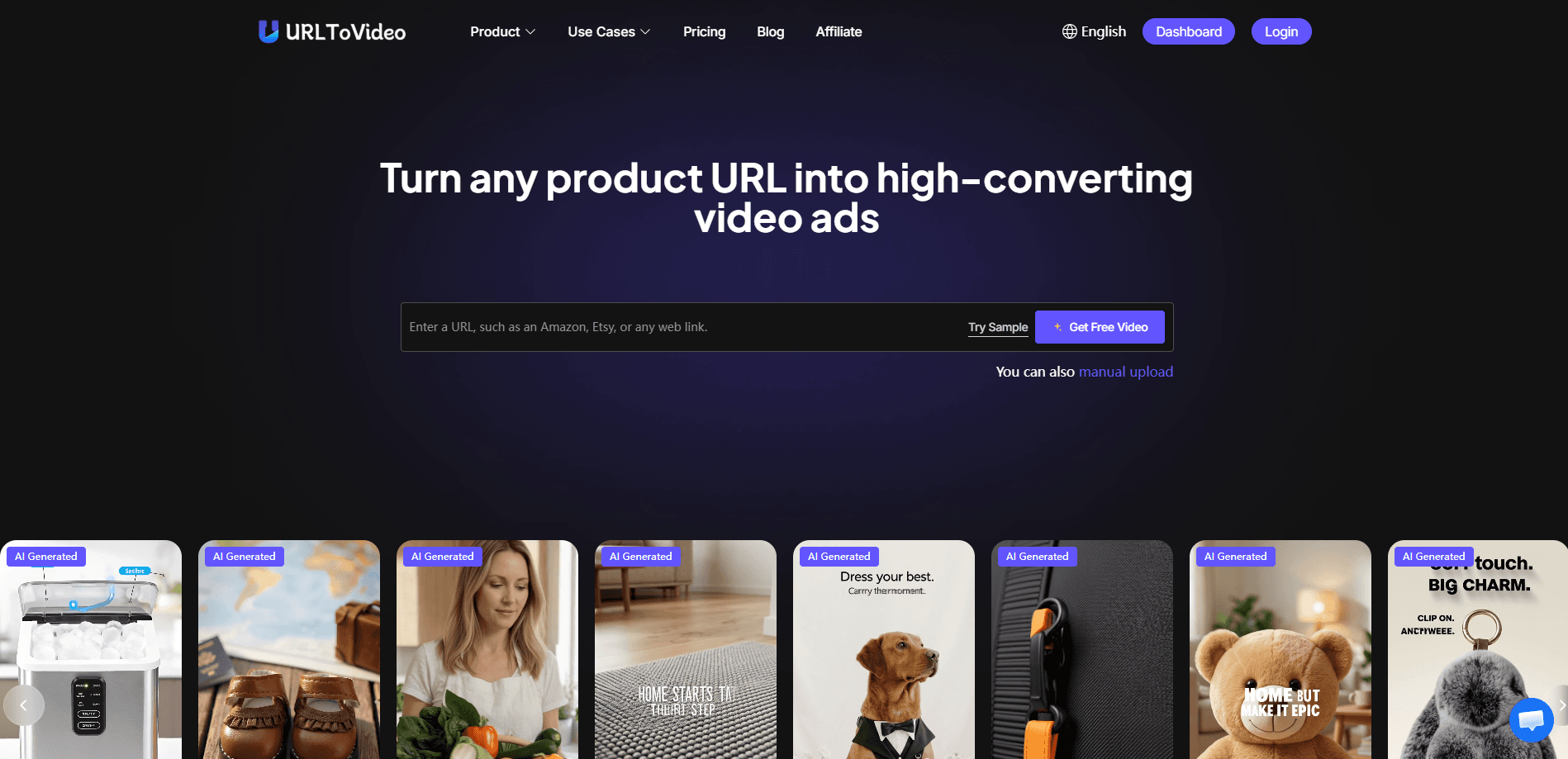
URL To Video is an AI video ad generator that turns a product page into a finished ad video. Paste a link from Shopify, Amazon, TikTok Shop, or Etsy, and the tool pulls the product details, writes a script, and builds a structured video you can export as MP4. No crew. No editor. It's aimed at ecommerce sellers and marketers who want to test ad creatives fast without either.
About URL To Video
What Is URL To Video
URL To Video is a web-based AI tool built specifically for ecommerce advertising. Instead of an editing timeline, you give it a product URL and it does the rest: it reads the page, picks out the title, images, and selling points, then assembles a short ad video around a conversion-focused structure. The output is a downloadable MP4 you can upload straight to ad platforms.
The main problem it solves is speed. Small shops usually can't produce ten ad variations a week to find one that works. This tool lets you generate several product URL to video versions in a single sitting and compare them. It also leans on a built-in ad library, so you can clone a proven ad structure and swap in your own product rather than guessing what format might perform.
The clearest limit is scope. This isn't a general-purpose video editor and it isn't made for YouTube storytelling or long-form content. It's a conversion tool. Brand film or narrative video? You'll want something else. Most features also trade on credits, so how much you can produce each month depends on your plan rather than on how much time you have.
Getting Started
- Create a free account on the URL To Video website. No credit card is needed for the Free plan.
- Paste a product page URL from Shopify, Amazon, TikTok Shop, Etsy, or another ecommerce store.
- Pick a video type and a style. Choose a straight product demo ad or an avatar-style UGC video, and select an AI avatar or your own cloned voice.
- Let the AI generate the script, scenes, and voiceover, then preview the result.
- Export the MP4 and upload it to your ad account to start testing.
Product Information
A quick look at URL To Video's pricing, supported platforms, and performance.
Best for
The users, tasks, and scenarios where this tool fits best.
Users
- Ecommerce store owners
- Performance marketers
- Small agencies
Tasks
- Turning product pages into video ads
- Replicating winning ad structures
- Testing ad variations
- Localizing ads
Scenarios
- Launching a new product listing
- Scaling a store's ad output
- Running UGC-style ads without creators
- Testing a new market
Key features
Product URL to Video Conversion
The core workflow starts with a link. Paste an ecommerce product page and the tool extracts the title, images, and product details, then builds a structured ad video around them. No storyboard. No assets to upload by hand. What you get back is a ready-to-export file, not a rough cut you still have to finish.
Winning Ad Library and Replication
URL To Video keeps a library of high-performing ad creatives you can browse by search. Once you find a structure that works, you clone it in one click and the tool adapts it to your own product page. This matters if you don't have an instinct for what makes an ad convert. You're borrowing a format that already performs instead of starting from a blank page.
AI Avatars and Voice Cloning
The tool offers a library of 100+ AI avatars for UGC-style video ads, so you can produce testimonial-looking clips without booking a creator. These AI avatar ads read as person-to-camera spots, which is the format most social feeds reward right now. Voice cloning and text-to-speech cover the audio, and the lip sync stays matched to the spoken track. Sell in more than one country? You can ship the same Shopify video ads in a different voice and language fast.
Automatic Script Generation
Every video follows a conversion-focused script the tool writes from the product URL. It picks the selling points off the page and arranges them into a logical ad arc, which removes the blank-page problem for people who know their product but not how to pitch it in 30 seconds. The first take can miss. Regenerate it if the hook falls flat.
Multi-Platform Ecommerce Support
The generator handles links from Shopify, Amazon, TikTok Shop, Etsy, and other major platforms. It's not locked to one store system, so a seller running on more than one channel can use the same workflow across all of them. That flexibility is why it's positioned as an AI video ad generator for ecommerce rather than a single-platform plugin.
Aspect Ratios and MP4 Export
Videos come out in the aspect ratios the major ad platforms expect, and you export a platform-ready MP4 with one click. That saves the step of re-framing a video for TikTok, Reels, or in-feed placements after the fact. On paid plans, exports are watermark-free and come with a commercial license.
Pros and cons
Pros
- Turns a product URL into a finished video ad with no filming or editing skills required.
- The ad library and one-click replication give beginners a proven structure to start from.
- 100+ AI avatars plus voice cloning make UGC-style video ads possible without real creators.
- Supports Shopify, Amazon, TikTok Shop, and Etsy, so it works across major ecommerce channels.
- Free plan lets you test the workflow before paying, and it needs no credit card.
Cons
- Free plan outputs carry a watermark and cap you at roughly 3 AI ad videos per month.
- Credits limit how much you can produce, so heavy testing needs a paid tier.
- It's built for ecommerce ads only, so it won't help with long-form or narrative video.
- Commercial rights and watermark-free exports sit behind paid plans starting at $19.9/mo.
Frequently asked questions
It converts a product page URL into a ready-to-publish video ad. You paste a link, the AI reads the page, writes a script, adds visuals and a voiceover, and hands you an MP4 you can upload to ad platforms. No scriptwriting, filming, or editing on your end.
Related content
Explore related tools, skills, and articles for URL To Video.
URL To Video Alternatives

ngram 2.0
ngram · Video · Marketingngram 2.0 is an AI video generator for teams. It turns a prompt, a screen recording, or a product URL into a narrated explainer, product demo, or AI avatar video, and every scene stays editable.

OpenScreen 2
OpenScreen (open-source project) · Video · ProductivityOpenScreen 2 is a free, open-source screen recorder and demo video editor for Windows, macOS, and Linux, with automatic zooms, styled frames, local captions, and agent edits.

Skreno
Skreno · Video · ProductivitySkreno is a browser screen recorder that captures a tab, a window or your whole display, then attaches AI transcripts, summaries and console logs to one share link.