

UseArticle
UseArticle · Coding
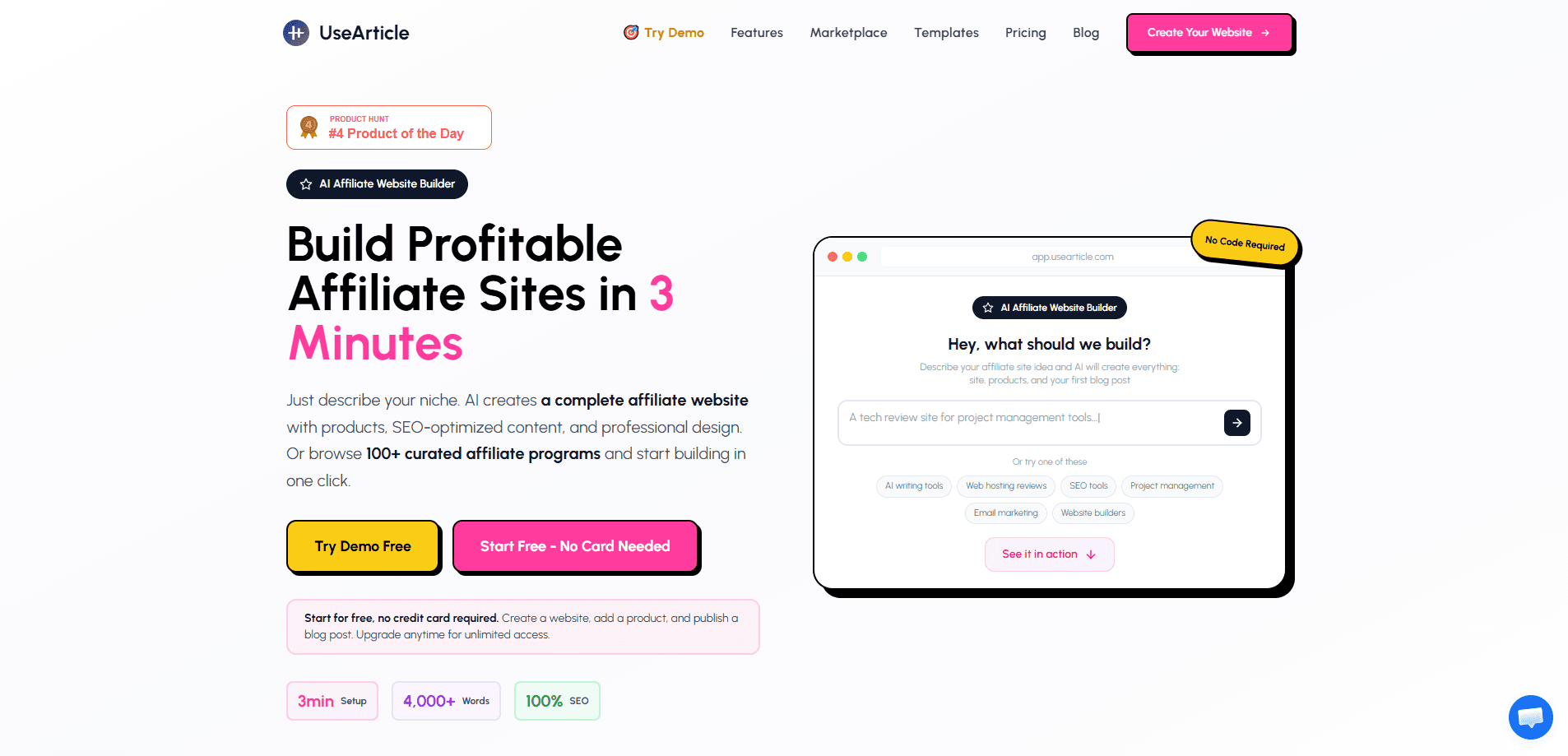
UseArticle is an AI affiliate website builder that turns a single product URL into a complete, SEO-ready affiliate site in about three minutes. You paste a product link or pick from a built-in marketplace of affiliate programs, and the platform generates a product homepage, blog posts, and affiliate link management without you writing or coding anything. It doubles as an AI affiliate content automation tool and an affiliate blog generator, aimed at affiliate marketers who want a working site fast.
About UseArticle
What Is UseArticle
UseArticle is a web-based platform that builds and hosts affiliate websites for you. The core idea is simple: instead of stitching together WordPress, a theme, a pile of plugins, and a content writer, you give UseArticle a product URL and it produces the whole site in one pass. That includes a product homepage with cards, prices, and ratings, plus a blog that publishes SEO-focused articles on a schedule. Want to build an affiliate website without coding? This is the pitch.
The problem it solves is the setup cost that keeps most people out of affiliate marketing. Traditional sites take days or weeks before the first post goes live. UseArticle compresses that into minutes, then keeps publishing through a daily automation you configure once. It's built for beginners, but agencies managing several niche sites also get a multi-site dashboard and custom domain support.
The main limit is control. Because the AI writes and structures the content, you trade fine-grained design freedom for speed. If you need a fully custom layout or a hand-coded theme, this isn't that kind of builder. It's also a subscription product, so the running cost matters more than the one-time effort. Pay attention to that. As an affiliate marketing tool, the monthly bill is the real test of value.
Getting Started
- Sign up at the UseArticle site with an email. No credit card is needed to start the 7-day free trial.
- Pick a starting point: paste a product URL from Amazon, a SaaS page, or any product page, or choose a program from the built-in marketplace of 100+ affiliate programs.
- Set the basics for the site, including products to feature, tone, word count per post, language, and a publishing schedule of 7 to 90 days.
- Choose from the 13 affiliate article templates, such as reviews, comparisons, gift guides, and alternatives posts, then let the automation rotate through them.
- Connect a custom domain, review the generated posts, and let UseArticle publish on its daily schedule while you track clicks.
Product Information
A quick look at UseArticle's pricing, supported platforms, and performance.
Best for
The users, tasks, and scenarios where this tool fits best.
Users
- Beginner affiliate marketers
- Solo affiliate publishers
- SEO agencies
- Technical users with an OpenAI account
Tasks
- Launching an Amazon affiliate website
- Publishing affiliate reviews at scale
- Building a product comparison page
- Setting up product schema
Scenarios
- Testing a new niche before committing
- Running several small niche sites
- Keeping a blog active while you work elsewhere
- Moving off a DIY WordPress stack
Key features
Three-Minute Site Build
The headline promise is speed. Give UseArticle a product URL or a marketplace program, and it produces a finished affiliate site with a homepage and blog in roughly three minutes. That's fast. For anyone who has set up WordPress from scratch, the difference is hard to overstate.
Product Homepage
Every site gets a homepage built around product cards with images, prices, ratings, and affiliate calls to action. Products are grouped by category so visitors can filter to what they want in one click. It reads as a real product site rather than a bare blog. That matters. Trust drives clicks.
13 Affiliate Article Templates
The AI writes across 13 formats, including honest reviews, comparisons, buying guides, best-of lists, head-to-head posts, gift guides, alternatives, and roundup posts. In the automation, you pick the templates and products and UseArticle rotates through them, so posts don't all look the same. Variety helps. Repetition kills rankings.
Daily Auto-Publish Automations
You set a duration of 7 to 90 days and one or two posts per day, then the platform writes, illustrates, and publishes on schedule. Email alerts confirm each post, and the automations run without you logging in. It just runs. The Base plan allows up to 2 automations, while Unlimited and BYOK Lifetime allow up to 5.
Affiliate SEO and Schema Markup
Content is structured around buyer-intent keywords, product names, and brand searches. Product schema markup feeds rich snippets with ratings, prices, and reviews, and affiliate links are managed with proper nofollow tags and disclosure compliance. Search engines see a real store. UseArticle frames this as revenue-focused SEO rather than traffic for its own sake.
Hosting, Custom Domains, and SSL
The platform hosts the sites, connects your own domain, and applies HTTPS automatically. You can run multiple niche sites from one dashboard, each with its own domain setup. No separate hosting bill. That removes the DNS fiddling you'd otherwise handle yourself.
API Access and Integrations
Every plan includes API access for n8n, Zapier, or custom workflows, so you can wire UseArticle into a bigger content pipeline. For teams already automating publishing, this is the piece that keeps the tool from being an island. It matters.
Pros and cons
Pros
- Builds a complete affiliate site with homepage and blog in about 3 minutes, far faster than a manual WordPress setup.
- 13 article templates and daily automations produce a steady stream of SEO content without hands-on writing.
- Includes hosting, custom domain, SSL, and product schema markup, replacing several separate tools.
- Plan range is broad: $23/mo for a small portfolio up to a $250 one-time BYOK Lifetime option with no recurring fees.
- API access for n8n and Zapier is available on every plan, including the cheapest tier.
Cons
- No free plan. You get a 7-day trial, but ongoing use means a subscription unless you buy the one-time BYOK tier.
- Because the AI generates structure and design, you lose fine-grained control over layout compared to a hand-built site.
- The BYOK Lifetime plan needs your own OpenAI key, so generation costs land on your OpenAI bill instead of being bundled.
- Automations cap at 2 on the Base plan, which limits output for anyone publishing more aggressively.
Frequently asked questions
It builds and hosts affiliate websites automatically. You give it a product URL or pick an affiliate program, and it creates a site with a product homepage, SEO blog posts, and affiliate link management. The goal is to skip the manual setup that affiliate marketing usually requires.
Related content
Explore related tools, skills, and articles for UseArticle.
UseArticle Alternatives
Forefront
Forefront · CodingForefront is a web platform for building with open-source AI. It lets you fine-tune leading open-source language models on your own data, evaluate how they perform, and run them through an API or export them to host yourself. Developers who want the convenience of a closed-source platform but insist on owning their models and data are the target audience here.

Startkit
StartKit.AI · CodingStartkit is a boilerplate for building AI SaaS and AI wrapper products. Think of it as an AI startup boilerplate with the boring parts already wired up: authentication, Stripe and Lemon Squeezy payments, usage limits, transactional email, and an AI API starter that talks to OpenAI, Anthropic, Groq, or Llama. You clone the repo, set your price, and start on the part of your product that people actually pay for. It's Next.js under React and Tailwind, so most of the boilerplate code already feels familiar.
Testim
Tricentis · CodingTestim is an AI-powered test automation platform for building and running end-to-end tests across web, mobile, and Salesforce applications. It leans on machine learning to keep tests stable when an interface changes, so teams spend less time fixing broken selectors. Not bad for an automated testing tool you can start using today. You create tests by recording actions in a browser, then optionally add JavaScript when you need more control. It's a solid pick for busy QA teams.