

Van Gogh Free Video Generator
Van Gogh Studio · Video
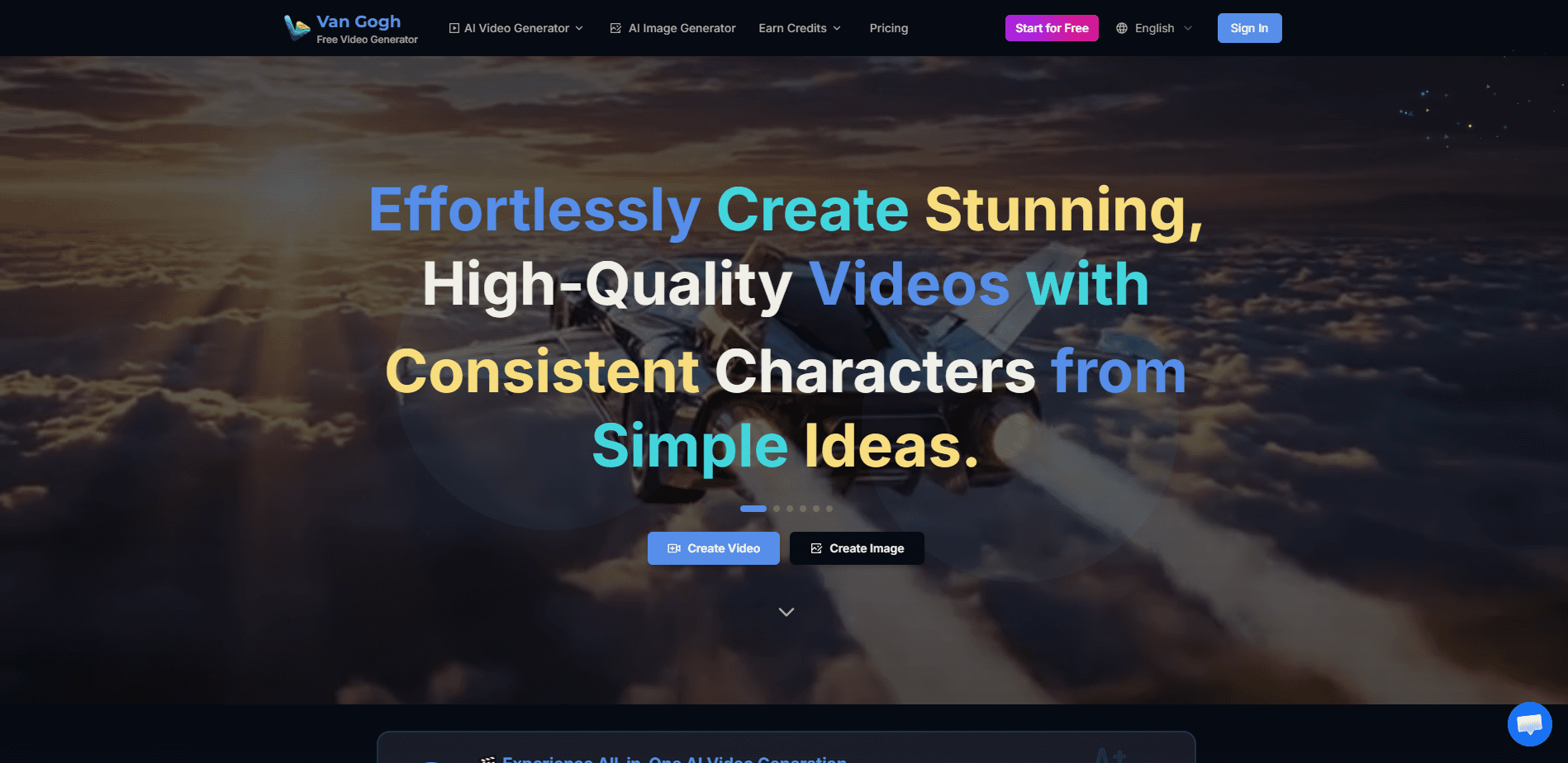
Van Gogh Free Video Generator is a free AI video generator built by Van Gogh Studio that turns text prompts and still images into short, character-consistent clips without a timeline editor. It sits in a workspace alongside AI image tools, video effects, and access to popular generation models like Veo, Kling, and Sora, so you can go from a rough idea to a publishable video in minutes without juggling separate subscriptions for each model.
About Van Gogh Free Video Generator
What Is Van Gogh Free Video Generator
Van Gogh Free Video Generator is the core tool inside Van Gogh Studio, a web-based AI video workspace. Its main job is simple: you describe a scene or upload a photo, and the site renders a video clip from it. The studio wraps that core generator with supporting tools, including a video upscaler, an AI photo enhancer, image generators, and model-specific entry points for Veo 3.1, Kling 3.0, and Sora 2.
The pitch is speed over control. There's no timeline, no keyframes, and no editing suite to learn. It's less a studio and more an AI clip generator. If you can write a sentence or drop in a picture, you can make a clip.
The catch is scope. Free tiers on AI video tools almost always cap how much you can render. Watermarks show up too. Van Gogh Studio is no exception. So what do you actually get for free? Enough to test a few clips, not enough to run a daily content channel. The site nudges you toward a paid plan for an ad-free experience, so heavy users should expect limits. We couldn't confirm exact export resolutions or clip lengths from the public pages, so treat those as details to verify before you commit to a project.
Getting Started
- Go to freevideogenerator.io and open the core generator or pick a specific tool from the tools menu.
- Type a prompt describing the scene, or upload a still image if you want image-to-video.
- Choose your settings, such as aspect ratio, and pick the model you want to render with.
- Hit generate and wait for the clip to render.
- Download the result, or send it into the upscaler and effects tools before you post it.
Product Information
A quick look at Van Gogh Free Video Generator's pricing, supported platforms, and performance.
Best for
The users, tasks, and scenarios where this tool fits best.
Users
- Social media creators
- Small business owners
- Hobbyists and beginners
Tasks
- Text-to-video
- Image-to-video
- UGC ad video
- Upscaling and cleanup
Scenarios
- Daily content posting
- Early concept testing
- Photo revival
Key features
Free text-to-video and image-to-video generation
The core generator handles both inputs. Type a prompt and it renders a clip. Upload a still and it animates it. That dual input covers most beginner needs, because you can either describe what you want or show it. It's the reason the tool works well as a first stop before you commit to a paid model.
Character consistency across clips
Van Gogh Studio markets character-consistent output, which matters if you're building a series with the same persona. Repeating the same character across clips is normally where cheap AI video tools fall apart, because the face and wardrobe drift between scenes in ways that look broken, so keeping a character stable lets you run a short narrative or a recurring ad format without the look drifting between scenes.
Multiple generation models in one place
The site gives you access to several popular models, including Veo, Kling, Sora, Seedance, and Runway, each with its own dedicated page. You don't need separate accounts for each. For someone comparing models, that's a fast way to test which one fits a task without juggling subscriptions.
A wider creative toolkit around the generator
Beyond video, the studio bundles an AI image generator, an AI photo enhancer, background removal, virtual try-on, and an image upscaler. The value here is workflow. Generate a still. Clean it up. Then animate it into a video without leaving the site. That saves the file-shuffling that slows down multi-tool projects.
Video upscaling and effects
The video upscaler and the effects library let you sharpen rough output and add cinematic looks after generation, which matters because free renders often come back soft and flat, so this is less a bonus and more a fix for the most common complaint about AI clips.
Model-specific entry points
Tools like the Sora-style generator, the Veo 3.1 page, and the Kling 3.0 page give each model its own door. That structure helps when you already know which model style you want. Instead of hunting through menus, you land on the right generator straight away.
Pros and cons
Pros
- Free to start, so you can test the text-to-video and image-to-video flow before paying anything.
- No timeline or editing skills required, which lowers the barrier for first-time video makers.
- Model variety in one workspace, letting you compare Veo, Kling, Sora, and others without extra accounts.
- Image, photo, and upscaling tools sit next to the video generator, so multi-step projects stay in one place.
- Dedicated pages for each major model make it easy to jump straight to the style you want.
Cons
- Free-tier limits mean heavy use runs into caps, and the site pushes a paid plan for ad-free output, so cost shows up fast for regular creators.
- Exact export resolution and clip length aren't clearly published, so you can't plan a high-end project on specs alone.
- Character consistency and quality depend on the model you pick, and results can vary between them.
- No public API means you can't wire the generator into your own app or pipeline.
Frequently asked questions
It's a free, web-based AI video generator from Van Gogh Studio. You feed it text or an image and it renders a short clip, with extra tools for images, upscaling, and effects wrapped around the core generator.
Related content
Explore related tools, skills, and articles for Van Gogh Free Video Generator.
Van Gogh Free Video Generator Alternatives

ngram 2.0
ngram · Video · Marketingngram 2.0 is an AI video generator for teams. It turns a prompt, a screen recording, or a product URL into a narrated explainer, product demo, or AI avatar video, and every scene stays editable.

OpenScreen 2
OpenScreen (open-source project) · Video · ProductivityOpenScreen 2 is a free, open-source screen recorder and demo video editor for Windows, macOS, and Linux, with automatic zooms, styled frames, local captions, and agent edits.

Skreno
Skreno · Video · ProductivitySkreno is a browser screen recorder that captures a tab, a window or your whole display, then attaches AI transcripts, summaries and console logs to one share link.