
Vany
Vany · Video
Vany is an AI video generator that turns any text prompt into a short, engaging video in seconds. Type a topic or a link and Vany builds a shareable explainer, with free monthly credits to start.
About Vany
What Is Vany
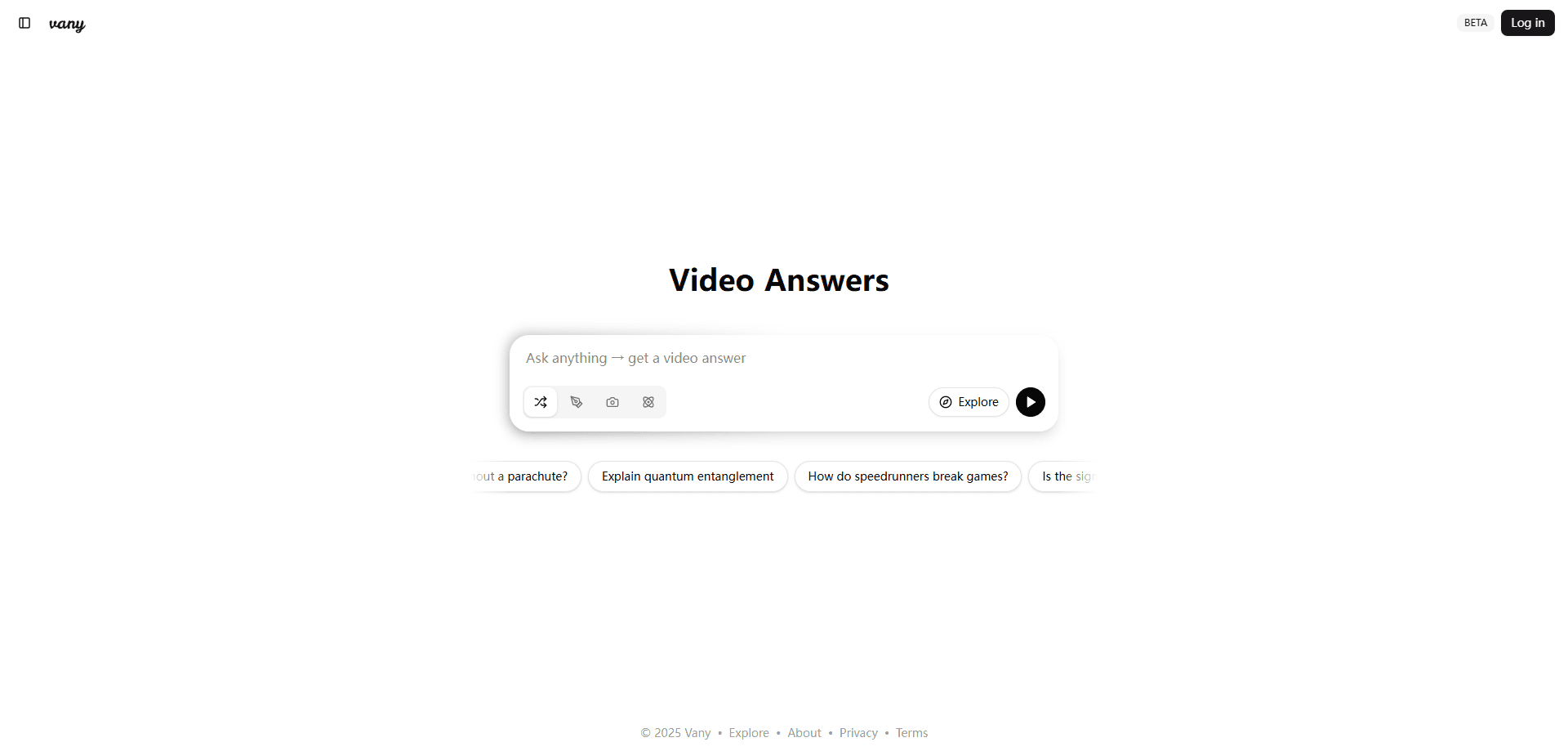
Vany is a web-based AI video generator built by a team of former Google and Amazon engineers. You type anything you want to see, say a concept, a story, or a Wikipedia link, and it produces a short video with narration and visuals. The pitch is simple: reading long blocks of text is slow, and a short clip is often the fastest way to get a point across.
The tool leans on visual storytelling for learning and sharing. Teachers, marketers, and anyone who explains things for a living can turn a dry paragraph into something people actually finish watching. Vany handles the script, the voiceover, and the visuals, so you never touch a timeline or a keyframe.
The catch is credits. Every video eats into a monthly allowance, and the free tier is small. Animated video and watermark-free downloads sit behind paid plans, so heavy users hit the paywall fast. Vany runs in the browser only; native mobile apps were still listed as early access, not shipping.
Getting Started
- Head to vany.ai and log in with your Google account to save your video history.
- Type a prompt in the box. A question, a topic idea, or a pasted link all work.
- Pick a format. Auto mode handles the styling, or you can describe a tone such as professional or photorealistic.
- Wait for the render. Vany says a short video comes back in under a minute.
- Review the result, ask for edits in plain language, then share it or download it.
Product Information
A quick look at Vany's pricing, supported platforms, and performance.
Best for
The users, tasks, and scenarios where this tool fits best.
Users
- Teachers and trainers
- Marketers and social media managers
- Curious learners
Tasks
- Explaining a tricky topic
- Turning a link into a summary
- Drafting social content
Scenarios
- A last-minute lesson video
- Onboarding and training clips
- Quick concept testing
Key features
Text to Video in One Prompt
Type any idea and Vany, working as an AI video maker, assembles a short video with narration and on-screen visuals. You do not write a script or storyboard. The tool reads your prompt, picks a structure, and renders a finished clip, which is the core reason people reach for it over a standard editor.
Edit by Chatting
Changes happen through conversation, not a timeline. Ask for a different tone, a shorter section, or a new scene, and Vany reworks the video. Each edit costs one credit, so the cost of fiddling stays low compared with a full re-render.
Animated and Still Image Modes
Vany generates both slideshow-style videos built from still images and animated motion videos with moving visuals. Still image videos cost 10 credits, animated ones cost 20, and animating your own stills costs 10. The animated mode is the one most people associate with a modern AI video tool.
Voice Cloning for Narration
Paid plans unlock voice cloning, so the narration can carry a familiar voice instead of a stock one. That matters for brands and creators who want a consistent sound across a series of clips. It sits behind the subscription, not the free tier.
Watermark-Free Downloads
Free videos carry a Vany watermark. Platinum and higher remove it, which is the practical trigger for anyone using the clips in paid ads or client work. It is one of the main reasons to upgrade rather than stay on the free AI video creation allowance.
Community Video Feed
Vany hosts a public feed where you can browse what other people made and share your own creations. It doubles as a discovery tool, since the feed shows the range of prompts that work, from science topics to compliance training.
Pros and cons
Pros
- Turns a plain text prompt into a shareable video in seconds, with no editing skills needed.
- Edit-by-chat keeps revisions cheap and approachable at one credit per change.
- Free monthly credits and a no-charge trial let you test the output before paying.
- Handles explainers, training clips, and social content from the same simple prompt box.
- Settings like tone and format are described in plain words, not buried in menus.
Cons
- The free tier is thin, so anyone making more than a handful of videos per month has to pay.
- Watermark-free downloads and animated video sit behind the $25/mo Platinum plan, which raises the real entry price.
- It runs in the browser only, so you cannot edit a video on a phone app yet.
- There is no public API, so teams cannot wire Vany into their own tools or automate batches.
Frequently asked questions
You type a prompt and Vany's AI builds a short video from it, adding narration and visuals automatically. It handles the script and the editing for you, so no video experience is required. A basic clip usually comes back in under a minute.
Related content
Explore related tools, skills, and articles for Vany.
Vany Alternatives
Griffin by Tavus
Tavus · Voice & Language · Video · ChatbotGriffin by Tavus is the first Human Interaction Model: a full-duplex, video-to-video system that watches, listens, and answers during a live video call in real time.

Syllaby AI Avatar 2.0
Syllaby · Video · MarketingSyllaby AI Avatar 2.0 turns a script into a presenter-led video with a reusable AI avatar, natural voice, B-roll and automatic subtitles, all in one browser workflow.

Vitra.ai
Vitra.ai · Voice & Language · Video · MarketingVitra.ai is an agentic content platform that creates, translates, reviews, and publishes video, images, documents, and app content in 120 languages from one shared brief.