

Vectorizer AI
Cedar Lake Ventures, Inc. · Image
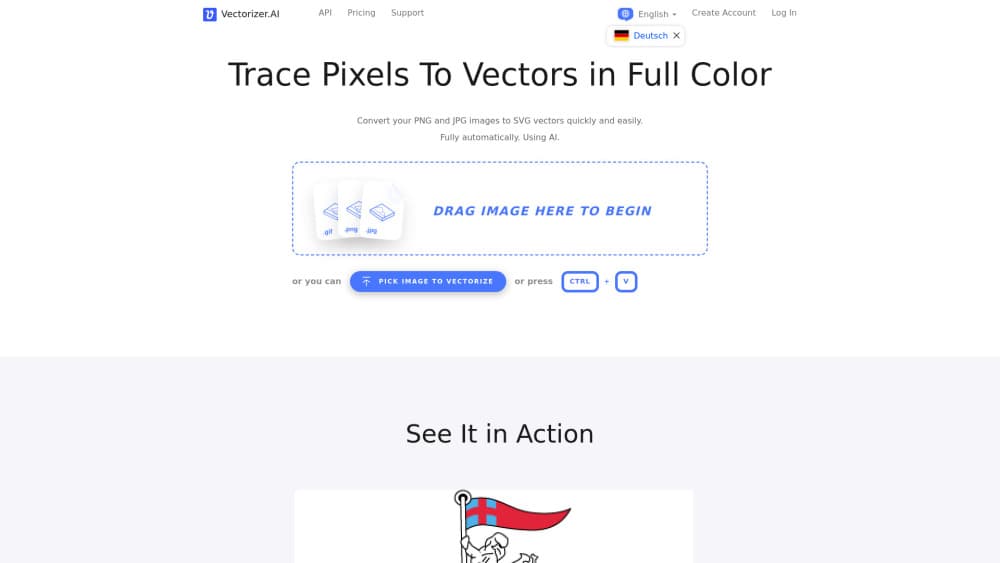
Vectorizer.AI is an online image to vector converter that turns PNG, JPG, GIF and WebP files into clean SVG, PDF, EPS or DXF artwork using shape fitting instead of pixel tracing. A free preview lets you check the result before you pay.
About Vectorizer AI
What Is Vectorizer.AI
Vectorizer.AI is a browser based tool for turning bitmap images into editable vector artwork. It reads the pixels, works out which circles, rectangles, arcs and curves the picture was drawn from, and rebuilds those shapes as real geometry. That is a different approach from the auto trace buttons bundled with most design software, which outline blocks of pixels and leave jagged edges plus a pile of useless anchor points.
The service comes from Cedar Lake Ventures, a small company near Minneapolis. Its vectorization research started at Stanford University more than 15 years ago, and the current engine combines deep learning networks trained on a private dataset with a computational geometry layer the team calls the Vector Graph.
Most people use it for logos, illustrations, stickers, cut files and scanned line art, and you can vectorize image online from any modern browser with no install step. The main limits are practical: images can be up to 3 megapixels and 30 megabytes, and downloads require a paid plan. Previewing and zooming around the result costs nothing.
Getting Started
- Open vectorizer.ai in a browser and drop in a PNG, JPG, GIF, BMP or WebP file, or paste an image from the clipboard.
- Wait a few seconds while the engine fits shapes, corners and curves to the pixels.
- Inspect the preview at full zoom, switch between the original and the vector, and adjust the color palette if a shade looks off.
- Pick an output preset for editing, cutting or engraving, then choose SVG, PDF, EPS, DXF or a cleaned up PNG.
- Subscribe when you are ready to download, or skip the browser and call the API from your own code.
Product Information
A quick look at Vectorizer AI's pricing, supported platforms, and performance.
Best for
The users, tasks, and scenarios where this tool fits best.
Users
- Graphic designers
- Print and apparel shops
- Developers
- Hobbyists and students
Tasks
- Logo restoration
- AI art cleanup
- Cutting and engraving prep
- Line art digitization
Scenarios
- Rebuilding a brand kit after a merger
- Launching a merchandise line
- Automating a marketplace workflow
Key features
Whole Shape Fitting
Instead of following the outer edge of each color patch, the engine tries to recognize complete shapes. Circles, ellipses, rounded rectangles and stars are fitted as actual geometric primitives, alongside lines, arcs and Bezier curves. The practical result is a file that is easier to edit later, because a circle stays a circle rather than becoming four arbitrary curves.
Vector Graph
The Vector Graph is the geometry framework underneath every result. It records the boundaries that neighboring shapes share, so two adjacent colors meet exactly, without thin gaps, slivers or overlapping fills. Anyone who has cleaned up a traced logo in Illustrator knows how much time that detail saves.
Full Color and Transparency
The AI vectorizer handles full 32 bit color, including partial transparency, and it does not cap the number of colors in an image. Gradients and soft shadows survive better than they do in tracers that reduce everything to a small indexed palette, which matters for stickers and product mockups.
Free Interactive Preview
You can upload and inspect as many images as you like without an account. Zoom in, compare the vector against the original, and change the palette until the result looks right. Downloads are locked behind a subscription, but the preview is the part that tells you whether a given image will convert well.
Export Presets
Presets cover editing, cutting and engraving, and each one changes how curves and outlines are written. The cutting preset draws shapes as thin strokes with solid fills, while DXF export options limit curve types to those older machine software can read. You can also set the file format version, so the output opens in software that is not fully standards compliant.
API, SDKs and CLI
The same engine is available through a REST API, with official packages for TypeScript and JavaScript, Java, C# and .NET, Go, PHP and Ruby, plus a standalone CLI for Windows, macOS and Linux. That makes batch conversion, CI checks and server side pipelines realistic rather than a custom integration project.
Pros and cons
Pros
- Output uses real shapes and shared boundaries, so files need far less manual cleanup than typical auto traces.
- The free preview removes most of the guesswork from buying, since you see the exact result before paying.
- Wide format coverage on both ends: PNG, JPG, GIF, BMP and WebP in, SVG, PDF, EPS, DXF and cleaned PNG out.
- Export presets and compatibility options handle the quirks of cutting machines and older CAD software.
- API plans include credit rollover up to five times the monthly allowance, which softens seasonal spikes.
Cons
- There is no free download, so even a single one-off conversion requires a subscription.
- Images above 3 megapixels or 30 megabytes must be cropped first, which is a real annoyance for large posters and detailed maps.
- It only converts. Editing paths still happens in Illustrator, Inkscape, CorelDRAW or Figma.
- API pricing is monthly and volume based, and the smallest plan may feel oversized for a project that runs once.
Frequently asked questions
It converts bitmap images into vector files. You upload a PNG, JPG, GIF, BMP or WebP image, and the service returns SVG, PDF, EPS, DXF or a cleaned up PNG built from fitted shapes rather than traced pixels.
Related content
Explore related tools, skills, and articles for Vectorizer AI.
Vectorizer AI Alternatives

Tractionwave
TractionWave · Image · MarketingTractionWave is an AI attention heatmap tool for static ads. Upload a PNG or JPG and it returns predicted attention, ranked hotspots, and fixes before you spend budget.

Imejis.io
Imejis.io · Image · MarketingImejis.io is an AI design studio for agents and marketing teams. Describe an image in plain words, and it writes the copy, builds the layout, reflows it to every size, then exports a finished file.

Layoutr
Van Dijk Ontwikkeling · Image · China AILayoutr is a browser floor plan tool that scales your own plan, places furniture at true size, shows the room in 3D and renders it with AI.