

Veo 4
aiveo4.ai · Video
Veo 4 is a multi-modal AI video generator that builds cinematic clips from text, images, video, and audio references. You describe a scene, drop in the references you want it to match, and it returns multi-shot stories with native audio, consistent characters, and camera work you can steer in plain language. It handles text to video and image to video from the same workspace, and it suits creators, marketers, and small studios that need polished drafts without a full production crew.
About Veo 4
What Is Veo 4
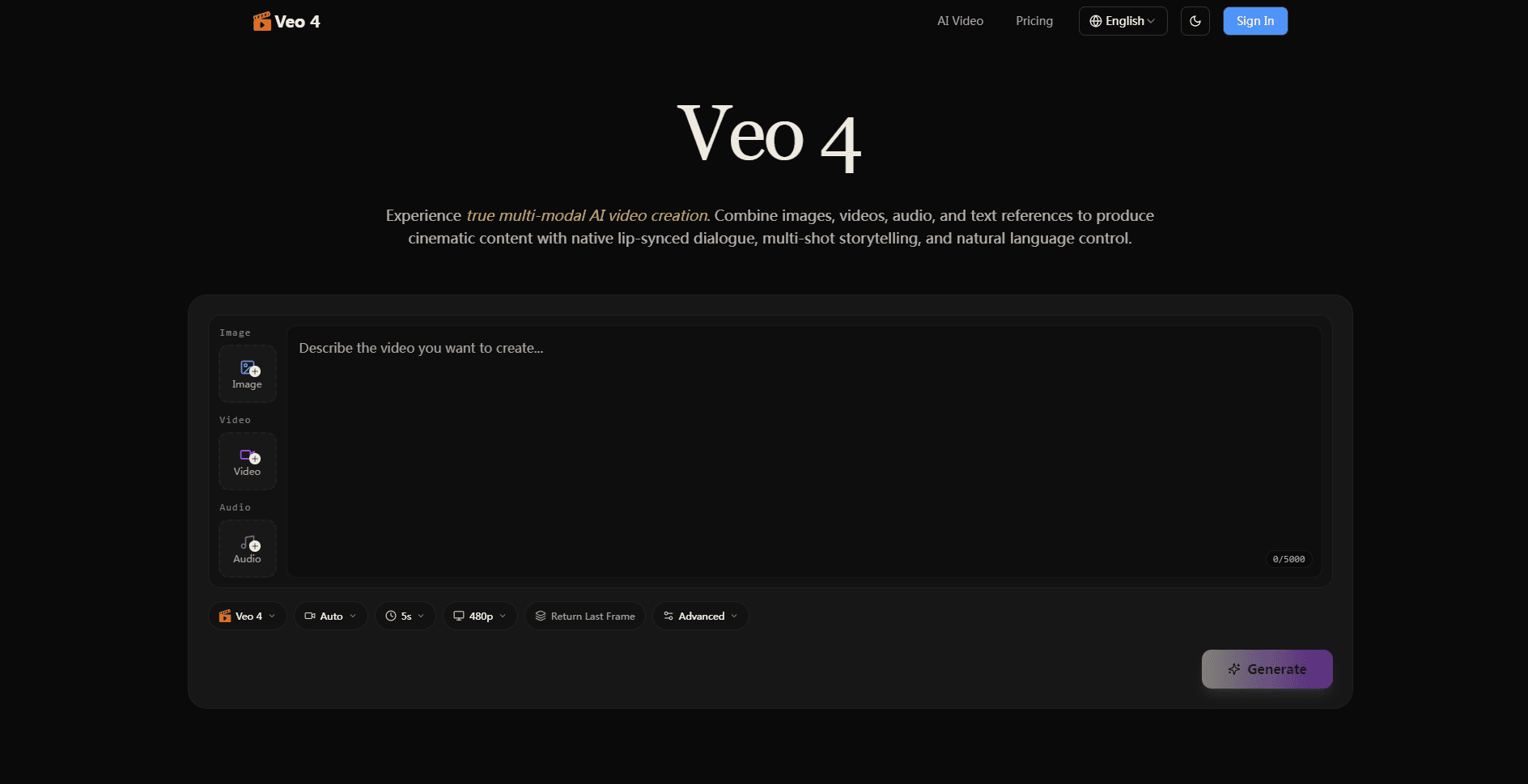
Veo 4 is a browser-based AI video generator. No install. No rendering machine. It reads four kinds of input at once: written prompts, still images, uploaded video clips, and MP3 audio files. You mix those references in a single generation, and the tool keeps faces, clothing, scenes, and motion consistent from shot to shot.
Most AI video tools ask for a prompt and stop there. The results drift. Veo 4 leans on reference material instead. Point it at a dance clip and it can copy the choreography onto a character you pick. Feed it a film segment and it picks up the camera movement and pacing. For anyone who's fought with AI clips that drift off-model between cuts, that's the fix that matters.
It's not a full editing suite, and the site doesn't spell out rendering limits or export formats in the open. Uploads also need to be material you have the rights to use. Treat it as a production assistant, not a replacement for an editor.
Getting Started
- Go to the Veo 4 site and sign in, or create an account if you don't have one.
- Pick your input types: type a prompt, upload images, drop in a video clip, or add an MP3 for the soundtrack.
- Describe the scene in the prompt box, covering subject, setting, camera movement, and mood.
- Attach your references, then generate the draft and review the shots.
- Download the clip or refine the prompt and references before you produce a final version.
Product Information
A quick look at Veo 4's pricing, supported platforms, and performance.
Best for
The users, tasks, and scenarios where this tool fits best.
Users
- Content creators who publish short-form video and need a steady stream of clips without reshooting.
- Filmmakers and video producers testing camera moves and pacing before committing to a shoot.
- Marketing and social media teams turning one idea into several platform-ready variations.
- Small studios that want cinematic drafts without hiring a full production crew.
Tasks
- Reference-led generation
- Multi-shot storytelling
- Video extension
- Character consistency
- Audio-synced video
Scenarios
- Social ads where you need the same product shot in several aspect ratios and styles.
- Storyboard and pitch videos that show a client roughly how a scene will play.
- Concept scenes for games or film that would be too costly to shoot for a test.
- Ecommerce clips that animate a product still with controlled lighting and motion.
- Trend-led posts where you reference a popular clip format and rebuild it in your own style.
Key features
Multi-Modal Input
Veo 4 accepts images, video, audio in MP3 format, and text prompts in the same generation. You're not locked to one input type, so you can rough out a scene with a prompt and then anchor it with a reference clip. Combining modalities is what separates it from single-input text-to-video tools. For AI video generation, that flexibility is the whole point.
Reference-Based Motion Replication
Upload a video and Veo 4 can copy the motion inside it onto a different character. The reference can carry choreography, effects, transitions, or camera movement. Reviewers on the site say motion replication is the part that sold them, since it lets one clip become a reusable template. That's a big deal. Templates scale, and scaling is how you keep output steady.
Character and Scene Consistency
The tool holds faces, clothing, and even small on-screen text steady across multiple shots. That's the piece most AI video generators struggle with, and it's what makes a multi-shot story read as one continuous piece instead of a pile of unrelated clips. When it works, you stop noticing the cuts. When it fails, the whole sequence falls apart.
Multi-Shot Storytelling
Veo 4 generates sequences rather than single isolated shots. You get several cuts that share a visual rhythm, which is closer to how a real scene is edited and saves you from stitching unrelated clips together by hand. Fewer round trips through your editing software. That's the practical win.
Native Audio and Lip Sync
Clips come out with synchronized audio, including dialogue that matches mouth movement. You can also feed it audio references to guide sound and pacing, so the soundtrack and the picture move together instead of being bolted on afterward. That synchronization is easy to underestimate. It's the difference between a clip that feels shot and one that feels assembled.
Video Extension and Scene Merging
You can extend an existing clip or merge separate scenes while preserving motion and flow, which is the closest thing here to an editor that understands continuity and is handy when a shot ends a second too early but you'd rather not regenerate the whole thing from scratch.
Natural Language Control
Direction happens in plain language. You write the subject, camera angle, and mood, and the model translates that into shot choices. No node graph. No timeline. That lowers the bar for people who aren't trained editors, and it keeps the workflow close to how you'd brief a person rather than a machine.
Pros and cons
Pros
- Takes four input types at once, so prompts, stills, clips, and audio can all shape the same result and you're never stuck with just one way to steer the model.
- Reference-based motion copying makes it easy to rebuild a trending format with your own subject.
- Character and text consistency holds up across multi-shot sequences.
- Native audio and lip sync cut down on manual sound work afterward.
- Browser-based, with no install and a written-prompt workflow anyone can pick up.
Cons
- No free plan, so you have to buy credits before you can test the output quality.
- The public site doesn't state export resolutions, clip length limits, or render times, which matters if you need a specific spec.
- Motion replication only works well if your reference footage is clean and free of quick cuts.
- There's no stated API, so teams that want to script batch generations can't plan around one yet.
Frequently asked questions
Veo 4 generates short cinematic videos from prompts and reference material. People use it for social ads, product clips, concept scenes, storyboards, and multi-shot narratives where characters and style need to stay consistent.
Related content
Explore related tools, skills, and articles for Veo 4.
Veo 4 Alternatives

ngram 2.0
ngram · Video · Marketingngram 2.0 is an AI video generator for teams. It turns a prompt, a screen recording, or a product URL into a narrated explainer, product demo, or AI avatar video, and every scene stays editable.

OpenScreen 2
OpenScreen (open-source project) · Video · ProductivityOpenScreen 2 is a free, open-source screen recorder and demo video editor for Windows, macOS, and Linux, with automatic zooms, styled frames, local captions, and agent edits.

Skreno
Skreno · Video · ProductivitySkreno is a browser screen recorder that captures a tab, a window or your whole display, then attaches AI transcripts, summaries and console logs to one share link.