

Veoe AI Video Agent
Videoe.AI · Video
Veoe AI Video Agent is a browser-based AI video generator that runs on Google's Veo models and turns a written prompt or a still image into a short clip with matching audio. Who's it for? Anyone who wants quick social-ready footage without learning a video editor. Type a scene, pick a model, and download the result in HD without a watermark.
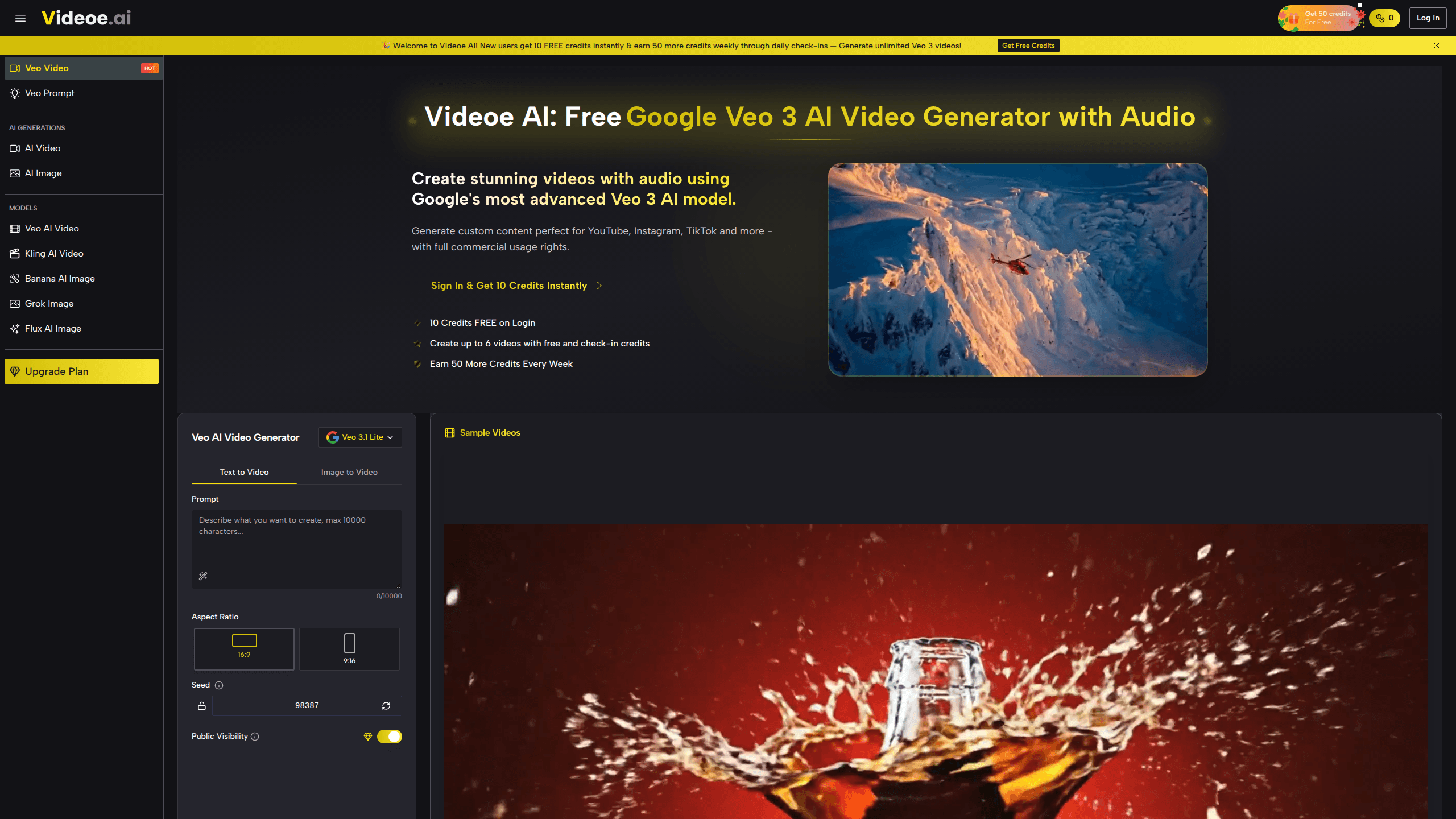
About Veoe AI Video Agent
What Is Veoe AI Video Agent
Veoe AI Video Agent is a web app from Videoe.AI that wraps Google's Veo video models behind a simple prompt box. Instead of paying for a Google AI Ultra subscription, you buy credits and spend them on individual generations. The site leans on Veo 3.1 and ByteDance's Seedance for video, plus Nano Banana for still images, so you get several model options in one place.
The main draw is audio. Veo clips come out with dialogue, ambience, and sound effects already attached, which saves a separate voiceover step that older tools forced on you. That matters most for talking-head content, product ads, and anything where silence would look broken.
The catch is credits. Every generation burns them, longer clips cost more, and the free allowance is tiny. Ten credits won't get you far. If you plan to iterate on the same idea ten times before it looks right, budget for a paid plan.
Getting Started
- Open videoe.ai in a browser and log in. You'll get 10 free credits, enough for roughly one video.
- Type a prompt describing the subject, setting, camera move, and mood, or upload an image to animate.
- Pick a model (Veo 3.1 or Seedance) and set the aspect ratio for the platform you're targeting.
- Generate the clip, review the audio sync, then download it in HD without a watermark.
- Upgrade to a monthly plan if you need more than a handful of videos per month.
Product Information
A quick look at Veoe AI Video Agent's pricing, supported platforms, and performance.
Best for
The users, tasks, and scenarios where this tool fits best.
Users
- Social media creators
- Small business owners
- Marketers testing ad concepts
- Hobbyists
Tasks
- Text to video
- Image to video
- Dialogue scenes
- Prompt writing
Scenarios
- Building a week of short-form content in one sitting.
- Turning a product photo into a quick ad before a launch.
- Storyboarding an idea to show a client before shooting anything for real.
- Filling a social calendar when you don't have footage on hand.
Key features
Native Audio in Every Clip
Veo models generate the soundtrack alongside the picture, so dialogue, background noise, and effects land on the same timeline as the visuals. For talking scenes this removes the usual dubbing step. It's the single biggest reason to pick this over tools that only output silent video.
Multiple Models in One Workspace
Videoe.AI gives you Veo 3.1 and Seedance 2 for video and Nano Banana for images, and because they all draw from the same credit balance you can test the same prompt across two video engines without opening a second browser tab or paying for a second subscription just to see which one handles your scene better.
Prompt Helper
The generator reads a short idea and expands it into a detailed prompt before rendering. It's handy if you've never written a video prompt and don't know what a model expects.
HD, Watermark-Free Downloads
Finished clips download in HD without a logo stamped on them, on every plan including the free credits you start with, which is a genuine difference from the many free tiers elsewhere that brand your output until you hand over a card.
Vertical and Widescreen Output
You can set the aspect ratio to match where the clip is going, so the same idea fits a phone screen or a wide desktop player without manual cropping later. That one setting decides whether the output looks native on a phone feed or stretched and awkward on a desktop landing page, and getting it right before you generate saves a re-render you'd otherwise have to pay for.
Automated Prompt Analysis
The engine reads your description and fills in creative gaps on its own, which cuts down on failed generations caused by vague prompts. The trade-off is less manual control than tools that expose every parameter.
Pros and cons
Pros
- Audio is generated with the video, so no separate voiceover pass.
- Free credits arrive after login, with no card required.
- Downloads are HD and carry no watermark on any tier.
- Several models share one account and one credit pool.
Cons
- The free plan covers about one video, so testing an idea properly means paying.
- No public API, which rules out automated or batch pipelines.
- Credit costs vary by model and length, and the totals add up fast.
- The interface is built around prompting, so fine-grained frame control is limited.
Frequently asked questions
It's a Veo 3 video generator at heart. It turns a text prompt or an image into a short clip using Google's Veo models and adds synchronized audio, then hands you a downloadable HD file without a watermark.
Related content
Explore related tools, skills, and articles for Veoe AI Video Agent.
Veoe AI Video Agent Alternatives

Vadu AI
Vadu AI · Image · VideoVadu AI is a web-based AI video generator that turns written prompts or still images into short clips, and it can also generate images on its own. You type what you want, pick a model and style, and the platform renders the result in minutes. A free plan covers light testing, while paid tiers run from $9 to $77.40 per month based on how many credits you burn.

Mykaraoke Video
MyKaraoke Video · VideoMykaraoke Video is an online karaoke video maker and lyric video maker that turns any song into a finished, lyrics-synced video right in your browser. It handles the slow part for you. The AI pulls vocals out of the mix and locks the lyrics to the beat, then lets you customize background, fonts, and colors before exporting in 1080p MP4. If you make lyric videos for social media, party nights, or music promotion, it skips the software installs and manual timing work entirely. Want a karaoke video generator that doesn't eat your whole evening? That's the pitch here.

Finalframe
Finalframe · VideoFinalframe is a set of free, browser-based tools for grabbing exact frames out of a video clip. Its best-known feature, the Final Frame Extractor, lets you extract the last frame of any video so you can use it as the starting image for AI video tools like Luma Dream Machine, Runway, or Kling. Want to keep a clip going? That last frame is your starting point. The tool runs locally in your browser, needs no sign-up, and costs nothing. A separate paid AI video-generation app from the same team is currently offline while it's rebuilt.