

Vibe3d
Vibe3d · Image · Video
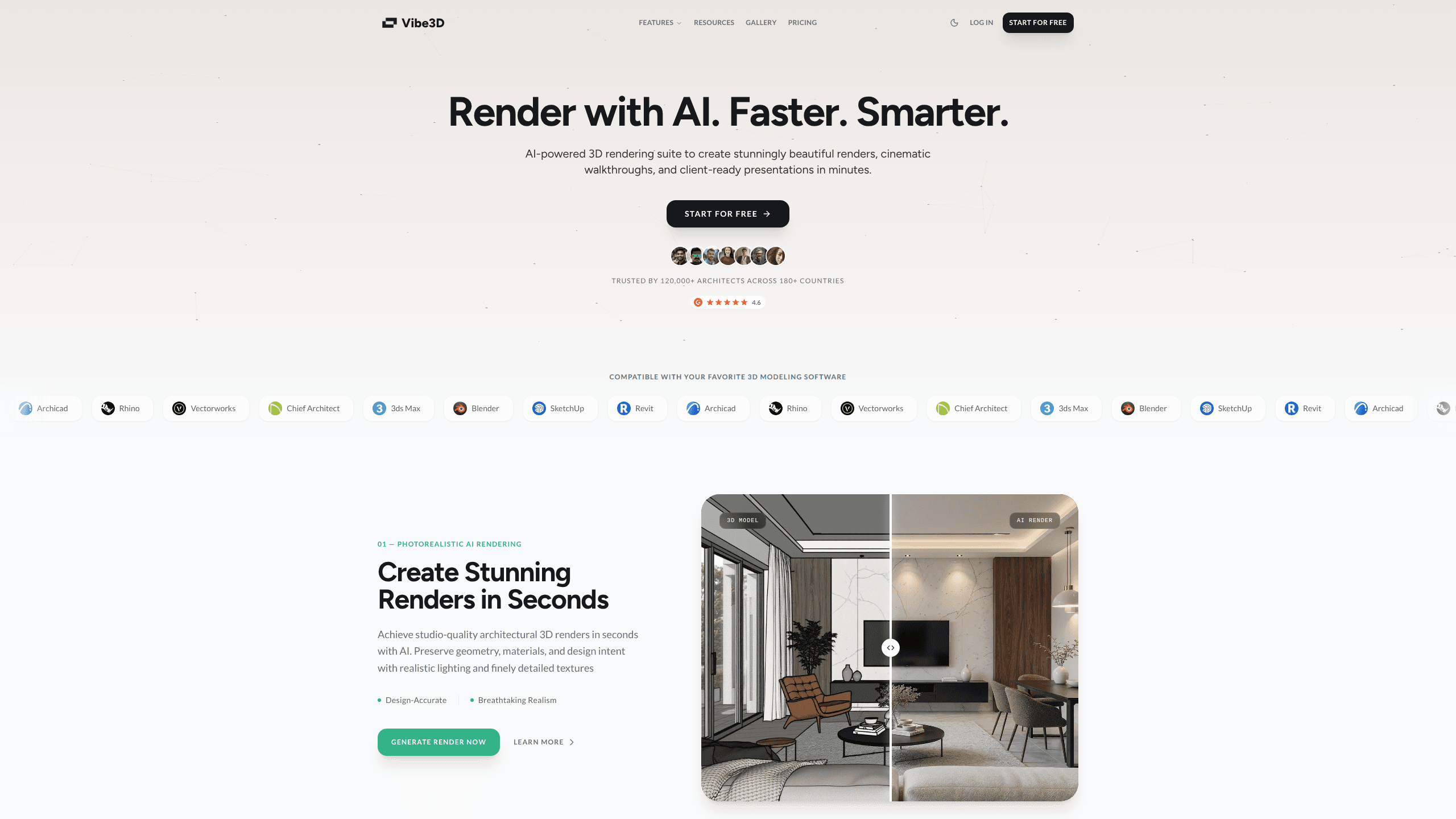
Vibe3d is an AI rendering software suite for architects and interior designers. Upload a view from SketchUp, Revit, Rhino, or another 3D modeling app, and it returns a photorealistic render in minutes without you writing a prompt. Beyond still images, it handles walkthrough videos, one-click relighting, and render edits, so a single subscription covers most of the visual work a design studio needs. Think of it as architectural rendering that keeps your design intact.
About Vibe3d
What Is Vibe3d
Vibe3d is a cloud-based AI render tool built for people who make buildings, not for people who enjoy fiddling with render settings. You bring the model you already built in Archicad, 3ds Max, Blender, Vectorworks, or Chief Architect, and the software handles the lighting, materials, and atmosphere. The result keeps the geometry and composition of your original scene, which matters when a client has already approved a layout.
The problem it solves is time. Traditional engines like V-Ray or Lumion can take hours per frame. That cost multiplies when a client wants to see the same room in morning and evening light. Vibe3d compresses the loop. How much? Enough to change how a review meeting goes.
Its most important limit is that it renders what you feed it. Vibe3d isn't a modeling tool and it won't invent geometry you forgot to draw. If your SketchUp view is rough, the render will be a polished version of a rough view. It also runs on credits, so heavy HyperReal work and long flythrough videos burn through a plan faster than simple stills.
Getting Started
- Sign up at app.vibe3d.ai. New accounts get 3 free renders to test the workflow before paying.
- Export a camera view from your 3D modeling software as an image, then upload it to the workspace.
- Pick a render engine: Fidelity for quick iterations, Lumen for everyday work, or HyperReal for final presentations.
- Adjust lighting with the relight controls, or type a short instruction to edit a specific object in the scene.
- Download the still, or generate a walkthrough video if you need a cinematic flythrough for a client review.
Product Information
A quick look at Vibe3d's pricing, supported platforms, and performance.
Best for
The users, tasks, and scenarios where this tool fits best.
Users
- Architects
- Interior designers
- Students
Tasks
- Client presentations
- Design iterations
- Marketing visuals
- Flythrough videos
Scenarios
- Late-stage review meetings where a client asks for "the same shot, but at dusk" and you need it before the call ends.
- Early concept phases where you're exploring options and can't justify a full render pass.
- Studio work where several designers share one billing account and credits need to stretch across projects.
Key features
Three Render Engines in One Tool
Vibe3d splits rendering into Fidelity, Lumen, and HyperReal. Fidelity returns a clean, accurate image fast for first drafts. Lumen improves lighting, materials, and atmosphere for daily production, giving everyday visualization, design reviews, and client presentations a more polished look than a quick Fidelity pass ever could. HyperReal is reserved for Pro and Studio plans and targets portfolio-grade realism where detail has to survive at full resolution. Which engine is right for a given shot? Pick by speed and fidelity, and remember the choice also drives credit cost.
One-click Scene Relighting
Relighting a finished render takes seconds instead of an afternoon in V-Ray or Lumion, so you can push natural daylight, ceiling fixtures, and accent lights around on the completed image and watch a bright morning interior settle into a warm dusk without ever rebuilding the scene. Morning becomes dusk. The mood shifts without a rebuild.
Render Editing by Instruction
You mask the object you want to change, type something like "mid-century leather armchair," and the AI swaps it while everything else in the frame stays put. Everything else stays put. Flooring and furniture changes that used to mean a fresh render pass now happen on the existing image, which saves real hours on a tight deadline. It's the feature that keeps a project moving when a client reacts to a specific detail.
Cinematic Flythrough Videos
For pitches that need more than stills, Vibe3d generates walkthrough videos from your scene. Video output is billed per second of footage, so a 25-second clip uses 25 credits. Watch the meter. It's a fast way to give a client a sense of moving through a space.
HyperReal Render Enhancing
The HyperReal engine pushes material detail, lighting, and realism further than the standard engines. It's aimed at final deliverables: portfolios, marketing shots, and anything that will be viewed at large size. A single HyperReal render costs 4 credits, and a HyperReal edit costs 2, which makes it the priciest option on the menu. Budget accordingly.
Broadcasts Hardware and Software Support
This 3D render AI plugs into the tools you already use, including Archicad, Rhino, Vectorworks, Chief Architect, 3ds Max, Blender, SketchUp, and Revit. You export a camera view and bring it in. There's no new modeling environment to learn. That keeps your existing pipeline intact rather than replacing it.
Credit-based Flexible Pricing
One-time credit packs never expire, so you can buy credits and use them at your own pace. Monthly plans refresh credits at the start of each billing cycle for people who render regularly. Each high-fidelity render or edit costs 1 credit, which makes the unit easy to reason about when budgeting a project. No surprises there.
Pros and cons
Pros
- Renders land in minutes without writing prompts, and the output stays close to your original geometry and composition.
- Relighting and instruction-based editing work on finished images, cutting the usual back-and-forth after client feedback.
- Works with eight major modeling programs, so you keep your existing 3D pipeline.
- One-time credits never expire, and a $9 student plan covers learners with a .edu or .ac email.
- Flythrough videos come from the same scene as your stills, no separate animation tool required.
Cons
- Vibe3d renders what you upload; rough SketchUp views produce polished versions of rough geometry, so model quality still matters.
- HyperReal and long videos drain credits fast, and the unlimited tier only starts at the Studio plan.
- There's no public API, so studios wanting to wire rendering into their own tools can't automate the workflow yet.
Frequently asked questions
It turns views from your 3D modeling software into photorealistic renders, edited images, and walkthrough videos using AI. You upload a camera view, choose an engine, and download the result. That's the whole loop.
Related content
Explore related tools, skills, and articles for Vibe3d.
Vibe3d Alternatives

X Ray Interpreter
X-ray Interpreter · ImageX Ray Interpreter is a web-based AI radiology tool that turns X-rays, CT scans, MRI, ultrasound, and PET images into plain-language reports. You upload a scan, get a preliminary X-ray interpretation in moments, then ask follow-up questions if something needs explaining. It works as a second opinion and a learning aid, not as a medical diagnosis.

Aieasypic
AIEasyPic · ImageAIEasyPic is an AI image generator that turns plain text prompts into finished artwork in seconds. You can also train custom models on your own photos, swap faces in existing images, and create short video clips from text, all from a browser. It suits casual creators who want quick visuals and hobbyists who want to build a personal model without touching any code.

Chargen
Chargen · ImageChargen is an AI character generator and worldbuilding toolkit built for Dungeons & Dragons and other tabletop RPGs. It turns a one-line idea into a painted character portrait, spins up NPCs, monsters, maps and encounters from the same session, and keeps every creature's details close at hand. The tabletop RPG art side runs on a credit system called Gold, while the text generators stay free for everyone.