

VidAU - AI Video & Clip Maker
VidAU · Video
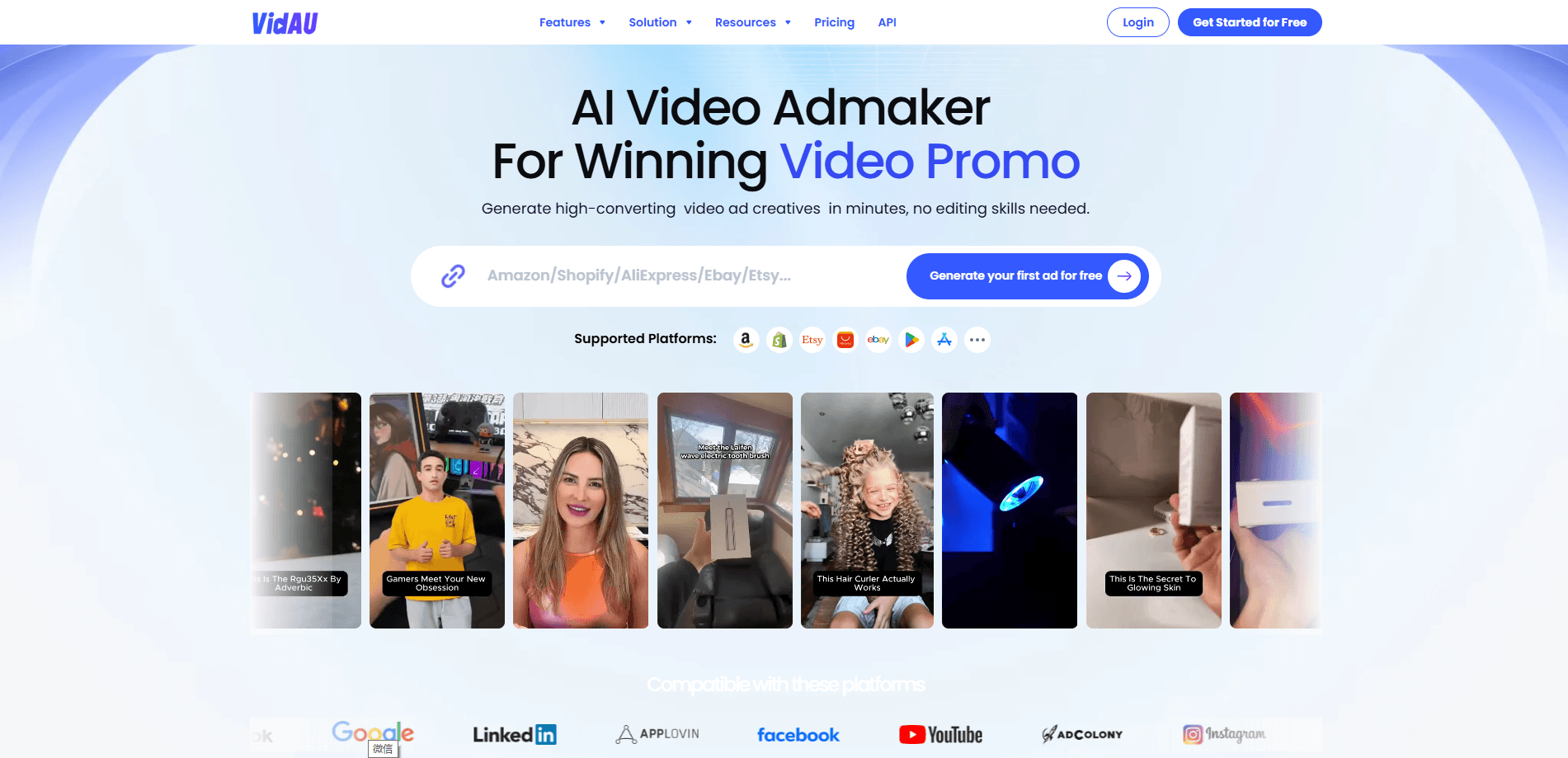
VidAU is an AI video and clip maker that turns product photos, links, or scripts into ad-ready clips with AI avatars, dubbing, and auto captions.
About VidAU - AI Video & Clip Maker
What Is VidAU
VidAU is an AI video and clip maker built for e-commerce sellers and marketers who need ad videos without a film crew. Instead of shooting footage, you feed it a product image, a store link, or a short script, and it assembles a finished clip with motion, voiceover, and captions. The output is aimed at paid social and short-video feeds, where a steady stream of fresh angles matters more than one polished spot.
The pitch is speed. VidAU groups its tools into what it calls AI agents, so a single brief can spin up multiple video variants for A/B testing. Product Video Remix, for example, takes a set of product images and source clips and produces several remixed ads, according to the company. Creators who test many hooks per week get the most out of that workflow.
The limits are worth knowing up front. VidAU is credit-based, so heavier generation burns through your monthly allowance fast, and top-ups cost extra. Most output leans on third-party models like Veo, Sora, and Seedance, which means quality tracks whatever those models can do. You'll also want to review anything featuring a real person's face, since face swap and avatar tools carry their own rules.
Getting Started
- Sign up at vidau.ai with an email or Google account and claim the free credits the site offers new users.
- Pick a creation path: AI video ads, AI image, or an AI avatar video, then choose a starting point like a product image, a product link, or a text prompt.
- Add your input, such as uploading product photos or pasting a store URL, then pick an aspect ratio (9:16, 1:1, or 16:9) for the platform you're targeting.
- Choose an AI avatar and voice, or write a script and let the AI script generator draft one for you.
- Generate the video, review the preview, and export or download it for TikTok, Instagram, YouTube, or Facebook.
Product Information
A quick look at VidAU - AI Video & Clip Maker's pricing, supported platforms, and performance.
Best for
The users, tasks, and scenarios where this tool fits best.
Users
- E-commerce sellers running paid social
- Marketing teams that need volume
- Affiliates and dropshippers testing angles
Tasks
- Making product video ads from photos
- Turning a product link into video
- Dubbing and localizing a clip
Scenarios
- A small online store prepping a seasonal sale
- An affiliate testing five hooks for one offer
- A brand going global
Key features
AI Video Ads From a Prompt or Product
VidAU's core path takes a text prompt, a product image, or a product link and generates a full ad video, complete with hooks, motion, and narration. The company positions this as an alternative to writing a script, storyboarding, and editing by hand. It's the fastest way to get a first draft when you just need something to test.
AI Avatars and UGC-Style Videos
The avatar tool works as a UGC video generator, creating a talking presenter from a script, which suits product spots, explainers, and support clips. You can pick from preset avatars or use a face-swap path, and pair each one with a voice. For feeds dominated by user-generated content, avatar-led ads blend in better than polished studio footage.
Product Video Remix
Remix is a batch tool aimed at short-video platforms. You upload product images and source material, and it returns multiple edited variants of the same ad, according to VidAU. The company says a single run can produce up to five clips in roughly three minutes. That volume is what makes fast A/B testing practical.
AI Translation and Multilingual Dubbing
VidAU doubles as an AI video translator and can re-voice a video so the same ad runs in other languages. The site lists support for dozens of languages and multiple aspect ratios, and the translation carries the on-screen text too. It's a shortcut for brands entering markets where reshooting would be too slow or costly.
AI Image Generation
Beyond video, VidAU generates product and campaign images from text, which covers the thumbnails, banners, and stills that sit around a video ad. It leans on image models like Nano Banana along with its own tools. You get the supporting visuals from the same workspace.
Text-to-Video and Image-to-Video Models
VidAU routes generation through a roster of external models, including Google Veo, OpenAI Sora, Seedance, Kling, and Wan. You pick a model for the look you want, so you aren't locked to one engine. Quality and cost shift with whichever model you choose.
Auto Captions, Background Removal, and Watermark Tools
The editor handles the cleanup that usually eats an afternoon. Auto captions keep spoken copy readable, background removal cuts a product or person out of a busy scene, and watermark removal cleans up borrowed material. The company markets these as a bundled alternative to several separate subscriptions.
Pros and cons
Pros
- Turns product photos, links, or a short script into finished ad clips, so you skip filming and editing
- Batch tools like Product Video Remix churn out multiple ad variants for fast A/B testing
- Access to external models such as Veo, Sora, and Seedance under one subscription
- Supports dozens of languages and social aspect ratios, which helps brands push into new markets
- Free credits let you try the AI agents before paying
Cons
- Credit-based pricing means heavy generation burns through your monthly allowance fast, and top-ups add cost
- Output quality depends on third-party models, so results vary from one project to the next
- Face swap and avatar features carry face-rights and consent rules you'll need to respect
- The web app leans on cloud processing, so a slow connection can drag out longer jobs
Frequently asked questions
VidAU is an AI video and clip maker for ad content. You give it a product image, a store link, or a script, and it produces short video ads with motion, voiceover, and captions aimed at platforms like TikTok, Instagram, YouTube, and Facebook. It's built for sellers and marketers rather than professional editors.
Related content
Explore related tools, skills, and articles for VidAU - AI Video & Clip Maker.
VidAU - AI Video & Clip Maker Alternatives

Vadu AI
Vadu AI · Image · VideoVadu AI is a web-based AI video generator that turns written prompts or still images into short clips, and it can also generate images on its own. You type what you want, pick a model and style, and the platform renders the result in minutes. A free plan covers light testing, while paid tiers run from $9 to $77.40 per month based on how many credits you burn.

Mykaraoke Video
MyKaraoke Video · VideoMykaraoke Video is an online karaoke video maker and lyric video maker that turns any song into a finished, lyrics-synced video right in your browser. It handles the slow part for you. The AI pulls vocals out of the mix and locks the lyrics to the beat, then lets you customize background, fonts, and colors before exporting in 1080p MP4. If you make lyric videos for social media, party nights, or music promotion, it skips the software installs and manual timing work entirely. Want a karaoke video generator that doesn't eat your whole evening? That's the pitch here.

Finalframe
Finalframe · VideoFinalframe is a set of free, browser-based tools for grabbing exact frames out of a video clip. Its best-known feature, the Final Frame Extractor, lets you extract the last frame of any video so you can use it as the starting image for AI video tools like Luma Dream Machine, Runway, or Kling. Want to keep a clip going? That last frame is your starting point. The tool runs locally in your browser, needs no sign-up, and costs nothing. A separate paid AI video-generation app from the same team is currently offline while it's rebuilt.