

vidBoard.ai
vidBoard.ai · Video
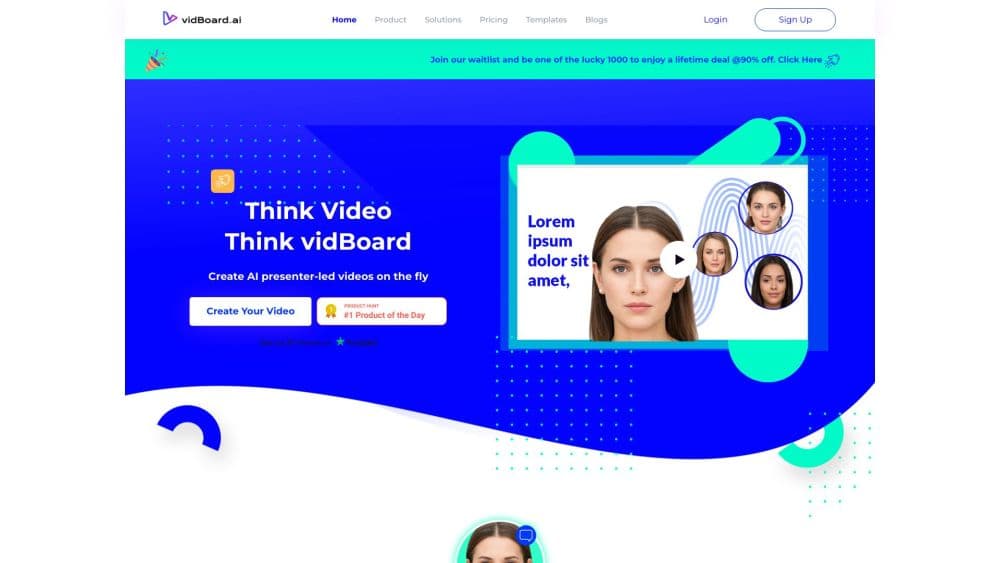
vidBoard.ai is a browser based AI video maker that turns documents, links and slide decks into narrated presentation videos with AI avatars, cloned voices and captions.
About vidBoard.ai
What Is vidBoard.ai
vidBoard.ai is a browser based AI video maker built around presentations. You bring a PDF, a slide deck, a link or a single sentence, and it returns a finished video with designed slides, an AI presenter reading the script and captions burned in. The team behind it ran an online education company before building the tool, which explains the focus on teaching material over cinematic footage.
The problem it addresses is familiar to anyone who teaches or trains. A course module, a policy update or a product walkthrough usually lives in a document nobody finishes reading. vidBoard turns that document into a video someone will actually watch, without a camera, a mic or a shooting day.
Limits are worth knowing up front. Output is presentation style rather than live action, so it won't replace a shoot for brand film work. Avatar video, document import and voice cloning sit on paid packs, and the free plan allows one video.
Getting Started
- Sign up at vidboard.ai with an email address. No credit card is needed for the free plan.
- Pick a starting point: paste a link, upload a PDF or DOCX file up to 10 pages, import a slide deck or write a script by hand.
- Choose a theme or motion template, set the slide count and apply your Brand Kit when you have one.
- Select an AI avatar or your own Digital Twin, then pick a voice in one of 125 or more languages.
- Review the first cut, edit any slide, script line or layout, then generate the final video and export or publish to YouTube.
Product Information
A quick look at vidBoard.ai's pricing, supported platforms, and performance.
Best for
The users, tasks, and scenarios where this tool fits best.
Users
- Course creators and coaches
- Corporate trainers and HR teams
- Marketers and small agencies
Tasks
- Document to video
- Turning blog posts into scenes
- Repurposing long recordings
- Localizing an existing video
Scenarios
- Explaining a compliance update to a distributed team
- Launching a course in a second language
- Producing social cuts for a product launch
Key features
AI Avatars and Digital Twin
vidBoard offers more than 120 stock presenters across business, education, health and creator styles, and you can build a Digital Twin from a photo or a short video. Its own lip sync model drives the mouth movement, and vidBoard claims 99.5% accuracy, including on hard sounds like M, B and P where cheaper avatars look dubbed. You decide whether a presenter appears on screen at all, since non-avatar videos are supported on higher packs.
Document, Deck and Link Import
A PDF or Word file up to 10 pages, a slide deck or a pasted URL can all become the starting point. The tool extracts the main points, writes scene by scene narration and generates a first cut with designed slides. Everything in that cut stays editable, so you can fix a sentence or restyle a slide before rendering.
AI Voices and Voice Cloning
The voice library runs past 1,000 options across 125 or more languages, drawing on Microsoft Azure, OpenAI, Fish Audio, Deepgram Aura and Resemble AI depending on your pack. A voice clone takes a short sample of your own recording and then narrates new scripts in your voice. Speed, tone and emphasis can be adjusted line by line inside the editor.
AI Subtitles and Dubbing
Captions are generated from the spoken track, timed automatically and styled with about 30 presets covering viral, minimal, elegant, podcast and karaoke looks. You can click any word in the transcript to fix a misheard term before styling, then place captions in one of nine positions and control how many words appear at once. Dubbing takes the same video into another language without re-recording.
Vidcut Editor and Multi-Track Timeline
Vidcut adds a multi-track timeline where you trim, layer and polish clips, with titles, transitions and effects built in. Combine generated slides with your own footage, drop in a quiz trigger or a hook scene, and finish in the same workspace. The separate Video Suite and Audio Suite handle trimming, merging and mixing in the browser.
Pay Per Pack Pricing
vidBoard sells video packs instead of subscriptions. Free covers one video up to 10 minutes and the standalone audio, video and image tools. Starter costs $15 for 10 videos, Creator $99 for 50, and Pro Studio $199 for 150. Nothing renews, and videos you already made stay in your account when a pack runs out.
Pros and cons
Pros
- Documents, decks and links become a structured video in one pass, which removes script writing and slide design from the workflow.
- Voice cloning plus dubbing means one recording can serve every market you publish in.
- The one-time pack model avoids a monthly bill, and the free plan includes a full video.
- The browser toolboxes for audio, video and images stay free on every plan.
Cons
- Rendering is presentation style only, so anyone needing live action footage or motion graphics will still reach for a separate editor.
- Avatar video, document import and voice cloning all require a paid pack, which limits how much the free plan can demonstrate.
- VidAI image, video and music generation needs your own FAL API key, an extra setup step most rivals handle for you.
- Short starter videos max out at 3 minutes, which is tight for anything resembling a full lesson.
Frequently asked questions
It turns documents, slide decks, links and scripts into narrated presentation videos. vidBoard writes the script, designs the slides, adds an AI presenter and voiceover, and generates captions, all inside a browser workspace.
Related content
Explore related tools, skills, and articles for vidBoard.ai.
vidBoard.ai Alternatives

Vadu AI
Vadu AI · Image · VideoVadu AI is a web-based AI video generator that turns written prompts or still images into short clips, and it can also generate images on its own. You type what you want, pick a model and style, and the platform renders the result in minutes. A free plan covers light testing, while paid tiers run from $9 to $77.40 per month based on how many credits you burn.

Mykaraoke Video
MyKaraoke Video · VideoMykaraoke Video is an online karaoke video maker and lyric video maker that turns any song into a finished, lyrics-synced video right in your browser. It handles the slow part for you. The AI pulls vocals out of the mix and locks the lyrics to the beat, then lets you customize background, fonts, and colors before exporting in 1080p MP4. If you make lyric videos for social media, party nights, or music promotion, it skips the software installs and manual timing work entirely. Want a karaoke video generator that doesn't eat your whole evening? That's the pitch here.

Finalframe
Finalframe · VideoFinalframe is a set of free, browser-based tools for grabbing exact frames out of a video clip. Its best-known feature, the Final Frame Extractor, lets you extract the last frame of any video so you can use it as the starting image for AI video tools like Luma Dream Machine, Runway, or Kling. Want to keep a clip going? That last frame is your starting point. The tool runs locally in your browser, needs no sign-up, and costs nothing. A separate paid AI video-generation app from the same team is currently offline while it's rebuilt.