

VIDEO AI ME
VIDEO AI ME · Video
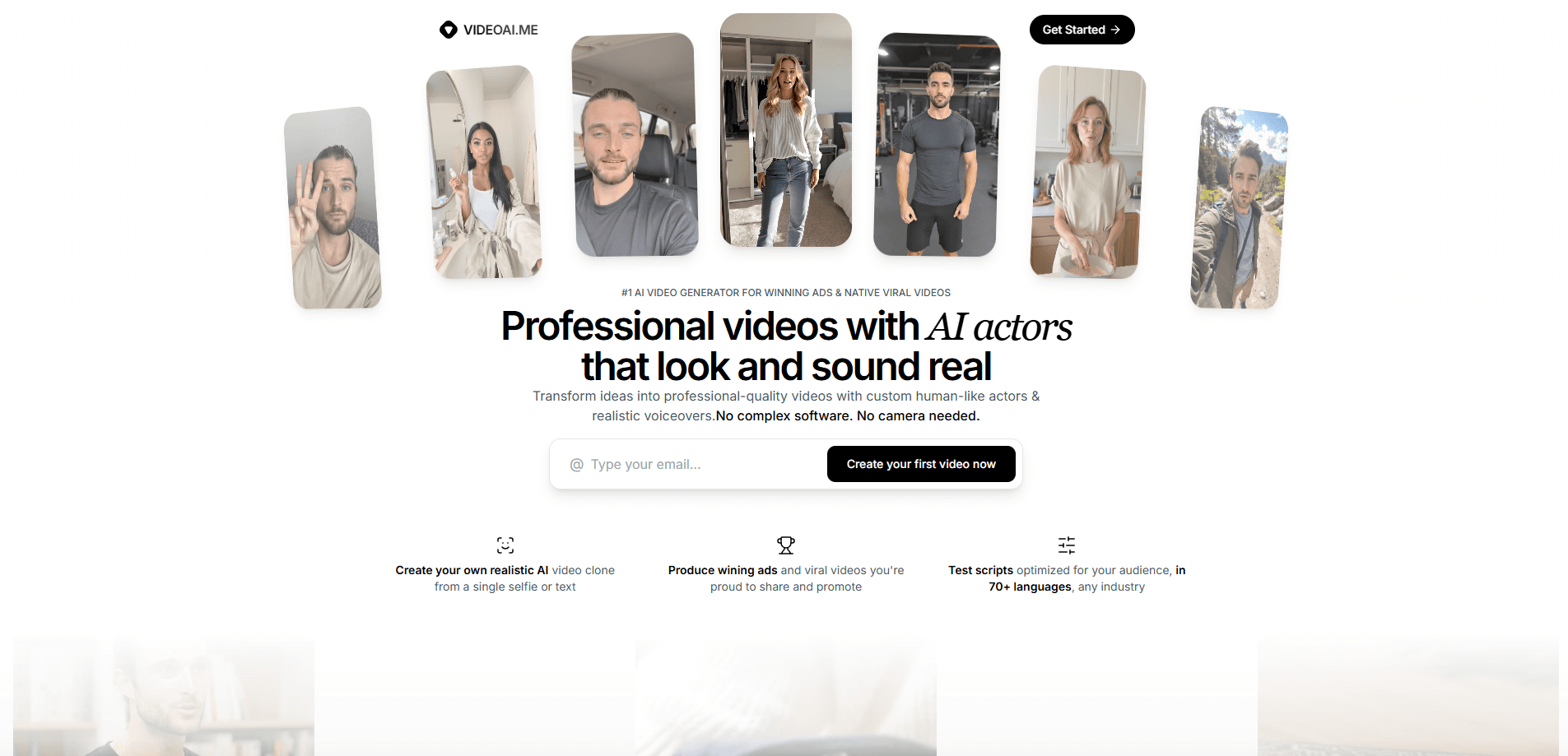
VIDEO AI ME is a web-based AI video generator that turns product photos and scripts into ready-to-publish ad creative. It's built for ecommerce brands, dropshippers, and agencies who need UGC-style ads, product demos, and explainer videos without shoots, creators, or editors. You get 300+ AI actors, custom avatars made from a single selfie, voice cloning, and lip-sync across 70+ languages, all inside one subscription.
About VIDEO AI ME
What Is VIDEO AI ME
VIDEO AI ME (also written VIDEOAI.ME) is a browser-based AI video generator for marketers who ship ad creative every week. You hand it product photos and a script, and it returns finished videos: talking-head UGC ads, unboxing-style demos, and explainers with a consistent on-screen spokesperson. No shoot required.
The selling point isn't one clever model. It's that an AI actor, a cloned voice, captions, editing, and publishing all live in one place. Instead of paying for five tools and stitching the output together by hand, you produce a variant, localize it for a new market, and schedule it without leaving the platform. That matters most for teams running constant A/B tests, where the bottleneck is usually editing time, not ideas.
There are limits worth knowing up front. VIDEO AI ME has no free plan in the usual sense. New accounts get 5 short videos per month to test the product, capped at 10 seconds, 480p, and one model. HD output, longer clips, model choice, custom actors, and publishing all sit behind a paid plan. So who is this actually for? If you only need a couple of clips a month, this isn't the cheapest route.
Getting Started
- Create an account at videoai.me, add your business details, and claim your 5 free 10-second videos.
- Pick a starting point: generate a UGC ad or explainer from your business info, or write your own prompt for a custom video.
- Choose an AI actor from the 300+ library, or upload a single photo to build a custom avatar.
- Paste your script, select a voice or clone your own, and choose an output format: vertical 9:16, horizontal 16:9, or square 1:1.
- Review the draft, apply AI editing and captions, then publish or schedule straight to a connected social platform.
Product Information
A quick look at VIDEO AI ME's pricing, supported platforms, and performance.
Best for
The users, tasks, and scenarios where this tool fits best.
Users
- Ecommerce brands
- Dropshippers
- Performance marketers and media buyers
- Agencies
Tasks
- UGC ad production
- Product demos and unboxings
- Explainer and onboarding videos
- Avatar-led brand content
- Ad localization
- Volume social publishing
Scenarios
- Testing several ad angles before committing ad spend
- Launching in a new country
- Keeping a consistent brand spokesperson across campaigns
- Feeding an always-on creative pipeline
Key features
300+ Pre-Built AI Actors and Custom Avatars
Pick from more than 300 ready-made AI actors, or upload a single selfie and let the platform build a custom spokesperson. One photo returns four professional looks automatically. From there the chat interface lets you push further with different backgrounds and styles. For brands, the practical win is a consistent face across every ad without booking talent.
Voice Cloning and Lip-Sync in 70+ Languages
Clone a voice or use text-to-speech, then match it to frame-accurate lip-sync in 70+ languages. That combination makes localization realistic rather than slapped-on. The mouth movements track the new language. They don't sit out of sync. Create one video and reuse it across every market you sell into.
Multiple Video Models in One Subscription
Every plan includes access to several models: Seedance 2.5, Sora 2, Kling 2.6, Boreal, Seedance 2.0, Grok Imagine 1.5, and MiniMax H3 Max. The claim to note is exclusive access to Seedance 2.0 working with your custom actors. Match the model to the task. Different models spend credits at different rates, so that choice is how you stretch a plan.
AI Editing, Captions, and B-Roll
Auto captions, smart trim, and AI B-roll handle the cleanup that normally eats editing hours. You cut the rough edges and add supporting footage without opening a timeline editor. Small teams feel this the most. It's the difference between one video a day and five.
One-Click Publishing to 15 Platforms
Publishing and scheduling ship inside the product, covering 15 social platforms, so there's no separate scheduler and no export-then-reupload dance. Every paid plan also drops watermarks and allows unlimited projects and clips. Vertical, horizontal, and square formats are available for each placement.
Full Commercial License on Every Video
Every video, including client work, comes with a full commercial license. That removes the awkward question for agencies and freelancers: are AI-made ads safe to hand to a paying client? Cancellation runs in one click through Stripe billing.
REST API and MCP Server for Developers
A REST API and a hosted MCP server expose each skill, from make_ugc_ad to publish_video. Read the OpenAPI spec, connect the MCP endpoint with OAuth 2.1 sign-in, or authenticate with a Bearer API key tied to an active Pro or Premium subscription. That opens the door to wiring video generation into an existing pipeline. No clicking through the app required.
Pros and cons
Pros
- One subscription covers AI actors, voice cloning, lip-sync, editing, and publishing, so you skip a stack of separate tools.
- 300+ actors plus custom avatars from a single selfie give real variety for ad testing.
- Voice and lip-sync support in 70+ languages makes international localization practical from one base video.
- Full commercial license on every video, client work included, removes legal guesswork for agencies.
- API and MCP access let developers automate generation and publishing.
Cons
- There's no true free plan. The 5 monthly test videos are capped at 10 seconds, 480p, and one model, which won't tell you much about final quality.
- Credits and voice minutes vary by model, so the effective number of videos per plan is hard to predict before you use it.
- Videos run up to 3 minutes on Starter and Pro, and only lengthen to 12 minutes on Premium. Long-form work forces the top tier.
Frequently asked questions
No. There's no free plan, but every new account gets 5 free videos per month to test the product, each capped at 10 seconds, 480p, and the MiniMax H3 Max model. HD output, longer clips, model choice, custom actors and voices, captions, and publishing all require a paid plan.
Related content
Explore related tools, skills, and articles for VIDEO AI ME.
VIDEO AI ME Alternatives

ngram 2.0
ngram · Video · Marketingngram 2.0 is an AI video generator for teams. It turns a prompt, a screen recording, or a product URL into a narrated explainer, product demo, or AI avatar video, and every scene stays editable.

OpenScreen 2
OpenScreen (open-source project) · Video · ProductivityOpenScreen 2 is a free, open-source screen recorder and demo video editor for Windows, macOS, and Linux, with automatic zooms, styled frames, local captions, and agent edits.

Skreno
Skreno · Video · ProductivitySkreno is a browser screen recorder that captures a tab, a window or your whole display, then attaches AI transcripts, summaries and console logs to one share link.