

VideoAsk by Typeform Official | Interactive Video Platform
Typeform · Video · Chatbot
VideoAsk is an interactive video platform by Typeform that swaps static forms for face-to-face video conversations. Build video forms and async interviews that collect video, audio, or text replies.
About VideoAsk by Typeform Official | Interactive Video Platform
What Is VideoAsk
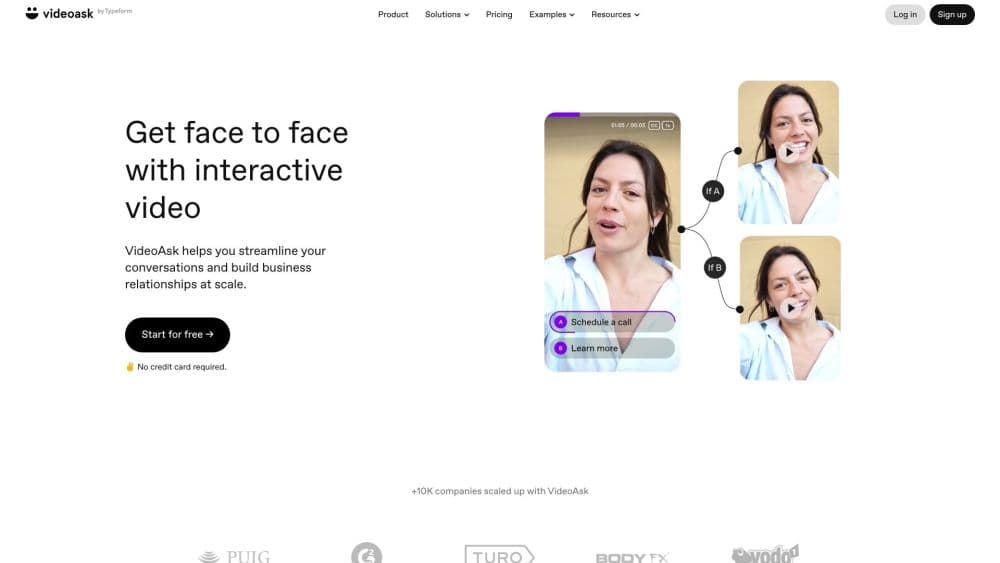
VideoAsk is a platform from Typeform for turning one-way forms into two-way video conversations. Instead of typing into a box, people record a video or voice reply, which keeps the human touch of a live call without the scheduling. Creators build a series of steps, add buttons and branching, then share the result as a link or embedded widget.
The product fits anyone who needs to gather answers at volume but wants it to feel personal. Recruiters run async interviews, sales teams qualify leads with video, and support teams collect feedback without a call. Because replies can be text, audio, or video, respondents pick the format they're comfortable with.
Two limits shape when it works. Video and audio processing is metered, so heavy recorders hit a minute cap faster than form-only users. And it's a conversation tool rather than a review or testimonial wall, so displaying collected video on your site is left to you. For collecting rich, personal responses at scale, it's hard to match.
Getting Started
- Sign up at videoask.com with an email or a Typeform account. The free plan covers 20 minutes of video or audio processing a month.
- Record or upload your first video. You can record in the app or add a pre-recorded clip, then choose the answer types you'll accept.
- Build the flow. Add steps, buttons, and branching so respondents take different paths based on what they pick.
- Share it. Publish as a standalone link, embed it on a site, or send it through email and a QR code.
- Follow up and streamline. Reply to respondents with the same video or audio format, and connect the workflow to other tools through Zapier, the API, or webhooks.
Product Information
A quick look at VideoAsk by Typeform Official | Interactive Video Platform's pricing, supported platforms, and performance.
Best for
The users, tasks, and scenarios where this tool fits best.
Users
- Recruiters and hiring teams
- Sales and marketing teams
- Researchers and support teams
Tasks
- Collecting testimonials and customer feedback
- Running async job interviews
- Qualifying inbound leads
- Onboarding new customers
Scenarios
- A hiring round with dozens of candidates
- A product launch that needs warm leads
- Gathering testimonials before a site redesign
Key features
Interactive Video Forms
Video forms swap the blank text field for a face-to-face prompt. You ask a question on camera, and respondents answer by video, audio, or text. It's the core of the platform, and it's built to make routine data collection feel like a conversation rather than paperwork.
Branching Video Funnels
The builder works like a choose-your-own-adventure flow. You add steps and buttons, then set rules so different answers lead to different paths. That lets you personalize a pitch or route a visitor to the right offer without writing any code.
AI Video Chatbots
AI video chatbots understand a respondent's spoken words and answer their questions automatically, at any hour. Instead of a canned reply, people get a conversational response that keeps the exchange going when no one from your team is online.
Asynchronous Interviews
Async interviews let you collect recorded answers without being present. Candidates and interviewees respond on their own time, and you keep the non-verbal detail a written form strips out. It's the feature hiring teams lean on most.
Live Calls
When interest spikes, a live call button lets you talk with a visitor in real time and move them toward a decision. It bridges the gap between async screening and a scheduled meeting, so you don't lose a lead while you wait for a slot.
Direct Multimedia Messaging
Replies run both ways. You respond with video, audio, or text, and the exchange stays personal over multiple messages. It turns a one-off form submission into a back-and-forth thread you can follow up on.
Integrations and API
VideoAsk connects to more than 1,500 apps through Zapier, and it offers an API plus webhooks for pulling responses in real time. That means the collected answers can flow into your CRM, spreadsheet, or hiring tool without manual copying.
Pros and cons
Pros
- Respondents can reply by video, audio, or text, so you're not limited to people willing to be on camera.
- The no-code builder and branching make personalized flows quick to set up without a developer.
- AI chatbots answer common questions around the clock, which keeps conversations moving between your working hours.
- Integrations cover Zapier, an API, and webhooks, so responses reach the tools you already use.
- The free plan's 20 monthly processing minutes are enough to test the format before paying.
Cons
- Processing is metered in minutes, and every video you record or receive counts. Heavy use pushes you to a higher plan quickly.
- Pricing climbs with volume, so a busy hiring or sales team can outgrow the cheap tiers fast.
- It's built for collecting video, not displaying it. There's no testimonial wall or embeddable gallery for showing off the clips.
- Recording on camera is a barrier for some respondents, and a metered budget means long answers cost more than short ones.
Frequently asked questions
VideoAsk collects responses through interactive video conversations instead of static forms. Teams use it for video forms, async interviews, lead qualification, customer feedback, and support, where a recorded answer carries more context than typed text.
Related content
Explore related tools, skills, and articles for VideoAsk by Typeform Official | Interactive Video Platform.
VideoAsk by Typeform Official | Interactive Video Platform Alternatives

ngram 2.0
ngram · Video · Marketingngram 2.0 is an AI video generator for teams. It turns a prompt, a screen recording, or a product URL into a narrated explainer, product demo, or AI avatar video, and every scene stays editable.

OpenScreen 2
OpenScreen (open-source project) · Video · ProductivityOpenScreen 2 is a free, open-source screen recorder and demo video editor for Windows, macOS, and Linux, with automatic zooms, styled frames, local captions, and agent edits.

Skreno
Skreno · Video · ProductivitySkreno is a browser screen recorder that captures a tab, a window or your whole display, then attaches AI transcripts, summaries and console logs to one share link.