

VideoLingo
Huanshere · Writing · Video
VideoLingo is a free, open-source tool that downloads, transcribes, translates, and dubs video in one run, producing subtitles or a fully dubbed file.
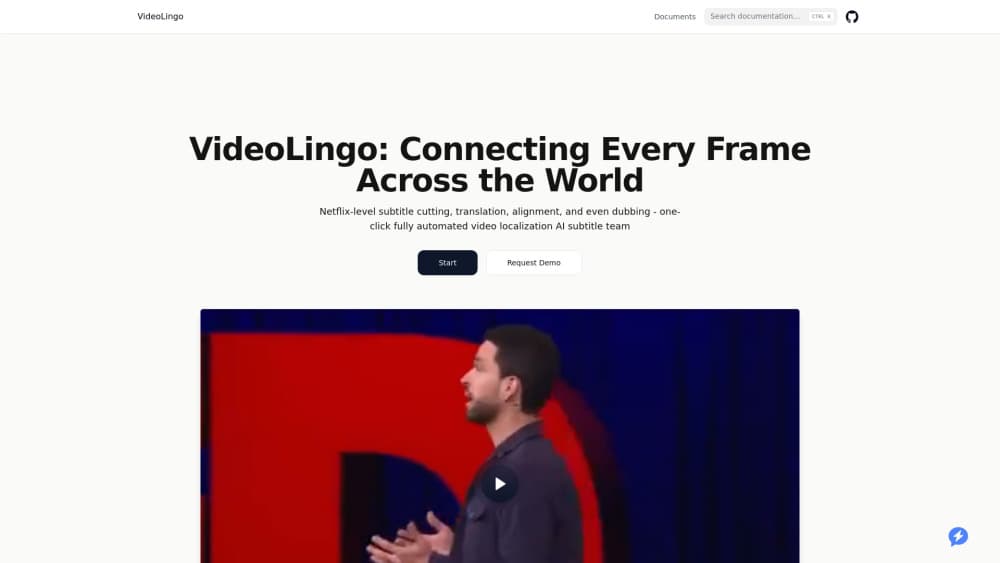
About VideoLingo
What Is VideoLingo
VideoLingo is an AI subtitle generator that turns a video into a translated, subtitled, or dubbed version through a single Streamlit window. It handles the whole chain: pulling the video with yt-dlp, recognizing speech word by word, cutting the text into readable subtitle lines, translating it, and optionally replacing the audio with synthesized speech. The project lives on GitHub under the Huanshere account, runs on your own machine, and ships under the Apache 2.0 license.
It solves a problem that used to need a translator, an editor, and a voice actor working in sequence. A creator who wants an English video to reach Spanish or Japanese viewers can run it locally and get subtitle files, a hardcoded subtitle track, or a dubbed clip. Content teams use it as video localization software for YouTube uploads, and researchers use it to caption interviews they record themselves.
The main limits come from what it depends on. Translation quality rides on whichever LLM you connect, recognition needs a clean audio track, and dubbing costs money because most TTS voices run through paid APIs. It's also self-hosted, so you supply the compute and the API keys. Heavy GPU work runs faster on a machine with an NVIDIA card, but the default recognition models run on CPU.
Getting Started
- Download the source zip from the GitHub releases page and extract it to a folder, or clone the repo and run uv run start.py.
- Launch the app; the first run installs Python 3.12, the dependencies, and FFmpeg automatically.
- Open the sidebar and enter your LLM API URL, key, and model name, then pick a transcription backend.
- Drop in a YouTube link or a local file, choose your target language, and start the pipeline.
- Review the subtitle output, then export a subtitle file or a dubbed video.
Product Information
A quick look at VideoLingo's pricing, supported platforms, and performance.
Best for
The users, tasks, and scenarios where this tool fits best.
Users
- YouTube creators
- Video editors and subtitle authors
- Researchers and journalists
- Small localization teams
Tasks
- Video subtitle translation
- One-click dubbing
- Subtitle segmentation
- Batch processing video libraries
Scenarios
- Publishing a multilingual channel
- Studying foreign-language lectures
- Preparing clips for social media
- Archiving research footage
Key features
One-Click Pipeline
The whole subtitle and dubbing chain runs from a single Streamlit window. You paste a YouTube link or point to a local file, set the language and models, and the tool handles download, recognition, segmentation, translation, and export in order. Each stage writes its output to disk, so a failed step can be retried without rerunning everything from scratch.
Word-Level Speech Recognition
Recognition leans on Qwen3-ASR paired with a forced aligner, which timestamps individual words rather than whole sentences. That timing is what makes subtitle cues land on the right beat. You can also route audio to ElevenLabs or MAI-Transcribe-2 if you'd rather not run the model locally. Be aware that this sends your audio to a third party.
AI Subtitle Segmentation
Long spoken sentences don't fit on one subtitle line. The tool uses NLP rules plus an LLM pass to break transcripts into short, readable cues with configurable length limits, following the same logic a human subtitle editor would apply. Translation happens after segmentation, so the translated captions keep the timing the original speech had.
Context-Aware Translation
Translation runs in two passes by default. A custom terminology list and AI-generated glossary keep names, jargon, and recurring phrases consistent across the file, and an optional reflection step rewrites awkward machine output into something that reads naturally. This is where a good LLM earns its cost: a weak model produces flat, literal captions.
Multi-Provider Dubbing
Dubbing is optional and works with several speech engines, including OpenAI TTS, Fish Audio, SiliconFlow, GPT-SoVITS, and Edge TTS. GPT-SoVITS clones a voice best but only handles Chinese and English, while the other providers cover more languages. Timing and delivery depend on the translation and the voice, and a speed adjustment won't guarantee a perfect sync.
Local HTTP API
For automation, VideoLingo exposes a local HTTP API that shares the same processing pipeline as the interface. Scripts and AI agents can submit one job at a time, poll progress, download results, and retry failures. This replaced the older Excel batch mode, which the project no longer recommends.
Persistent Logging and Task Control
Every step logs its progress to disk, so you can pause, resume, or stop a job midway and pick it up later. Successful model responses are cached, which means retrying a failed run reuses completed work instead of paying for the same translation twice.
Pros and cons
Pros
- A free, open-source subtitle tool under Apache 2.0, with no subscription or per-video fee.
- Runs entirely on your own machine, so footage never leaves your computer unless you choose a cloud recognition or TTS service.
- Covers the full chain, from video download to dubbing, in one tool instead of stitching together separate apps.
- Flexible model choice, letting you plug in any OpenAI-compatible LLM and several TTS backends.
Cons
- Setup requires comfort with command-line installs and API keys, so casual users may find the first run rough.
- Translation and dubbing quality depend on the models and services you connect, so results vary a lot between configurations.
- Dubbing doesn't assign a separate voice to each speaker, which matters for interviews and panel discussions.
- Recognition struggles with background noise and mixed-language audio, and numbers or symbols may not get reliable word timings.
Frequently asked questions
Yes. The software is open source under the Apache 2.0 license and free to download and run. You still pay for any external services you connect, such as an LLM API for translation or a paid text-to-speech provider for dubbing.
Related content
Explore related tools, skills, and articles for VideoLingo.
VideoLingo Alternatives

Lattice
Lattice · Writing · Voice & LanguageLattice is a free AI humanizer that rewrites stiff or template-sounding text by routing it through other languages and back, so the result reads like a person wrote it.

Superhuman Go
Superhuman · Writing · Productivity · BusinessSuperhuman Go is an AI assistant from the team behind Grammarly. It works in your browser, desktop apps, and Slack, offering proactive writing help and custom agents grounded in your work context.

GoodSocials
Pavel Kucherbaev · Writing · Productivity · MarketingGoodSocials is an AI social media manager for LinkedIn that drafts weekday posts from market research or your own Stripe, GitHub and PostHog numbers, then waits for approval.