

vidflux.ai
VidFlux · Video
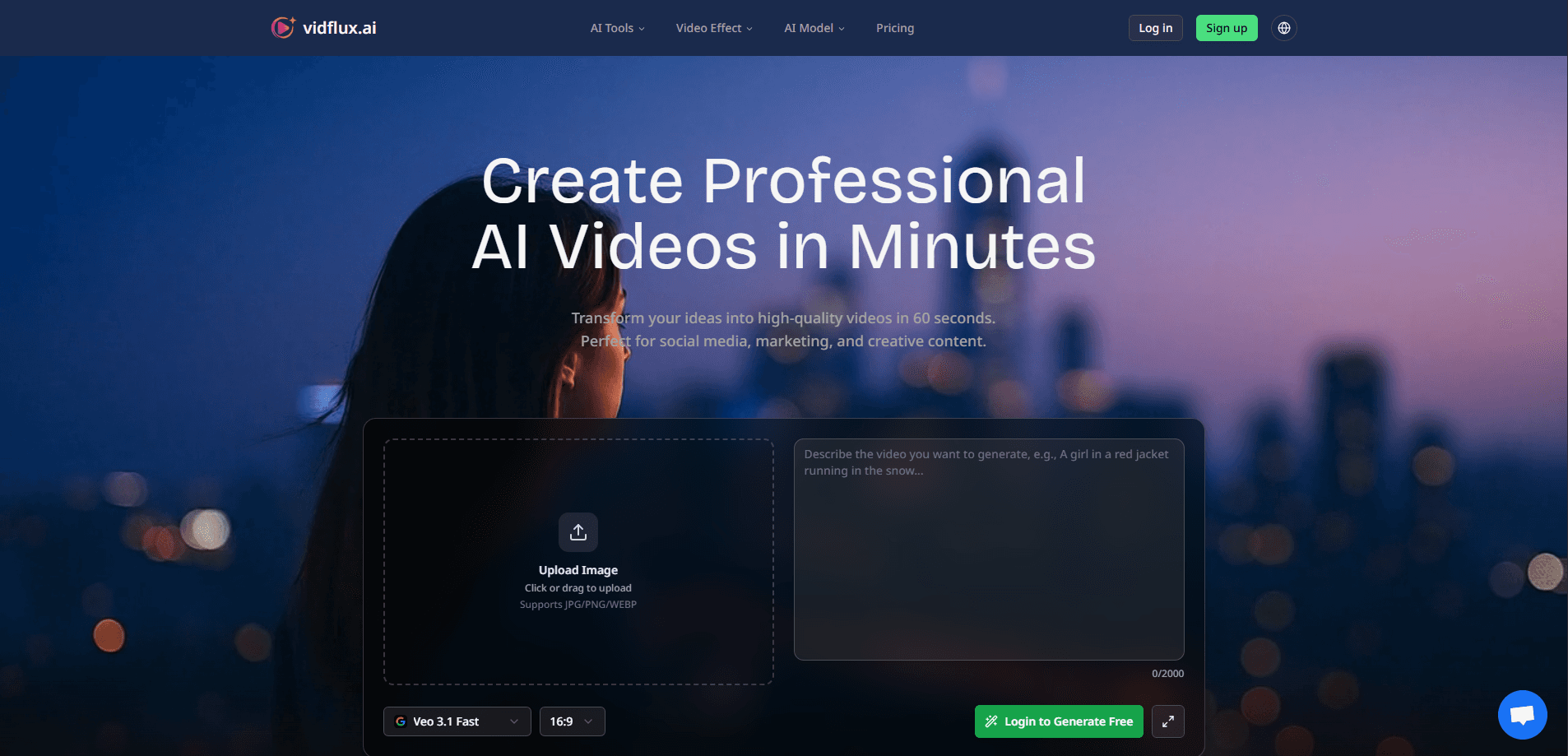
vidflux.ai is an AI video tool that turns a prompt, a photo, or a short clip into a finished MP4 in about a minute. It pulls top models (Veo 3.1, Kling AI, Seedance) into one interface. You pick the engine. No separate subscriptions to juggle. Credits drive everything, and paid plans hand you commercial rights and watermark-free exports.
About vidflux.ai
What Is vidflux.ai
vidflux.ai is an all-in-one AI video platform for people who want polished clips without touching a timeline editor. You type a prompt, upload an image, or hand it a reference video, and the site routes the job to whichever generation model fits best. Output lands as a standard MP4 you can drop straight into TikTok, Reels, or a client deck.
The pitch is breadth. Rather than bet on one model, vidflux.ai plugs into Google's Veo 3.1, Kuaishou's Kling AI, and Seedance, plus image models like Nano Banana and GPT Image 2. That matters when one engine nails cinematic realism and another handles dance choreography better. You get to pick per project.
The catch is credits. Every generation burns a set number depending on model and settings, so heavy users watch the meter. So what does the free tier actually give you? 5 videos a month at 720p, capped at 30 seconds, stamped with a VidFlux watermark. That's a demo, not a workflow. Real work means paying.
Getting Started
- Create a free account with an email address and log in to grab your starter free credits.
- Pick a mode: text to video, image to video, video to video, or the image editor.
- Choose a model (Veo 3.1, Kling, Seedance) and set your aspect ratio and duration.
- Enter your prompt or upload your image or reference clip, then hit Generate.
- Download the finished MP4 from your generation history once it renders.
Product Information
A quick look at vidflux.ai's pricing, supported platforms, and performance.
Best for
The users, tasks, and scenarios where this tool fits best.
Users
- Social media creators
- Small marketing teams
- Beginners with no editing background
Tasks
- Turning blog or product copy into promo clips
- Animating still photos
- Recreating a specific motion
Scenarios
- Weekly social posting on a tight deadline
- Testing ad angles before committing budget
- Quick explainer videos for training or onboarding
Key features
One Interface, Multiple Video Models
vidflux.ai puts Veo 3.1, Kling AI, and Seedance behind one login. You switch models from a dropdown and let each do what it does best, so you skip the cost of three separate tools. Veo 3.1 leans cinematic with native audio. Kling handles motion precision. Seedance targets dance and choreography.
Text to Video Generation
Describe a scene in plain language and the text to video generator renders a clip from it. You can push toward realistic, animated, or artistic looks by adjusting the prompt, and the system handles scene understanding for you. It's the fastest path from an idea to something watchable.
Image to Video Animation
Upload a photo and vidflux.ai animates it into a moving scene, complete with audio. A serene ocean sunset or a neon city street both start as a single still. For sellers and creators with existing photos, this turns a static library into video content without a shoot.
Video to Video Motion Transfer
With Kling 2.6 and 3.0 under the hood, you can upload a reference video and a person's photo, then let the character mimic the reference's movements. Motion holds up to 30 seconds, facial identity is preserved, and you skip motion capture entirely. If you run a channel built around dance clips or a recurring animated mascot, this is the mode that sells the whole platform. It's the standout feature for character-driven content.
Flexible Aspect Ratios and Resolution
Output covers 16:9 for YouTube and desktop, 9:16 for TikTok and Reels, and 1:1 for feeds, with 4K available on higher tiers. Everything exports as MP4, so files play almost anywhere. Because you lock the format before the render starts, you avoid the awkward crop and letterbox step that trips up most quick-turnaround social edits. You set the shape, then generate.
Chrome Extension and Image Tooling
A browser extension puts generation a click away, and the image editor adds cropping, stitching, compression, and an image combiner for prepping source material. It's a smaller toolbox than a dedicated photo editor, but it covers the common gaps you hit right before a video job, like trimming a product shot or stitching two frames into one wider reference image.
Pros and cons
Pros
- Multiple leading models in one place, so you don't juggle separate accounts
- Roughly 60-second generation on a typical prompt
- Paid plans include full commercial usage rights and no watermark
- Credits never expire, even the ones from one-time packages
- Clear free tier for testing before you spend
Cons
- The free plan is tight: 5 videos a month, 720p, 30 seconds, and watermarked
- Credits make costs hard to predict if you experiment a lot
- No public API, so you can't wire it into your own pipeline
- Video to video runs slower, often 3 to 15 minutes rather than the usual minute
Frequently asked questions
It's an AI video generator that creates short MP4 clips from text prompts, images, or reference videos. People use it for social media content, ads, explainers, and animating photos, all without editing software. If you've ever stared at a blank timeline or paid a freelancer for a 20-second clip, this is the shortcut you're looking for.
Related content
Explore related tools, skills, and articles for vidflux.ai.
vidflux.ai Alternatives

ngram 2.0
ngram · Video · Marketingngram 2.0 is an AI video generator for teams. It turns a prompt, a screen recording, or a product URL into a narrated explainer, product demo, or AI avatar video, and every scene stays editable.

OpenScreen 2
OpenScreen (open-source project) · Video · ProductivityOpenScreen 2 is a free, open-source screen recorder and demo video editor for Windows, macOS, and Linux, with automatic zooms, styled frames, local captions, and agent edits.

Skreno
Skreno · Video · ProductivitySkreno is a browser screen recorder that captures a tab, a window or your whole display, then attaches AI transcripts, summaries and console logs to one share link.