

Vidful.ai
Vidful.ai · Video
Vidful.ai is a free browser-based AI video generator for marketers, educators, and creators who need short clips from text or a single photo.
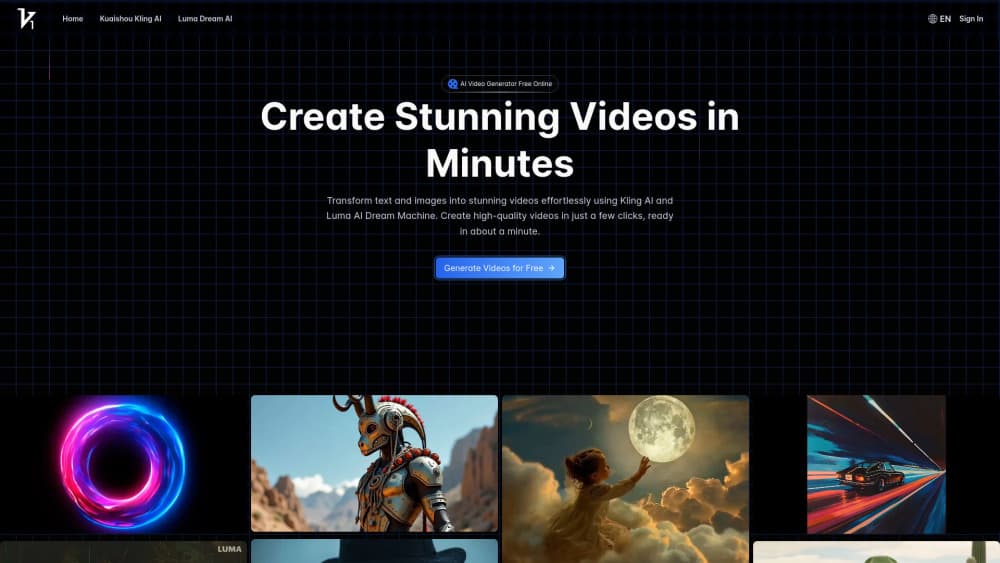
About Vidful.ai
What Is Vidful.ai
Vidful.ai is an online AI video generator that works entirely in your browser. Type a description or upload a photo, and the platform renders a short clip for you. No timeline. No keyframes.
It runs on two hosted video models instead of one in-house model: Kuaishou's Kling AI and Luma AI's Dream Machine, both of which you may have seen elsewhere. That choice matters more than it sounds, because whoever built the tool isn't the one training the models. Kling tends to handle motion and physics-driven movement, while Dream Machine leans cinematic. Picking between them is the closest thing to a technical decision the tool asks you to make.
The limits matter too. Free generation is credit-based, so heavy users hit the ceiling fast, and the cap resets on a schedule you don't control. Quality also swings by prompt, since you're at the mercy of the underlying models, and a clip that looked sharp in the thumbnail can fall apart the moment you play it full screen. Export controls are thin compared with a real editor. Upgrading lifts the credit cap, not the ceiling on what the models can do.
Getting Started
- Open vidful.ai in a browser. No install is required, and it beats paid desktop tools like Premiere that need a local machine to run at all.
- Sign in. You need an account before you generate, and it's the same box on desktop and mobile.
- Pick a mode, then type what you want or upload a photo.
- Choose Kling or Dream Machine. Ten seconds on a slow connection isn't unusual here.
- Hit generate, wait, then download the file or share the link.
Product Information
A quick look at Vidful.ai's pricing, supported platforms, and performance.
Best for
The users, tasks, and scenarios where this tool fits best.
Users
- Social media marketers
- Teachers
- Ecommerce sellers
- Solo creators
Tasks
- Text to video prompts
- Image to video animation
- Style sweeps
- Concept pitches
Scenarios
- A morning of content prep, when five clips are due before your first meeting and the clock is already against you.
- Testing a hook before committing budget to a full paid video shoot.
- Turning a phone photo into something usable for a story post.
- Sketching a scene from a script so the team sees it, rather than reads it.
Key features
Text to Video
This is the core of any AI video maker, and it works as advertised. Describe a scene and Vidful.ai returns a short clip with camera movement and lighting already applied. "A lighthouse in fog at night, slow push in" works better than a paragraph. The generation is treated as a draft, so plan a few runs before you get a usable take.
Image to Video
Upload a still and the model animates it, adding motion and a slow camera drift. It works best on photos with clear subjects and a defined foreground, which is exactly what sells the depth. Cluttered images send it into guesswork, and faces with heavy shadows usually come out waxy. Skip those.
Kling and Luma Model Switching
The same prompt runs on the Kling AI video generator or on Luma AI's Dream Machine, and there's no separate account or tab to juggle. Kling handles movement and physics-driven scenes. Dream Machine leans cinematic. Both hallucinate fingers. Most tools make you pick one model and live with it; here you flip a switch.
Rapid Video Rendering
This is where the tool earns its keep: you don't touch a timeline, keyframes, or render queue settings. The whole loop is prompt, model, generate, download. It also means there's no fine control, so the fix for a bad result is almost always a rewritten prompt rather than a dial.
Browser-Based Access
Everything runs in the browser, with no install and no GPU requirement on your machine. You lose offline access and you're exposed to the host's wait times. On a weak connection, loading the editor is slow enough to feel like a chore, and there's nothing you can do about it short of switching networks.
Prompt-Driven Style Control
Styles are baked into the prompt rather than a preset menu. Write "grainy 16mm look" or "clean commercial lighting" and route it through whichever model fits your intent. That's flexible and vague in equal measure, which is the point; the output quality tracks how specific your wording is, and a prompt built from three concrete details will beat a vague sentence every time.
Download and Share
No. Three clicks from prompt to download. Finished clips come out in a standard video format you can download or share by link, and a rough cut through a separate AI video maker will show the seams. Fine. Most people just need the clip and a caption. For a quick post, the share link is the faster route.
Pros and cons
Pros
- The free tier lets you test text to video and image to video before paying, which matters when you're weighing several generators at once.
- Two hosted models in one place beats juggling separate accounts for Kling and Luma AI Dream Machine.
- No install or GPU needed means a Chromebook handles it as well as a workstation.
- Clean workflow, roughly three clicks from prompt to download.
- Browser-based access works on Windows, Mac, and most tablets.
Cons
- Credit limits on the free plan run out fast once you're doing real work. Annoying.
- No editing tools, so you can't trim, caption, or sync audio inside the app.
- Output quality depends heavily on prompt wording, and vague prompts return unusable clips.
- No public API means it can't be dropped into an automated pipeline.
Frequently asked questions
Yes. You get a limited credit allowance each cycle and don't need a card to start. Paid tiers raise the cap. There's no monthly price that covers unlimited generation.
Related content
Explore related tools, skills, and articles for Vidful.ai.
Vidful.ai Alternatives
Griffin by Tavus
Tavus · Voice & Language · Video · ChatbotGriffin by Tavus is the first Human Interaction Model: a full-duplex, video-to-video system that watches, listens, and answers during a live video call in real time.

Syllaby AI Avatar 2.0
Syllaby · Video · MarketingSyllaby AI Avatar 2.0 turns a script into a presenter-led video with a reusable AI avatar, natural voice, B-roll and automatic subtitles, all in one browser workflow.

Vitra.ai
Vitra.ai · Voice & Language · Video · MarketingVitra.ai is an agentic content platform that creates, translates, reviews, and publishes video, images, documents, and app content in 120 languages from one shared brief.