

Vidu Studio AI
Vidu Studio · Video
Vidu Studio AI is an AI video generator that turns text and images into professional videos for creators, marketers, and small businesses.
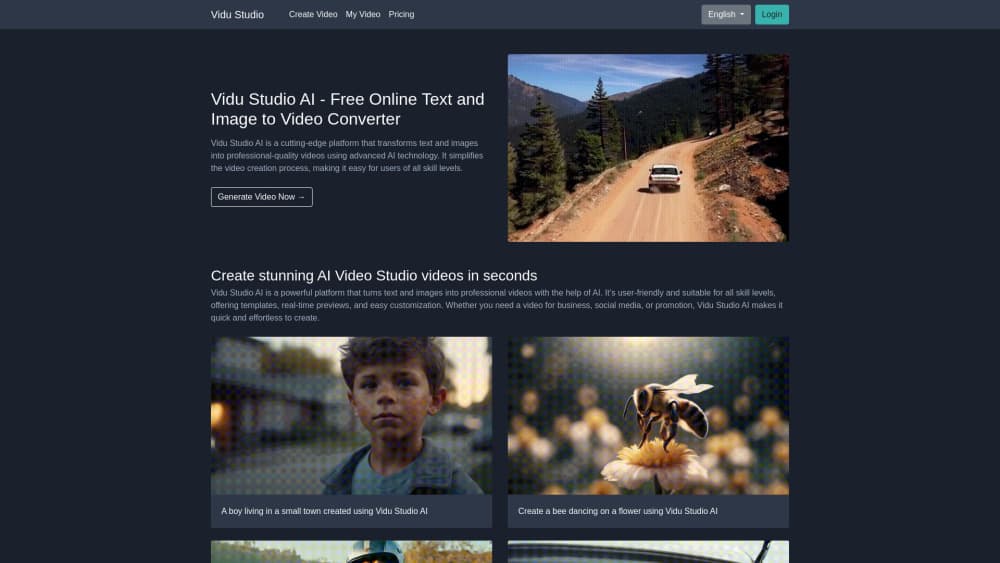
About Vidu Studio AI
What Is Vidu Studio AI
Vidu Studio AI is a web-based AI video maker that generates professional-looking videos from text prompts and still images. You describe the scene or upload a picture, and the platform handles templates, animations, and transitions for you. That means the messy parts of editing, like timing cuts and matching music, mostly take care of themselves.
It targets people who need video but don't want to learn an editing suite. A shop owner promoting a product, a student finishing a class project, or a social media manager pushing daily posts can all finish a clip in minutes. The free plan covers basic features, while premium plans open up advanced templates, higher quality, and more customization.
Is it for everyone? Not quite.
The main limit is control. Automated tools make fast decisions for you, so the output won't match a hand-edited production. If a client wants an exact shot list, you'll fight the templates. Vidu Studio AI also runs in the browser, so it isn't ideal for offline editing or heavy 4K workflows. Pricing moves often on newer tools, so always check the official site before you commit.
Getting Started
- Open the official Vidu Studio AI site and create an account, or sign in if you already have one.
- Pick a starting point: type a text description, or upload an image you want to animate.
- Choose a template and adjust the text, colors, transitions, and duration.
- Preview your video in real time and tweak anything that looks off.
- Export the finished clip in the format you need and share it.
Product Information
A quick look at Vidu Studio AI's pricing, supported platforms, and performance.
Best for
The users, tasks, and scenarios where this tool fits best.
Users
- Small business owners
- Social media creators
- Students and teachers
- Marketers
Tasks
- Text to video
- Image to video
- Promo videos
- Presentation clips
Scenarios
- A bakery posting a daily special without touching an editor.
- A solo founder mocking up a product demo before a real shoot.
- A teacher turning a still diagram into a short animated explainer.
Key features
Text to Video Generation
You type a description and Vidu Studio AI builds a video around it. The AI video generator picks motion, transitions, and pacing to match your words, which saves the slowest part of editing. It works best when your prompt names a clear subject and a mood. Short prompts usually win.
Image to Video Animation
Upload a still image and the platform animates it into a short clip. This is handy for product shots, posters, and artwork that need movement without a camera. The result depends on image quality, so sharp, uncluttered photos animate better than busy ones.
Ready-Made Templates
The platform ships with templates for ads, social posts, and presentations. You drop in text and images and the layout sorts itself out. For anyone doing repeated posts, templates cut the setup time on each new video. It's quick. That's the point.
Real-Time Preview
Edits show up as you make them, so you can judge a change before rendering. That keeps the trial-and-error loop short. Fewer full renders means less waiting on long exports. No guesswork here.
Drag-and-Drop Customization
You can adjust text, images, colors, and transitions without timeline wrangling. It's built for beginners, not professional editors. Deep frame-level control is limited, which is the trade-off for the simple interface. Simple wins, until it doesn't.
Multi-Format Export
Vidu Studio AI exports in several formats, so one clip can fit social feeds, websites, or slide decks. You pick the format that matches the platform you're posting to. This avoids re-editing the same video for each channel and keeps a small team from rebuilding the same promo three or four times in a single week.
Pros and cons
Pros
- Turns text or a single image into a finished video with almost no editing skills.
- Free plan lets you test the AI video maker before paying.
- Templates and real-time previews shorten the gap from idea to export.
- Multi-format export saves rework across social, web, and presentations.
- Browser-based, so there's nothing to install.
Cons
- Automated templates limit fine control, so results can look generic next to hand-edited work.
- Free plan caps features and quality, which gets tight for daily posting.
- No public API, so teams can't wire it into their own workflow.
- Pricing changes often, so the listed range may drift from what you see at checkout.
Frequently asked questions
It's an AI video generator for turning text and images into professional-looking videos. People use it for promos, social media content, and presentation clips without learning an editing suite.
Related content
Explore related tools, skills, and articles for Vidu Studio AI.
Vidu Studio AI Alternatives

Vadu AI
Vadu AI · Image · VideoVadu AI is a web-based AI video generator that turns written prompts or still images into short clips, and it can also generate images on its own. You type what you want, pick a model and style, and the platform renders the result in minutes. A free plan covers light testing, while paid tiers run from $9 to $77.40 per month based on how many credits you burn.

Mykaraoke Video
MyKaraoke Video · VideoMykaraoke Video is an online karaoke video maker and lyric video maker that turns any song into a finished, lyrics-synced video right in your browser. It handles the slow part for you. The AI pulls vocals out of the mix and locks the lyrics to the beat, then lets you customize background, fonts, and colors before exporting in 1080p MP4. If you make lyric videos for social media, party nights, or music promotion, it skips the software installs and manual timing work entirely. Want a karaoke video generator that doesn't eat your whole evening? That's the pitch here.

Finalframe
Finalframe · VideoFinalframe is a set of free, browser-based tools for grabbing exact frames out of a video clip. Its best-known feature, the Final Frame Extractor, lets you extract the last frame of any video so you can use it as the starting image for AI video tools like Luma Dream Machine, Runway, or Kling. Want to keep a clip going? That last frame is your starting point. The tool runs locally in your browser, needs no sign-up, and costs nothing. A separate paid AI video-generation app from the same team is currently offline while it's rebuilt.