

Vidu Studio
Shengshu Technology · Video
Vidu Studio is a browser-based AI video generator from Shengshu Technology that turns text, images and reference clips into short videos with sound, up to 4K.
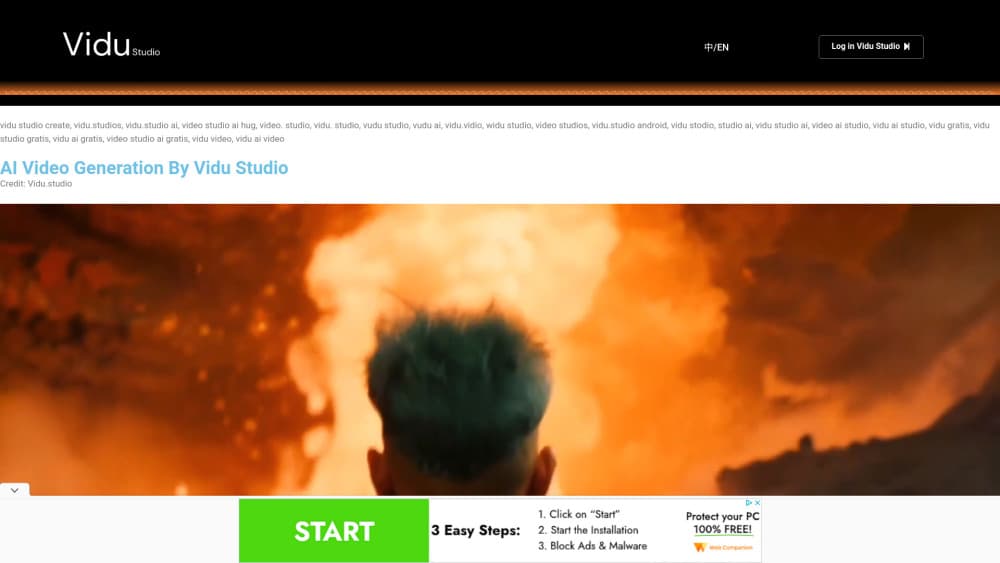
About Vidu Studio
What Is Vidu Studio
Vidu Studio is the web app for Vidu, the video model built by Shengshu Technology, a Beijing company that grew out of Tsinghua University's AI labs. You open vidu.com, pick a mode, drop in a prompt or a picture, and get a clip back in a couple of minutes. The same account also reaches the API platform if you'd rather generate from code.
The problem it solves is continuity. Most AI video tools can make one good-looking shot. Keeping the same face, outfit and voice across ten shots is where they fall apart, and that's the gap Vidu targets with its reference system. The Vidu Q4 Preview release from October 2026 accepts up to 15 reference images and three audio references, so a character can be locked in before you press generate.
The limits are the usual ones for this category. Clips are short, measured in seconds rather than minutes, and every second costs credits. Q4 Preview itself only handles image-to-video and reference-to-video right now, so text-only prompts still route to earlier models in the family.
Getting Started
- Sign up at vidu.com with an email address or a Google account. New accounts get a small credit balance to test with.
- Choose a mode: text to video, image to video, start and end frame, or reference to video.
- Upload your source material. For character work, add several photos of the same person from different angles, and optionally a voice sample.
- Write the shot description, then set duration, resolution and aspect ratio. Longer and higher-resolution clips burn more credits.
- Generate, watch the result, and download the file or refine the prompt and run it again.
Product Information
A quick look at Vidu Studio's pricing, supported platforms, and performance.
Best for
The users, tasks, and scenarios where this tool fits best.
Users
- Short drama and serial creators
- Social and ad teams on a weekly output schedule
- Anime and illustration artists
Tasks
- Keeping one character recognizable across a scene
- Animating a product photo
- Turning a storyboard into a rough cut
- Dubbing a character in a set voice
Scenarios
- Producing daily vertical clips for short video feeds
- Pitching an ad concept before budget is approved
- Pre-visualizing a scene before a live shoot
Key features
Reference to Video with Up to 15 Images
This is the feature that separates Vidu from simpler generators. You upload a set of images covering a character, a location, a prop or a product, and the model builds the shot around all of them at once. Fifteen slots is enough for a full cast plus a background plate, which is what serialized content actually needs.
Image to Video with Start and End Frames
Give the model a first frame and a last frame and it generates the motion between them. That control matters for product reveals and match cuts, where the ending image is the whole point of the shot. Without a fixed end frame you'd reroll until something close enough showed up.
Voice and Audio References
Q4 Preview accepts up to three audio references, so a character keeps the same voice across shots. Combined with the image references, that covers both how someone looks and how they sound, the two things audiences notice first when a series feels off.
Cinematic Camera Control
The studio exposes camera moves as directions rather than prompt guesswork: push in, pull out, orbit, tracking, crane and rotation. On fast action or a character turn, the motion stays smooth instead of warping. If you've fought with morphing faces on a whip pan, this is the fix you care about.
4K Output with 10-bit Color
Q4 Preview renders at 2K or 4K with 10-bit color, which is the difference between a clip that survives color grading and one that bands in the shadows. Footage at this level can go into an edit timeline next to camera material without standing out.
Prompt-Based Text to Video
Type a scene and get a clip, no image needed. It's the fastest way to explore an idea, and the older models in the family still handle this mode. Draft in text, then move to reference mode once you know what the shot should look like.
Pros and cons
Pros
- Character consistency across shots is the strongest part of the product, and it's the thing most competitors still struggle with.
- Launch pricing of $0.014 per second makes experimentation cheap, even at 4K.
- Four generation modes in one browser tab, so you don't juggle separate tools for stills, animation and reference work.
- The API mirrors what the studio offers, which means a workflow proven by hand can move to code later.
- Audio references cut a step out of the pipeline for dialogue-driven series.
Cons
- Q4 Preview only supports image-to-video and reference-to-video, so text-only prompts fall back to older models with weaker output.
- Credit costs scale with resolution and duration, and the plan page doesn't translate credits into finished seconds, so you have to estimate before you commit.
- Everything runs in the browser with no desktop app and no timeline editor, which means stitching clips happens somewhere else.
- Long or complex scenes still need several attempts, and failed generations spend credits the same as good ones.
Frequently asked questions
Vidu Studio generates short video clips from text, images or reference material. People use it for social clips, ads, anime shorts and pre-visualization, with the emphasis on keeping characters consistent across multiple shots.
Related content
Explore related tools, skills, and articles for Vidu Studio.
Vidu Studio Alternatives

ngram 2.0
ngram · Video · Marketingngram 2.0 is an AI video generator for teams. It turns a prompt, a screen recording, or a product URL into a narrated explainer, product demo, or AI avatar video, and every scene stays editable.

OpenScreen 2
OpenScreen (open-source project) · Video · ProductivityOpenScreen 2 is a free, open-source screen recorder and demo video editor for Windows, macOS, and Linux, with automatic zooms, styled frames, local captions, and agent edits.

Skreno
Skreno · Video · ProductivitySkreno is a browser screen recorder that captures a tab, a window or your whole display, then attaches AI transcripts, summaries and console logs to one share link.