

vidyo.ai
quso.ai (formerly Vidyo.ai) · Video · Marketing
Vidyo.ai is an AI video clipping tool that turns long videos and podcasts into short captioned clips for TikTok, Reels, and Shorts. It rebranded to quso.ai in January 2025 with the same login.
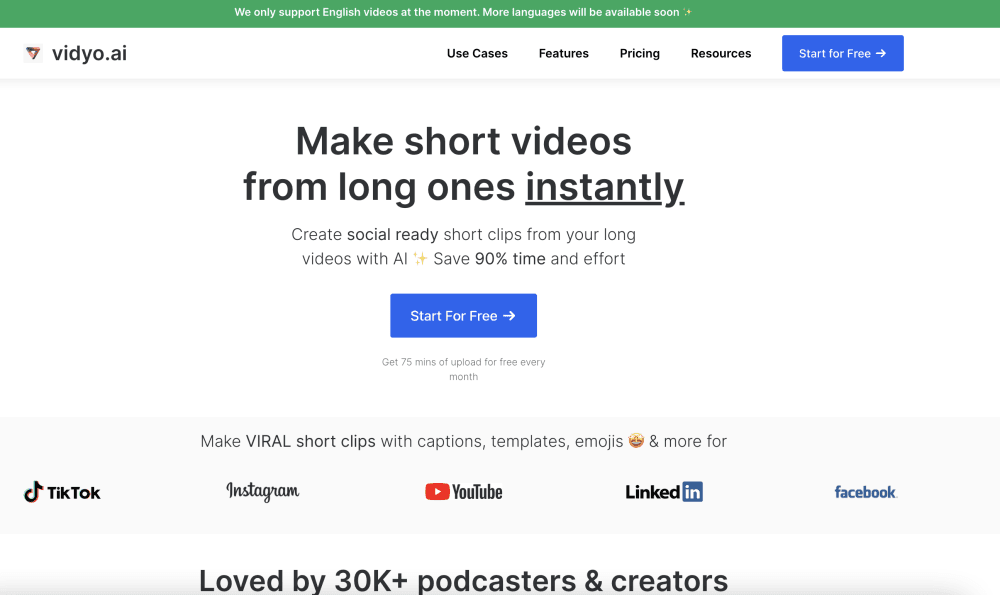
About vidyo.ai
What Is Vidyo.ai
Vidyo.ai started with a single job: pull the best moments out of a long video and cut them into short, vertical clips ready for social media. Creators point it at a YouTube link, a podcast file, or a livestream recording, and the AI scores the footage, picks the strongest segments, adds captions, and resizes everything for each platform. The tool grew out of that clipping workflow into an all-in-one workspace for editing, scheduling, and tracking social posts.
The problem it solves is time. Cutting an hour-long interview into ten shareable clips by hand takes an afternoon. Vidyo.ai aims to shrink that to a few clicks, so a solo creator can post daily without a full editing team. The company says its clip model was trained on 175M+ YouTube views and 59M+ TikTok views across 83,000+ posts.
The main catch is the name itself. If you search for Vidyo.ai today, you'll land on quso.ai, because the product changed its name in January 2025. Same app, same team, same subscription, new logo. Anyone holding a Vidyo.ai account logs in at app.quso.ai with the same email and password. Because it's a cloud tool, you need a stable internet connection, and longer or higher-resolution exports depend on your monthly credit allowance.
Getting Started
- Sign up at quso.ai with an email or a Google account. The free plan needs no credit card.
- Import a video by pasting a YouTube, Vimeo, or Zoom link, pulling from Google Drive or Dropbox, or uploading a file directly.
- Let the AI Clips Generator scan the footage and suggest clips, then pick the moments you want to keep.
- Edit captions, trim each clip, and apply a preset for TikTok, Instagram Reels, or YouTube Shorts.
- Export the clips, or connect a social account and schedule them straight from the dashboard.
Product Information
A quick look at vidyo.ai's pricing, supported platforms, and performance.
Best for
The users, tasks, and scenarios where this tool fits best.
Users
- Solo content creators
- Podcasters
- Social media managers
- Small teams and agencies
Tasks
- Cutting a long video into short clips
- Adding captions to clips
- Repurposing one video across platforms
- Scheduling social posts
Scenarios
- Turning a weekly podcast into daily clips
- Clipping a livestream after the fact
- Building a content calendar under deadline
- Testing short-form without extra tools
Key features
AI Clips Generator
This is the core of the product. You import a long video, and the model scans it for the segments most likely to hold attention, based on the viewing patterns it was trained on. It returns a set of candidate clips with captions and vertical framing already applied. You choose which ones to keep instead of scrubbing the timeline yourself.
Auto Captions and Social Captions
Captions are generated automatically and styled with presets that mimic the bold, word-by-word look popular on TikTok and Reels. The same transcript feeds into social captions and hashtag suggestions. You still proofread names and technical terms, since auto transcription gets those wrong more often than everyday speech.
Auto Resizing for Every Platform
Rather than exporting separately for each network, the tool resizes a single clip into the aspect ratios platforms expect. That covers vertical for TikTok, Reels, and Shorts, square for feed posts, and widescreen for YouTube. It removes the manual reframing step that usually eats time in a multi-platform workflow.
Built-In Video Editor and CutMagic
Beyond trimming, there's a timeline editor for cleaning up clips, and a feature called CutMagic that detects scene changes to speed up cuts. Paid tiers add filler-word and silence removal, which trims dead air from talking-head footage without hand-editing every pause.
Social Media Scheduler and Content Planner
Essential and higher plans let you publish or schedule clips to several platforms from the dashboard. A content planner lays out what goes live and when. This turns the tool from a clipper into a place to run a posting calendar without juggling separate scheduling apps.
Brand Kit and AI Writer
The top tier adds a brand kit for logos, colors, and fonts, so finished clips match a channel's look automatically. An AI writer turns a video's transcript into blogs, threads, and captions, stretching one recording across more than short video. Both are aimed at teams posting at volume.
Pros and cons
Pros
- Turns long videos into short clips in a few steps, which cuts editing time for solo creators.
- Auto captions and resizing cover the most common social formats without manual tweaking.
- A free plan with no credit card makes it easy to test the clipping quality first.
- Paid tiers add scheduling, a content planner, and a brand kit, so one tool covers more of the workflow.
- The rebrand keeps accounts, plans, and projects intact, so existing Vidyo.ai users don't lose anything.
Cons
- The Vidyo.ai name now points to quso.ai, which confuses anyone searching for the old brand.
- The free plan caps render quality at 720p and applies content limits, so polished output needs a paid tier.
- Credits meter heavily: every minute of processed video draws from a monthly allowance, so heavy users hit the ceiling.
- Auto captions miss names and technical terms, so clips still need a manual proofreading pass before posting.
Frequently asked questions
Vidyo.ai is an AI video clipping tool that turns long videos, podcasts, and streams into short captioned clips for social media. It also adds captions, resizes clips for each platform, and, on paid plans, schedules posts. Think of it as a way to repurpose one long recording into many short ones.
Related content
Explore related tools, skills, and articles for vidyo.ai.
vidyo.ai Alternatives

ngram 2.0
ngram · Video · Marketingngram 2.0 is an AI video generator for teams. It turns a prompt, a screen recording, or a product URL into a narrated explainer, product demo, or AI avatar video, and every scene stays editable.

OpenScreen 2
OpenScreen (open-source project) · Video · ProductivityOpenScreen 2 is a free, open-source screen recorder and demo video editor for Windows, macOS, and Linux, with automatic zooms, styled frames, local captions, and agent edits.

Skreno
Skreno · Video · ProductivitySkreno is a browser screen recorder that captures a tab, a window or your whole display, then attaches AI transcripts, summaries and console logs to one share link.