
VIGGLE
Viggle AI · Video
Viggle is an AI character video generator that puts a photo into a real clip and adds motion control, AI lip sync, or a full 3D scene. It has a free tier, with paid plans from $7.99 a month.
About VIGGLE
What Is Viggle
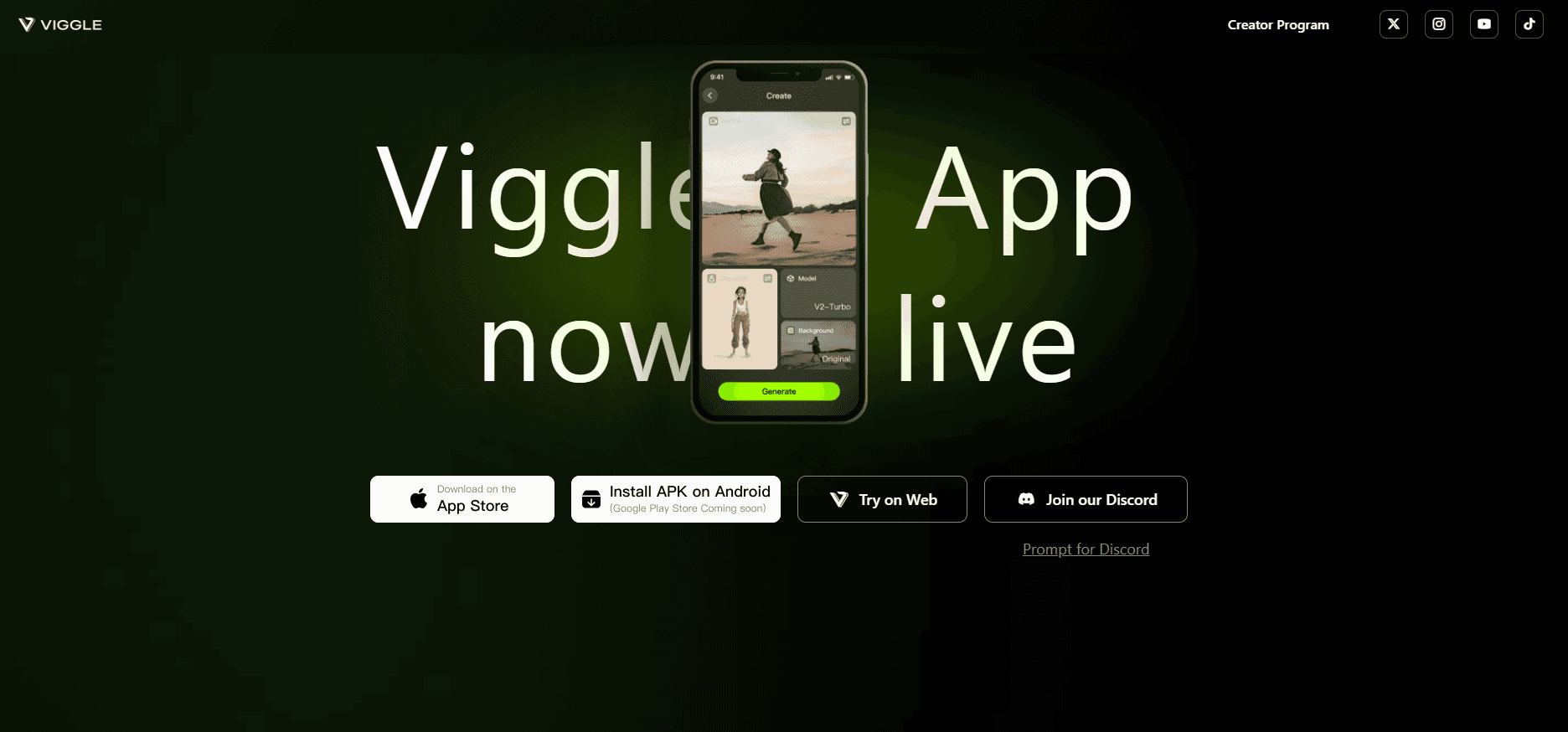
Viggle is a web and mobile app for short character videos, the kind that fill TikTok and Reels: a friend dancing inside an NBA highlight, an anime character rapping a verse, a mascot waving at the camera. You upload one photo, pick a clip or a template, and the tool generates a video where that face performs the motion. The company built its own model for this. JST stands for Joint Space and Time, and it treats a scene as 3D matter with position and movement rather than a stack of 2D frames.
What separates Viggle from a plain text-to-video tool is the input it expects. Most generators take a prompt and invent everything. Viggle takes a photo plus a reference video, so the output copies motion that already exists. You're not describing a dance in words and hoping the model guesses right. You're pointing at a dance and saying: use this face.
The limits matter just as much. Free accounts get 5 videos a day, a watermark, and 7-day asset storage. Paid plans run on monthly credits, and the newer PINOC 3D engine is billed on a plan of its own, separate from the meme app. Videos built on clips you don't own also raise the usual questions about likeness and rights.
Getting Started
- Sign in at viggle.ai with a Google or Discord account, or install the iOS or Android app.
- Choose a mode. Mix takes a photo and a clip, Live swaps a character into a webcam feed in real time, Mic handles lip sync, and Rap makes a still photo perform lyrics.
- Upload a clear photo of the character. Full body and even lighting work best.
- Pick a template or upload your own clip, then set the length and the model.
- Generate, watch the take, and export. Free exports keep the watermark until you upgrade.
Product Information
A quick look at VIGGLE's pricing, supported platforms, and performance.
Best for
The users, tasks, and scenarios where this tool fits best.
Users
- Short-form creators
- Meme and anime communities
- Small brand and social teams
Tasks
- Remixing a trending clip with a different face
- Making a character deliver a line
- Animating a still portrait
- Sketching a 3D scene
Scenarios
- Jumping on a trend the same day
- Testing ad angles on a small budget
- Running a livestream as a character
Key features
Character Swap From One Photo
Mix takes a single image and a source clip and rebuilds the clip with your character in it. The model tracks body position, camera movement, and lighting, so the result holds together far better than a face pasted onto a frame. You can start from the template library if you don't have footage of your own.
Real-Time Swap On A Webcam
Live maps your movements and expressions onto a chosen character as you perform, with no rendering wait. Free accounts get a 5-minute session, Pro gets 30 minutes, Live gets 6 hours, and Max removes the cap. This is the feature streamers ask about first, and it's the one that needs the most bandwidth.
AI Lip Sync In Mic And Rap
Mic makes a character talk or sing from typed text, a voice recording, or a licensed track, with the mouth matched to the audio. Rap goes further and lets a photo perform custom or generated lyrics. Both modes are built for the short, punchy clip rather than a full song.
Template Library And Multi-Character Edits
The app ships with a large set of ready-made clips covering dances, sports moments, and film scenes, and you can drop your own footage in as well. The editor handles several characters in one video across scenes, which is what group content and scene recreations need. Multi-track sessions are limited on Free and uncapped from Pro up.
Model Choice Inside One Subscription
Viggle routes generation through several engines, including Seedance, Kling, Veo, Wan, and others, and the plan decides which ones you can reach. Pro excludes Seedance; Live and Max unlock everything. That spread matters when one model handles a dance better and another handles a close-up.
PINOC 3D Worlds On JST-2
PINOC is the company's 3D creative engine, and it builds a scene you can walk around from a sentence or a photo. JST-2 generates the scene in about a second on server hardware and renders it in the browser as a 3D Gaussian splat, so you can look from new angles without regenerating. Characters come out of a single image already able to move, with no rigging step.
Pros and cons
Pros
- The free plan gives 5 videos a day with no card, which is enough to judge output quality before paying.
- Reference-based motion is easier to direct than a text prompt, especially for dance and sports clips.
- Everything runs in a browser, with iOS and Android apps for capture and quick edits.
- Templates cover most trending formats, so beginners skip the blank-canvas problem.
- One subscription reaches several third-party video models instead of one.
Cons
- Free exports carry a watermark and assets disappear after 7 days, so nothing survives as a portfolio.
- Pro's 80 credits a month runs out fast for anyone posting daily, pushing most active users to the $15.99 plan.
- Real people and borrowed clips bring likeness and copyright risk that the tool doesn't handle for you.
- PINOC is billed separately, which makes 3D work a second purchase rather than part of the video plan.
Frequently asked questions
Viggle generates short videos where a character from your photo performs motion taken from a clip, a webcam feed, or a text prompt. It also handles lip sync and builds explorable 3D scenes through its PINOC engine.
Related content
Explore related tools, skills, and articles for VIGGLE.
VIGGLE Alternatives

ngram 2.0
ngram · Video · Marketingngram 2.0 is an AI video generator for teams. It turns a prompt, a screen recording, or a product URL into a narrated explainer, product demo, or AI avatar video, and every scene stays editable.

OpenScreen 2
OpenScreen (open-source project) · Video · ProductivityOpenScreen 2 is a free, open-source screen recorder and demo video editor for Windows, macOS, and Linux, with automatic zooms, styled frames, local captions, and agent edits.

Skreno
Skreno · Video · ProductivitySkreno is a browser screen recorder that captures a tab, a window or your whole display, then attaches AI transcripts, summaries and console logs to one share link.