

VikPea:AI Video Enhancer&Maker
HitPaw · Video
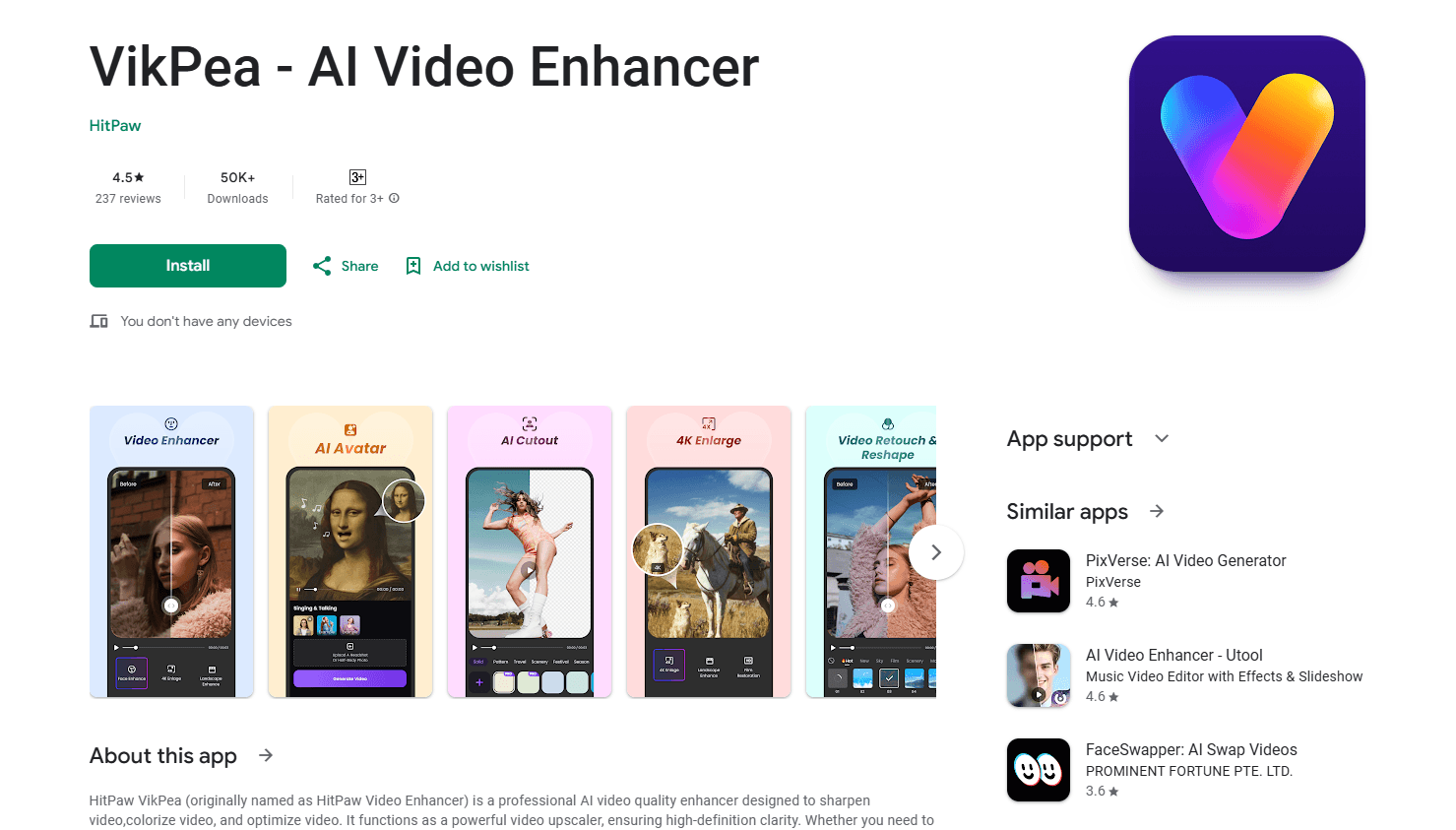
VikPea is HitPaw's AI video enhancer and upscaler that restores blurry, noisy, or old footage to crisp 4K and 8K, and can also remove backgrounds and generate clips.
About VikPea:AI Video Enhancer&Maker
What Is VikPea
VikPea is the refreshed name for HitPaw Video Enhancer, a desktop app that cleans up footage you already shot. Feed it a soft phone clip, a grainy archive tape, or an over-compressed download, pick an AI model, and it rebuilds detail, smooths motion, and pushes resolution as high as 8K.
The pitch is that you skip the manual editing grind. Instead of nudging sharpness and noise sliders for an hour, you let a scene-specific model do the first pass and preview the result before you commit. HitPaw runs the same engine across Windows, Mac, web, and Android, so a clip you fix on a laptop looks the same on your phone.
The limits are worth knowing up front. The app leans on capable hardware, and the heavier models can take a while on a laptop. Most models also run on AI credits, so heavy output has a cost beyond the base license.
Getting Started
- Download VikPea from the official HitPaw site or the Google Play listing, then install it on Windows, macOS, or Android.
- Launch the app and drag in your video, or import a batch if you have several clips to fix.
- Pick an enhancement model that matches your footage, such as Portrait for faces or UHD Restoration for old film.
- Preview the result, then export at the resolution and format you need, spending AI credits where a model requires them.
Product Information
A quick look at VikPea:AI Video Enhancer&Maker's pricing, supported platforms, and performance.
Best for
The users, tasks, and scenarios where this tool fits best.
Users
- Vloggers and social creators
- Families and archivists
- E-commerce and product teams
Tasks
- Upscale video to 4K
- Repairing old or corrupted files
- Enhancing AI-generated clips
Scenarios
- Cleaning up a shaky travel vlog
- Restoring faded family footage
- Polishing a client deliverable
Key features
AI video upscaling to 4K and 8K
The core job is resolution. VikPea's upscaler takes low-res or soft footage and rebuilds it toward 4K or 8K, adding edge detail rather than just stretching pixels. Several upscaling models target different material, so animation, live action, and compressed downloads each get a tuned pass instead of one generic filter.
Portrait and face restoration
The Portrait models focus on people, lifting facial detail and skin texture so close-ups look natural instead of waxy. HitPaw markets this for portrait shoots and talking-head video, where a soft face is the first thing viewers notice and the hardest thing to fake in post.
Denoise, sharpen, and repair models
A cluster of models handles the everyday damage in real footage. The video denoiser strips grain and ISO noise from dark or compressed clips, sharpen models recover edge definition, and the repair model fixes corrupted or unplayable files while recovering lost frames. You pick the model that matches the problem rather than tuning a stack of sliders.
AI video generator
VikPea also creates video from scratch, turning a text prompt or a still image into a moving clip. It draws on external models such as Kling, Veo, and Seedance, so you can spin up a short scene inside the same app you use for cleanup instead of jumping to another tool.
Background and object removal
For social and product work, this AI background remover isolates a subject from its background or wipes out an unwanted object entirely. Edge detection keeps hair and fine outlines clean, and there are templates and blur controls if you'd rather soften the backdrop than cut it out.
Video stabilizer and frame interpolation
Shaky handheld footage and choppy frame rates are two of the most common complaints about phone video. Stabilization reduces jitter, and frame interpolation turns 15FPS or 30FPS clips into 60FPS for a smoother, more cinematic feel.
Color enhancement and colorization
The color tools cover three gaps at once. The enhancement model corrects brightness, contrast, and saturation on faded footage, the colorize model adds realistic color to black-and-white video, and an SDR to HDR conversion widens the dynamic range for modern displays.
Cloud-accelerated rendering
Heavy enhancement can punish a laptop's GPU. VikPea offers cloud rendering so the processing happens on HitPaw's hardware, which the company says cuts render times dramatically compared with a single local GPU. You spend AI credits for the convenience, and it keeps weaker machines in the game.
Pros and cons
Pros
- A wide set of scene-specific models means you match the tool to the footage instead of fighting a single generic filter.
- The one-click workflow keeps the learning curve low, which matters if you want clean results without editing experience.
- Cloud rendering and batch processing help on long projects and weaker hardware, both of which usually slow AI upscaling to a crawl.
- Colorization, SDR to HDR, and repair sit in the same app as upscaling, so you don't juggle several programs for one clip.
Cons
- The per-month and perpetual licenses run high next to many video upscalers, and the perpetual tier costs several hundred dollars.
- Most models burn AI credits, so heavy use adds cost on top of the license, and the free plan only previews rather than exports.
- Local processing is hardware-hungry, and slower machines without cloud rendering will wait through long renders.
- It's an enhancement and cleanup tool more than a full editor, so you'll still need separate software to cut and arrange a finished video.
Frequently asked questions
VikPea enhances and upscales video you already have. It raises resolution to 4K and 8K, removes noise, sharpens blurry footage, restores old or damaged files, and adds extras like background removal and clip generation.
Related content
Explore related tools, skills, and articles for VikPea:AI Video Enhancer&Maker.
VikPea:AI Video Enhancer&Maker Alternatives

ngram 2.0
ngram · Video · Marketingngram 2.0 is an AI video generator for teams. It turns a prompt, a screen recording, or a product URL into a narrated explainer, product demo, or AI avatar video, and every scene stays editable.

OpenScreen 2
OpenScreen (open-source project) · Video · ProductivityOpenScreen 2 is a free, open-source screen recorder and demo video editor for Windows, macOS, and Linux, with automatic zooms, styled frames, local captions, and agent edits.

Skreno
Skreno · Video · ProductivitySkreno is a browser screen recorder that captures a tab, a window or your whole display, then attaches AI transcripts, summaries and console logs to one share link.