

Vimmerse
Vimmerse, Inc. · Video
Vimmerse is an AI video workflow platform that puts 200+ image, video, and audio models on one canvas, so teams can turn stills and product shots into finished clips at scale.
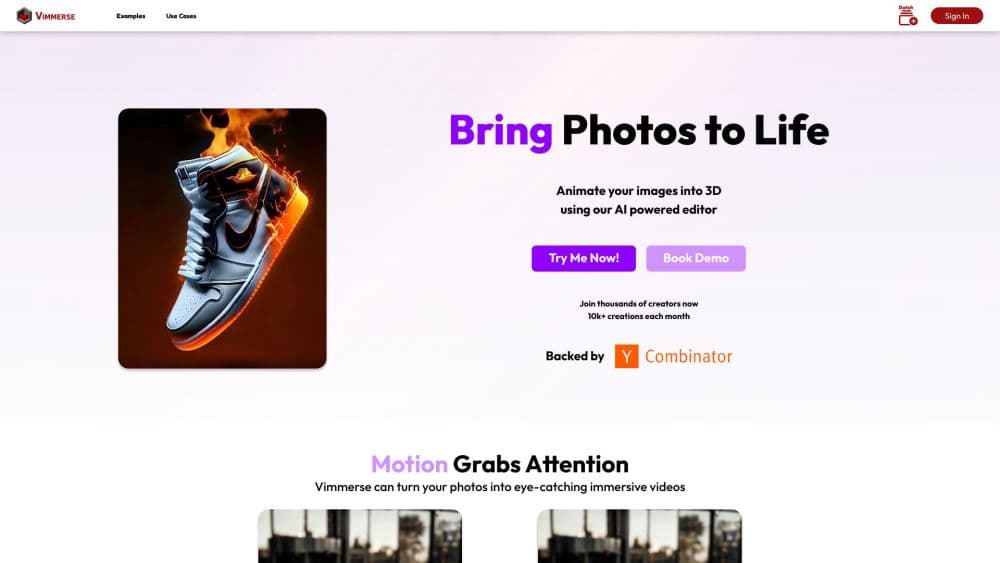
About Vimmerse
What Is Vimmerse
Vimmerse is an AI production platform from Vimmerse, Inc., a San Francisco company founded in 2021 and backed by Y Combinator through its Winter 2022 batch. The product does two jobs at once. It gives creators a browser studio with an AI image generator, an AI video generator, and AI Story videos, and it gives agencies and developers a workflow builder where those steps run in sequence without anyone re-uploading files between tools.
The pitch is less about one model and more about the assembly line around it. A typical session starts with a product photo or a text prompt, moves through an image model, then an image to video model, then audio, then an export preset for social. Vimmerse keeps each step visible on a canvas, so you can swap the model behind a step, rerun a single stage, or save the whole chain as a template the rest of the team can reuse.
That breadth comes with tradeoffs. The platform is credit-metered, and the best models cost several times more per clip than the budget ones. Quality varies a lot between tools, so the model you pick matters more than the prompt polish. There's no free tier, the interface assumes you've used a creative tool before, and everything runs in a browser. Teams that want one button and one output style will find it heavy. Teams that ship hundreds of variations a month are the ones it fits.
Getting Started
- Create an account at vimmerse.net and buy a credit pack. The entry option is 60 credits for $2, which is enough to test a handful of images and one short video.
- Pick a starting point. You can open a community template from the workflow library, start a blank canvas in Workflow Studio, or go straight into a single tool such as Text to Image or AI Motion.
- Add your source material. Upload a product photo, a character sheet, or a logo, then describe the scene, the camera move, and the mood in the prompt field. Story projects take an album of photos rather than a single still.
- Choose the model for each step and check the credit cost before you run it. Vimmerse shows the per-generation price next to every tool, which is the main safeguard against a surprise bill.
- Export the result, or save the chain as a template. Reusing a workflow is how the per-video cost and the per-video time both come down.
Product Information
A quick look at Vimmerse's pricing, supported platforms, and performance.
Best for
The users, tasks, and scenarios where this tool fits best.
Users
- Social media teams producing daily short video
- Ecommerce and marketplace sellers
- Event marketers running photo booth activations
Tasks
- Turning a static product image into a moving ad
- Building a story video from a brief or a website link
- Standardizing output across a team
Scenarios
- A weekly ad batch for a small brand
- A conference booth where guests want a souvenir
- A marketplace with thousands of stale listings
Key features
Workflow Studio Canvas
Workflow Studio is the center of the product. Each generation step sits as a node on a canvas, and every input, model choice, and output stays inspectable after the run. You can branch one image into several video treatments, rerun only the node that failed, or publish the whole chain as a template. That structure is what separates Vimmerse from a folder of one-off generations.
AI Motion and Image to Video
AI Motion turns a still into a clip by treating the uploaded image as a keyframe or a reference. You describe the action and the camera move, and the platform applies one of 17 preset camera options, such as crane up, dolly zoom, or orbit, or takes a free-text direction. Several supported video models add native audio, so a clip can arrive with ambient sound instead of silence. This is the feature most users come for, and it's the one where model choice changes the result most.
Model Routing Across 200+ Tools
Vimmerse doesn't train its own foundation models. It connects to outside tools and exposes them through one interface. The picker includes Google Veo 3.1, Kling, Runway Gen-4 Turbo, Seedance 2.0, Pixverse, Vidu, Hailuo, and Wan, alongside image models for text to image, face swap, try-on, background replacement, and image editing. Each tool carries a credit price, and the spread is wide: a Tier 1 image costs 4 credits, while a Tier 6 five-second video costs 360.
AI Story
AI Story takes an idea, a set of images, or a website URL and builds a multi-scene video from it. The system writes the script, generates or reuses visuals, adds narration, and assembles the scenes with a chosen visual style. The point is character and product consistency across scenes, which is the part that usually breaks when you generate clips one at a time. Story projects take an uploaded set of photos and reuse them as anchors.
Photo Booth Activations
The photo booth product is a packaged event experience rather than a blank canvas. Guests step in, get photographed, and leave with a branded animated clip built from a custom template. Vimmerse sells this as a one-time plan with a set number of custom templates and activations, and the company says its clients run more than 20,000 activations a day across events. The entry plan costs $50 for one template and 50 image activations, and the top published tier runs $3,200 for eight templates and 6,250.
API, Canva, and Adobe Express Access
Developers can reach the same tools through Vimmerse's REST API, with documentation published at vimmerse-api.redoc.ly. The API covers text, image, video, audio, batch, and story endpoints, which makes it usable for catalog pipelines and white-label products. For non-developers, a Canva app and an Adobe Express add-on bring image animation into those editors. Enterprise plans add custom pipelines and white-label setup.
Pros and cons
Pros
- One canvas for the whole chain: image, video, audio, and export live in the same project, so files stop bouncing between browser tabs.
- Model breadth without separate accounts: Veo, Kling, Runway, Seedance, and a long list of image tools sit behind one login and one credit balance.
- Visible unit costs: every tool shows its credit price before you run it, which makes budget control possible at the step level.
- Reusable workflows: saving a chain as a template is the fastest path to consistent output across a team or a product catalog.
- Real API coverage: the REST endpoints handle single generations and batch jobs, and the docs are public, so integration work doesn't start from a sales call.
Cons
- No free plan: the cheapest entry is $2 for 60 credits, and a serious test of video quality burns through that quickly.
- Credit costs climb fast: premium video models run 80 to 360 credits per five seconds, so a long batch on the best model can cost more than a freelance editor.
- Learning curve: the canvas, the tier system, and the model list assume some production experience, and beginners will waste credits before they find a rhythm.
- Browser only: there's no desktop app and no offline mode, so heavy rendering depends on a stable connection and on the queue being free.
Frequently asked questions
Vimmerse is a browser-based AI production platform for images, video, and story-driven clips. Its difference is the workflow layer: you chain several AI models on a canvas, save the chain, and rerun it on new inputs instead of generating one clip at a time.
Related content
Explore related tools, skills, and articles for Vimmerse.
Vimmerse Alternatives

ngram 2.0
ngram · Video · Marketingngram 2.0 is an AI video generator for teams. It turns a prompt, a screen recording, or a product URL into a narrated explainer, product demo, or AI avatar video, and every scene stays editable.

OpenScreen 2
OpenScreen (open-source project) · Video · ProductivityOpenScreen 2 is a free, open-source screen recorder and demo video editor for Windows, macOS, and Linux, with automatic zooms, styled frames, local captions, and agent edits.

Skreno
Skreno · Video · ProductivitySkreno is a browser screen recorder that captures a tab, a window or your whole display, then attaches AI transcripts, summaries and console logs to one share link.