

Visdiff
Visdiff · Image · Coding
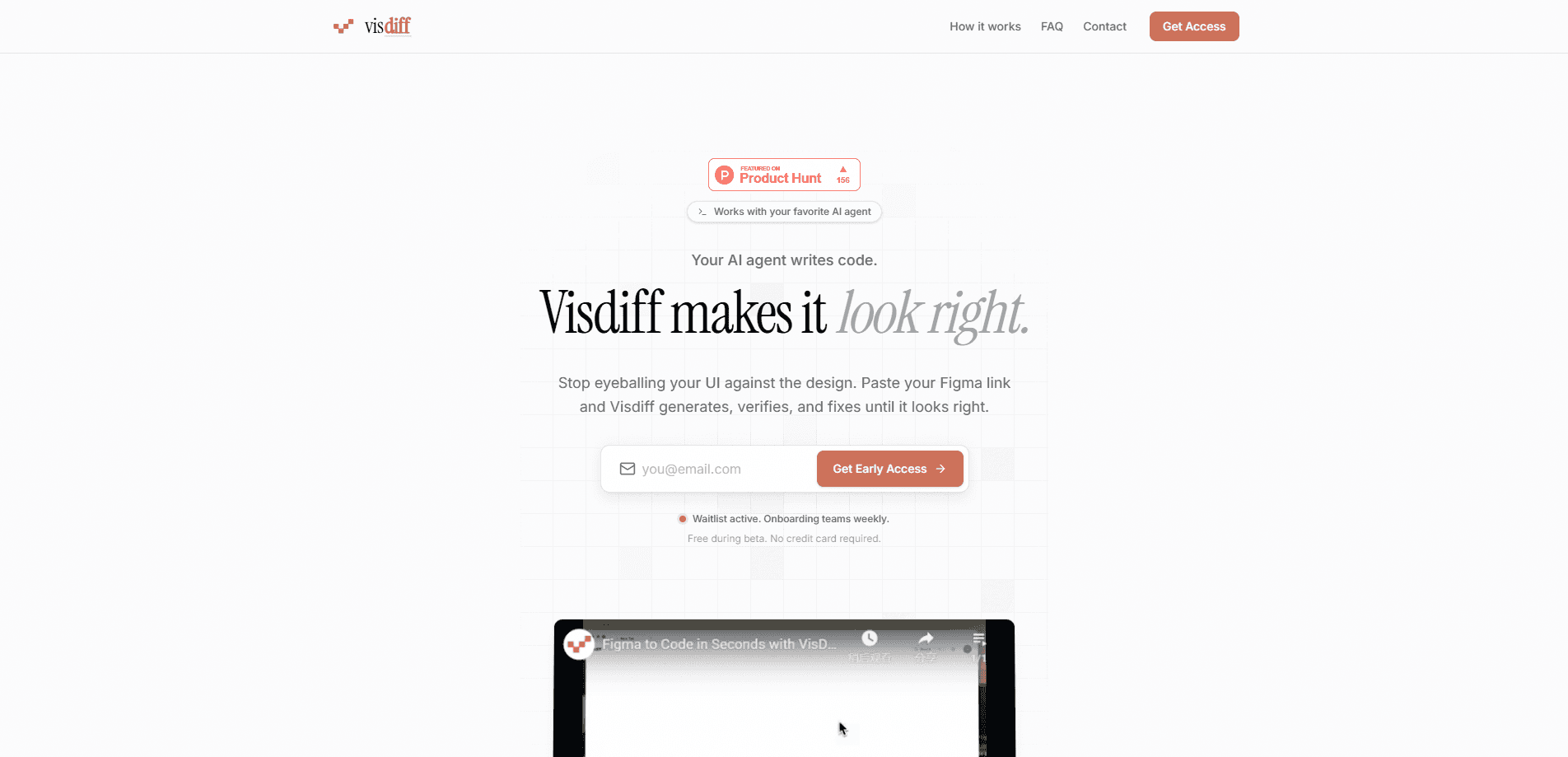
Visdiff is a design-to-code tool that keeps AI-generated interfaces honest. You paste a Figma link, an AI agent writes the code, screenshots the result, and compares it pixel-by-pixel against your design. When something drifts, Visdiff hands your coding agent a structured diff so it can fix the gap and try again. Think of it as a visual diff tool for the agent era, built to chase pixel-perfect UI without a human squinting at two screenshots. It runs on macOS in early access, it's free while that lasts, and it works with whatever coding agent and frontend framework you already use.
About Visdiff
What Is Visdiff
Visdiff is a desktop tool for teams who let AI agents build their user interfaces but still care that the result looks like the mockup. Most AI coding agents are good at producing something plausible and bad at knowing when "plausible" has quietly drifted a few pixels away from the design. Visdiff closes that loop. It treats your Figma file as the ground truth, renders the code your agent produced, and measures the difference at the pixel level, then feeds the mismatch back so the agent can correct it.
The product's pitch is blunt about the problem it solves. Eyeballing a built page against a design screenshot is slow. It's subjective. And it's easy to skip when a deadline is close. Visdiff replaces that manual check with an automated comparison that runs against your real codebase, not a sandbox the tool controls. It reads rendered pixels, so React, Vue, Svelte, or plain HTML all get treated the same way.
The biggest limitation is platform coverage. Visdiff is macOS only for now, and Windows is still on the roadmap. It's also free because it's in early access, which means the pricing story is provisional and early users have been told they'll get a heads-up before anything changes.
Getting Started
- Download the Visdiff installer for macOS from the official site and open it. No card and no signup are required right now.
- Paste a Figma link into Visdiff so it can load your design as the reference to match against.
- Let your AI coding agent generate the UI, or point Visdiff at code you already have.
- Let Visdiff screenshot the rendered result and run the pixel comparison against the Figma source.
- Review the diffs, then either export the code with a modern web stack or wire Visdiff into your existing project through MCP so your agent applies the fixes.
Product Information
A quick look at Visdiff's pricing, supported platforms, and performance.
Best for
The users, tasks, and scenarios where this tool fits best.
Users
- Frontend developers who let AI agents write UI code
- Design engineers and pixel-focused reviewers
- Small product teams shipping fast
Tasks
- Turning a Figma mockup into working frontend code
- Auditing AI-generated interfaces
- Wiring design checks into an agent workflow
Scenarios
- You handed a Figma file to Claude Code or Cursor and the page looks close but slightly off
- Your team keeps shipping UI that matches the mockup in spirit but not in spacing
- You want design-to-code verification without adopting yet another app builder
Key features
Pixel-Level Design Comparison
The core of Visdiff is a direct pixel comparison between your rendered UI and the Figma design. It screenshots what your code actually produces and measures the difference against the original. Spacing, alignment, and sizing drift show up as concrete deltas rather than a vague feeling that something's wrong. Because it reads rendered output, the comparison doesn't care what framework generated it.
Closed-Loop Fixes Through Your Agent
Visdiff outputs structured diffs that a design-to-code agent can read and act on right away. Instead of you describing the mismatch in words, the agent gets a machine-readable list of what's off. That's the loop the product is built around. Generate, compare, fix, compare again. The pixels line up or the tool keeps going.
Works With Every AI Coding Agent
The tool doesn't lock you into one assistant. Claude Code, Cursor, GitHub Copilot, or anything else that reads text can pick up Visdiff's diffs. If your agent can consume structured instructions, it can use the output. Your choice of coding agent stays yours.
Framework-Agnostic Verification
Visdiff looks at pixels, not source files. React, Vue, Svelte, and plain HTML all work the same way because the tool compares what shows up in a browser. So you aren't asked to standardize your stack or migrate anything just to get a design check. It meets your project where it's at.
MCP Integration Into Your Codebase
Alongside exporting code with a modern web stack, Visdiff can plug into your existing project through MCP. An agent can pull a design comparison straight into its normal workflow. No shuttling files between separate tools.
Built for macOS, Tuned for Apple Silicon
The installer ships for both Apple Silicon and Intel Macs, with Apple Silicon called out as the recommended option. You need macOS 12 Monterey or later to run it, and Windows support is listed on the roadmap rather than available today.
Pros and cons
Pros
- Catches pixel-level drift that AI coding agents tend to miss and human reviewers tend to overlook.
- Works against your real codebase rather than generating rigid code in the tool's own sandbox.
- Framework-agnostic, so you don't have to change your frontend stack to use it.
- Agent-agnostic output means it slots into whatever AI coding assistant you already run.
- Free during early access with no card and no signup required.
Cons
- macOS only right now, which rules out Windows and Linux users until further notice.
- No published pricing yet, so teams planning long-term budgets are working with a moving target.
- API availability is unclear, which makes deeper automation harder to plan for.
Frequently asked questions
Visdiff compares the interface your code produces against a Figma design and reports the pixel-level differences. It also hands those differences to your AI coding agent as structured diffs so the agent can fix the UI and re-check it. Think of it as an automated "does this look like the design?" check.
Related content
Explore related tools, skills, and articles for Visdiff.
Visdiff Alternatives

X Ray Interpreter
X-ray Interpreter · ImageX Ray Interpreter is a web-based AI radiology tool that turns X-rays, CT scans, MRI, ultrasound, and PET images into plain-language reports. You upload a scan, get a preliminary X-ray interpretation in moments, then ask follow-up questions if something needs explaining. It works as a second opinion and a learning aid, not as a medical diagnosis.

Aieasypic
AIEasyPic · ImageAIEasyPic is an AI image generator that turns plain text prompts into finished artwork in seconds. You can also train custom models on your own photos, swap faces in existing images, and create short video clips from text, all from a browser. It suits casual creators who want quick visuals and hobbyists who want to build a personal model without touching any code.

Chargen
Chargen · ImageChargen is an AI character generator and worldbuilding toolkit built for Dungeons & Dragons and other tabletop RPGs. It turns a one-line idea into a painted character portrait, spins up NPCs, monsters, maps and encounters from the same session, and keeps every creature's details close at hand. The tabletop RPG art side runs on a credit system called Gold, while the text generators stay free for everyone.