

Vizard.ai
Vizard.ai · Video · China AI
Vizard.ai is an AI video clipping tool that turns long recordings into short, social-ready clips with auto captions, smart reframing and one-click publishing for TikTok, Reels and YouTube Shorts.
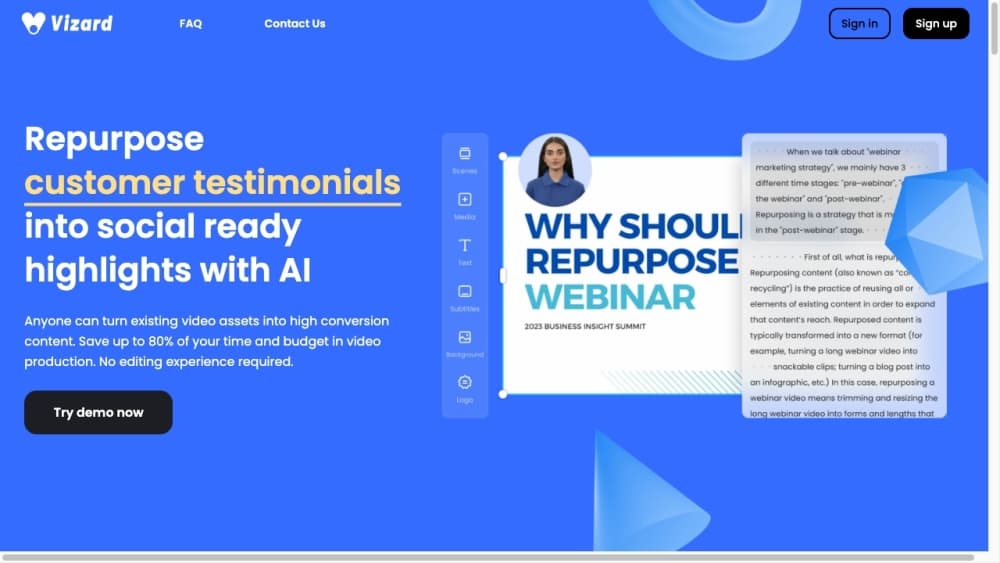
About Vizard.ai
What Is Vizard.ai
Vizard.ai is a web-based AI video editing and clipping platform built for anyone who films long content and needs a steady stream of short clips. You upload a recording, the tool transcribes it, finds the moments most likely to hold attention, and cuts them into vertical clips ready for social feeds. Founders, podcasters, coaches and marketing teams use it to stretch one source video across weeks of posts.
The draw is speed. As a video repurposing tool, Vizard handles the rough cut, so you spend your time polishing instead of hunting for the good parts.
It isn't a full production suite. There's no color grading or advanced audio mastering, and the AI picks don't always land. You still need to review every clip before it goes out.
Getting Started
- Sign up for a free account with email or Google, or start a clip without signing up.
- Upload a video file or paste a link, then let Vizard transcribe and process it.
- Open the clip library, adjust captions, aspect ratio and branding in the text-based editor.
- Download clips, share a link, or schedule them to your connected social accounts.
Product Information
A quick look at Vizard.ai's pricing, supported platforms, and performance.
Best for
The users, tasks, and scenarios where this tool fits best.
Users
- Podcasters
- Social media marketers
- Coaches and consultants
Tasks
- Cutting a long interview into 30-second highlights
- Adding accurate subtitles
- Resizing one clip for several platforms
Scenarios
- Repurposing a weekly podcast into a month of shorts
- Prepping a webinar recording for LinkedIn and TikTok
Key features
AI Clipping
Vizard scans your transcript and pulls out the moments most likely to hold a viewer's attention, generating 30 or more clips from a single long video. Each clip comes pre-trimmed, so you're choosing between options rather than building edits from scratch. The picks lean on speech and pacing, so footage with quiet stretches or heavy background noise is harder for it to read.
Auto Reframing for Vertical Video
The tool tracks the active subject and re-centers the frame for 9:16 vertical formats used by TikTok, Reels and Shorts. You don't resize anything by hand. If two people trade off talking, the framing can lag behind the switch, which is when a quick manual nudge helps.
Auto Subtitles and Translation
Vizard transcribes speech with accuracy the company puts near 99% on clear audio, then styles the captions with per-word highlighting and custom fonts. Caption translation covers more than 100 languages, so one English clip can carry subtitles in Spanish or Japanese. Heavy accents and overlapping speakers still need a review pass.
Text-Based Video Editor
You edit by deleting text rather than scrubbing a timeline. Remove a sentence from the transcript and the matching video cuts out. A timeline view handles second-level trims, and you can add images, text and custom outros on top of the AI cut.
Brand Templates and Team Sharing
Save fonts, colors and layouts as a brand kit, then apply the same look across every export. Teams on paid plans share a workspace, invite members and send preview links to clients. Free accounts stay private and single-user.
Direct Social Publishing and API
Connect social accounts to schedule posts without leaving Vizard, and export in 720p on the free plan or 4K on paid tiers. A documented API lets developers trigger clipping and publishing from their own apps, with n8n and Claude Code integrations offered as starting points.
Pros and cons
Pros
- Turns one long recording into a batch of shorts in minutes, which is the core time saving.
- Auto captions and 100+ language translation remove most manual subtitle work.
- Free plan works without a credit card and covers 60 minutes of video a month.
- Text-based editing is fast to learn, even with no editing background.
- API access opens the workflow to teams that want to automate publishing.
Cons
- Free exports cap at 720p and clips are limited to 10 minutes, so longer or higher-resolution output needs a paid plan.
- Clips are stored for only 3 days on the free plan, so you have to download before they clear.
- AI highlight picks need review; quiet or noisy footage can produce weak candidates.
Frequently asked questions
Vizard.ai turns long videos into short clips for social media. It transcribes your recording, finds the likely highlights and reframes them into vertical or square clips with captions attached.
Related content
Explore related tools, skills, and articles for Vizard.ai.
Vizard.ai Alternatives

ngram 2.0
ngram · Video · Marketingngram 2.0 is an AI video generator for teams. It turns a prompt, a screen recording, or a product URL into a narrated explainer, product demo, or AI avatar video, and every scene stays editable.

OpenScreen 2
OpenScreen (open-source project) · Video · ProductivityOpenScreen 2 is a free, open-source screen recorder and demo video editor for Windows, macOS, and Linux, with automatic zooms, styled frames, local captions, and agent edits.

Skreno
Skreno · Video · ProductivitySkreno is a browser screen recorder that captures a tab, a window or your whole display, then attaches AI transcripts, summaries and console logs to one share link.