

Wan 3.0 AI
Wan · Video
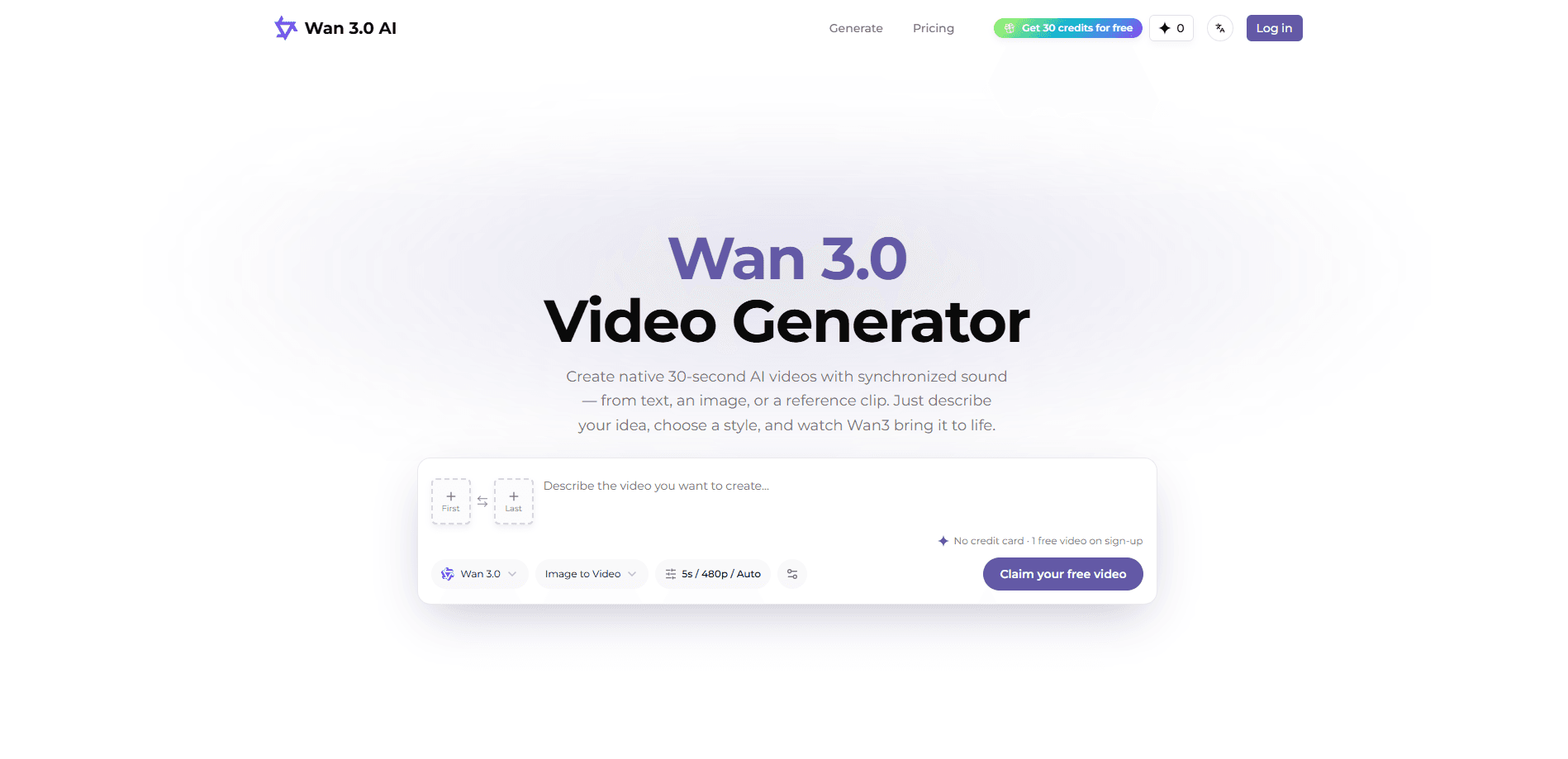
Wan 3.0 AI is an online AI video generator built for creators, marketers, and small teams. It makes native videos up to 30 seconds long with synchronized audio, and it accepts text prompts, images, audio clips, video references, documents, or public webpages as inputs. Instead of stitching short clips together, it generates the full take in one pass, so a single story plays out without visible cuts.
About Wan 3.0 AI
What Is Wan 3.0 AI
Wan 3.0 AI is a browser-based video generation tool from the Wan family of models. You describe a scene, add a reference or two, and it returns a finished clip with sound already mixed in. So what makes it different? Length and continuity. Most AI video tools stop at 5 to 15 seconds, which is barely enough room to set up a shot before it ends. Wan 3.0 stretches that to 30 seconds natively.
The tool covers the common creator jobs in one place: fast idea tests, short-form social content, character-driven shots, product videos, and AI-assisted edits. It handles text to video, image to video, and reference-driven generation, and it can extend an existing clip or reshape it with plain-language instructions.
The main limits are resolution and cost. Output tops out at 1080p, the free tier is a single watermarked video, and heavier use runs on paid credit packs rather than a flat subscription. There's no mobile app, so you work from a desktop browser.
Getting Started
- Sign up for a free account on the official site. No credit card is needed, and new users get 20 credits.
- Pick an input type: a text prompt, an image, a video or audio reference, a document, or a webpage.
- Describe the scene. Note the subject, action, environment, camera move, and any audio direction.
- Choose the aspect ratio, resolution, and duration, then generate. A 4-second test clip is a cheap way to check the idea before a full 30-second run.
- Extend, edit, or download the result, and top up credits when the free allowance runs out.
Product Information
A quick look at Wan 3.0 AI's pricing, supported platforms, and performance.
Best for
The users, tasks, and scenarios where this tool fits best.
Users
- Social media creators
- Small marketing teams
- Agencies and studios
Tasks
- Text to video drafts
- Image to video
- AI video with sound
- Video extension and editing
Scenarios
- Testing an ad concept before spending on production.
- Making a product demo for a landing page.
- Turning a script or moodboard into a quick previs reel.
- Keeping a character consistent across several shots with image references.
Key features
Native 30-Second Generation
Wan 3.0 creates clips up to 30 seconds in a single take rather than stitching shorter segments. An intelligent duration mode reads your prompt and reference media and picks a length that fits the story, and video extension continues a scene past that point. For anyone tired of cutting every five seconds, this changes how a clip is planned.
Four-Mode Reference Input
The generator takes text, images, audio, and video as references, and it supports multiple assets per run. That's how you hold a character's face, a product's details, or a voice steady across shots, which matters most for multi-shot content where identity drift is the usual giveaway.
Synchronized Audio
Sound is generated alongside the picture, not added afterward. Scenes are built to line up with voice, rhythm, dialogue, or a soundtrack's timing, so music videos and voiceover clips come out closer to finished rather than needing a separate audio pass. That saves a step. It also means the audio is part of the plan from the first prompt, not an afterthought.
Instruction-Based Editing
You can reshape an existing clip with natural-language instructions, whether that's a style transfer or a targeted change to part of a shot. The point is to adjust what you already have instead of regenerating from scratch and losing the bits that worked.
Documents and Webpages as Input
Beyond media files, Wan 3.0 accepts documents and public webpages as starting points. That lets a slide deck or a reference page drive the visual direction, which is handy when the content already exists as text.
Model and Output Controls
You choose between the standard and Prime models, set the aspect ratio, and pick 480p, 720p, or 1080p at up to 30 fps. Running the same prompt at different settings is the simplest way to see which model and resolution fit the job.
API and Volume Access
Higher-tier and enterprise plans offer API access so you can call the tools from your own systems. That opens the door to building generation into a marketing workflow, an app, or an internal media pipeline rather than working shot by shot in the browser.
Pros and cons
Pros
- Up to 30 seconds in one pass, with sound already mixed in the same file.
- Accepts text, images, audio, video, documents, and webpages as inputs, so you can start from whatever you have.
- No subscription required; credit packs are one-time purchases and credits don't expire.
- A free tier lets you test the model before paying, and failed runs don't cost credits.
- API access on the higher plans supports automated and high-volume workflows.
Cons
- Output caps at 1080p, so it can't match higher-resolution production work.
- The free plan is limited to a single watermarked preview with no downloads.
- There's no mobile app, so you're tied to a desktop browser.
- Credits are consumed per generation, and longer or higher-resolution clips cost more, which can add up fast.
Frequently asked questions
It's used to generate short videos from text, images, audio, or existing clips. Creators use it for social content, product shots, character scenes, and quick concept tests, and it returns a finished clip with sound rather than a silent draft.
Related content
Explore related tools, skills, and articles for Wan 3.0 AI.
Wan 3.0 AI Alternatives

Vadu AI
Vadu AI · Image · VideoVadu AI is a web-based AI video generator that turns written prompts or still images into short clips, and it can also generate images on its own. You type what you want, pick a model and style, and the platform renders the result in minutes. A free plan covers light testing, while paid tiers run from $9 to $77.40 per month based on how many credits you burn.

Mykaraoke Video
MyKaraoke Video · VideoMykaraoke Video is an online karaoke video maker and lyric video maker that turns any song into a finished, lyrics-synced video right in your browser. It handles the slow part for you. The AI pulls vocals out of the mix and locks the lyrics to the beat, then lets you customize background, fonts, and colors before exporting in 1080p MP4. If you make lyric videos for social media, party nights, or music promotion, it skips the software installs and manual timing work entirely. Want a karaoke video generator that doesn't eat your whole evening? That's the pitch here.

Finalframe
Finalframe · VideoFinalframe is a set of free, browser-based tools for grabbing exact frames out of a video clip. Its best-known feature, the Final Frame Extractor, lets you extract the last frame of any video so you can use it as the starting image for AI video tools like Luma Dream Machine, Runway, or Kling. Want to keep a clip going? That last frame is your starting point. The tool runs locally in your browser, needs no sign-up, and costs nothing. A separate paid AI video-generation app from the same team is currently offline while it's rebuilt.