

Wan Frame -AI Video Generator
Chiyuan AI Video & Image · Video
Wan Frame -AI Video Generator is a browser and Android app built on Alibaba's Tongyi Wan models that turns text prompts or still images into cinematic AI video.
About Wan Frame -AI Video Generator
What Is Wan Frame
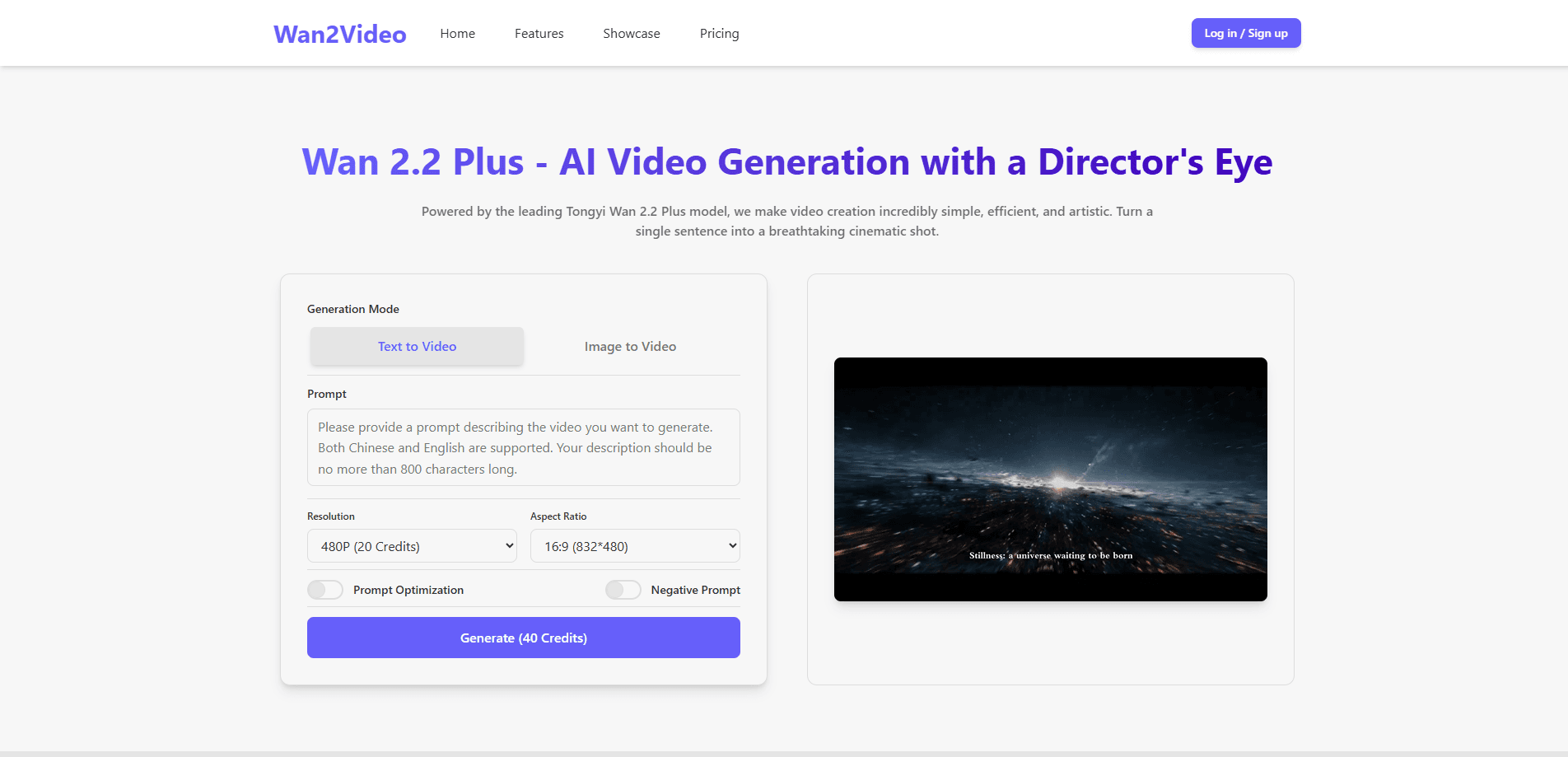
Wan Frame -AI Video Generator is a text to video and image to video tool from Chiyuan AI Video & Image. It runs in a browser and ships as an Android app on Google Play, so the same product works whether you generate on a laptop or a phone. Under the hood it rides Alibaba's Tongyi Wan model line, the Wan 2.5 and Wan 2.6 releases that handle motion, camera movement, and physics in one pass.
The pitch is speed against effort. You write a sentence, pick a format, and get a clip back without a timeline, keyframes, or a shooting crew. Image to video does the same from a single still: upload a photo, and the model adds movement, light changes, and a steady camera move to make it feel shot rather than static.
The tradeoff sits in scope. It's a generator, not an editor, so cutting footage together and long narratives stay outside what a single prompt can do. Subscription tiers also meter how much you can generate, and the exact model behind any one run isn't something you choose.
Getting Started
- Open the official site or install the Android app from Google Play, then create an account and sign in.
- Write a prompt that names the subject, the setting, and the motion you want, or upload a still image as the first frame.
- Pick a duration and an aspect ratio, then select the output quality you need.
- Check the credit cost shown before you generate, then start the run.
- Preview the clip, download it, and adjust the prompt if the motion or framing drifts.
Product Information
A quick look at Wan Frame -AI Video Generator's pricing, supported platforms, and performance.
Best for
The users, tasks, and scenarios where this tool fits best.
Users
- Short-form creators
- Social media marketers
- Small businesses without a video crew
- Hobbyists testing AI video
Tasks
- Text to video
- Image to video
- Cinematic look
- Social-ready formats
- Quick iteration
Scenarios
- Turning a product photo into a promo clip
- Testing an idea before a shoot
- Filling a posting schedule
Key features
Text to video from a prompt
Type a sentence describing the subject, the setting, and the motion, and the model builds a clip around it. You don't set keyframes or manage a timeline. The output carries camera movement, lighting, and physics in one pass, which is what separates it from a slideshow assembly of images.
Image to video
Upload a single photo and the tool animates it, adding movement, changing light, and applying a smooth camera move. This works well for product shots, portraits, and stills that need to feel alive. It's the fastest route from one image to a moving result without any editing skill.
Cinematic style presets
The generator groups styles into presets such as wide scenery, portrait, city, and fantasy. Picking one sets the framing, color, and mood for the whole clip, so you get a consistent look without writing a long style prompt. It lowers the barrier for people who don't know how to describe a film look in words.
Multiple output formats and resolution
Clips come out in wide or vertical framing, so the same result fits a wide YouTube screen or a tall Reels and TikTok frame. Higher tiers unlock sharper HD output, including 1080P AI video on the paid plans. Matching the format to the platform ahead of time saves a re-render and a rescale later.
Credit-based generation with visible cost
The tool shows the credit cost before a run, so you know what a clip costs before you spend. Credits come in one-time packs rather than a subscription and don't expire, which suits creators who generate in bursts instead of every day. You only pay for what you make.
Browser and Android access
The product works in a browser and as an Android app, so you can start a clip on a laptop and check it on a phone. The core generate-and-download flow is the same on both, and the app mirrors the web tool rather than trimming it down to a viewer.
Pros and cons
Pros
- Runs in a browser and on Android, so you generate from a phone or a desktop without switching products.
- Turning a single photo into a moving clip takes one upload and one click, which is a low bar for non-editors.
- Style presets cover wide scenery, portrait, city, and fantasy looks without a long style prompt.
- One-time credit packs never expire, so you aren't paying a monthly fee for occasional use.
- The cost of each run shows before you generate, which keeps spending visible.
Cons
- It generates clips but doesn't edit them together, so longer or layered video still needs a separate editor.
- Clip length and resolution are capped by tier, which limits how ambitious a single generation can be.
- Subscription and credit tiers gate how much you can make, so heavy users hit the ceiling fast.
- You can't pick the underlying model for a run, so you get whatever the service routes you to.
Frequently asked questions
It turns text prompts or still images into short cinematic videos. You describe a scene or upload a photo, pick a format, and the tool returns a clip with motion, lighting, and camera movement built in.
Related content
Explore related tools, skills, and articles for Wan Frame -AI Video Generator.
Wan Frame -AI Video Generator Alternatives
Griffin by Tavus
Tavus · Voice & Language · Video · ChatbotGriffin by Tavus is the first Human Interaction Model: a full-duplex, video-to-video system that watches, listens, and answers during a live video call in real time.

Syllaby AI Avatar 2.0
Syllaby · Video · MarketingSyllaby AI Avatar 2.0 turns a script into a presenter-led video with a reusable AI avatar, natural voice, B-roll and automatic subtitles, all in one browser workflow.

Vitra.ai
Vitra.ai · Voice & Language · Video · MarketingVitra.ai is an agentic content platform that creates, translates, reviews, and publishes video, images, documents, and app content in 120 languages from one shared brief.