

WarpVideo AI
WarpVideo AI · Video
WarpVideo AI is a browser-based AI video studio that restyles clips into anime, pixel or 3D cartoon looks and morphs four stills into short videos. Its site is offline as of October 2026.
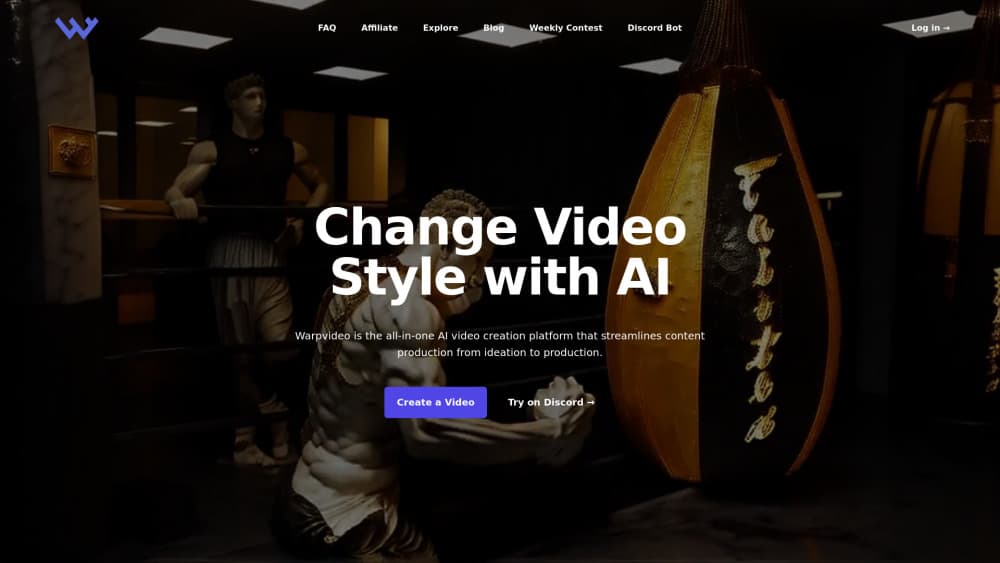
About WarpVideo AI
What Is WarpVideo AI
WarpVideo AI is an AI video creation platform that runs in a web browser. You upload a clip in MP4 or MOV, pick a visual preset such as Studio Ghibli, Pixel, 3D Cartoon, Paper Art or Sketch, and the service renders a new version of the footage in the cloud. No install, no timeline, no keyframes.
The appeal is speed and a low entry price. An AI video style transfer that used to mean a rotoscoping job now takes minutes and a handful of credits. Separate modules handle AI face swap video, a morph video generator that turns four stills into a short clip, and text to image AI for stills.
One caveat matters more than the feature list. As of October 2026, warpvideo.ai redirects visitors to an unrelated gambling site, and app.warpvideo.ai does not respond. Signups, rendering and billing are unreachable. Treat the tool as offline until the domain comes back, and don't enter card details on any site claiming to be WarpVideo AI.
Getting Started
- Open warpvideo.ai and create an account. The free tier used to include 200 credits.
- Upload footage in MP4 or MOV. Unless you paid for a higher plan, input clips were capped at 35 seconds.
- Pick a workflow: style transfer, morph, face swap or text to image.
- Choose standard or Lazy Mode, then confirm the credit cost before you hit render.
- Download the MP4 and watch it at full size before you publish. Faces and fast pans are where these renders fall apart.
Product Information
A quick look at WarpVideo AI's pricing, supported platforms, and performance.
Best for
The users, tasks, and scenarios where this tool fits best.
Users
- Short-form video creators
- Marketers with small production budgets
- Hobbyists and fan editors
Tasks
- Restyling existing footage
- Building a teaser from stills
- Swapping a face into a clip
- Making still images from prompts
Scenarios
- A weekly posting schedule where the raw footage is already shot and the bottleneck is look, not edit.
- Pitching a stylized concept to a client before spending on a real production.
- Music videos and fan edits built on a tiny budget, where a consistent visual filter carries the whole piece.
Key features
Video-to-Video Style Transfer
The core tool. You upload MP4 or MOV footage, pick from presets like Studio Ghibli, Pixel, 3D Cartoon, Paper Art, Sketch or Marble, and the cloud renders a restyled clip. Presets do the heavy lifting, so there is nothing to tune per frame. Results vary by source quality, and busy backgrounds are where detail tends to smear.
Morph Video Generator
This tool takes four still images and interpolates between them to produce a short video. Aspect ratios cover 1:1, 9:16 and 16:9, which covers feeds, stories and widescreen. It is the cheapest way to get motion out of a set of product shots or character art.
AI Face Swap Video
A single face photo is applied to faces in an existing clip. The limit is real: one replacement face runs across the whole video, so group scenes with several people all end up with the same person. Best results come from a frontal headshot with even lighting and no sunglasses.
Lazy Mode
A queue setting that renders about twice as slow as the standard mode while using one third of the credits. For anyone testing ideas rather than shipping same-day, it cuts the cost of each experiment. The trade is wall-clock time, not quality settings.
Text-to-Image and Text-to-Video
Prompt-based generation for stills and short clips, built for people who need a visual before they have footage. Output quality sits in the range you would expect from a consumer credit-based tool, which is fine for backgrounds and rough cuts and not fine for hero shots.
Discord Bot and API Access
Generations can run from a Discord bot, and paid plans included API access for pushing renders into other workflows. That matters for agencies batching jobs. The current outage means neither channel can be tested.
Pros and cons
Pros
- Four workflows in one account: style transfer, morph, face swap and text to image.
- Lazy Mode cuts credit use to a third, which stretches a small budget a long way.
- Runs entirely in a browser, so a laptop with decent upload speed is enough.
- Low entry price with one-time credit packs from $5 and a money-back guarantee.
- Composition is simple: upload, pick a preset, download. No editing skill needed.
Cons
- Face swap handles one face across an entire video, so multi-person clips are out.
- Input length was tied to your plan, with the cheapest tier capped at 35 seconds.
- Support complaints show up in user reviews, and there was no live chat to fall back on.
- The official site is down as of October 2026, which means no signups, no renders and no refunds.
Frequently asked questions
It had a free tier with 200 credits, enough for a couple of test renders rather than a project. Paid plans started around $7 per month on annual billing, with one-time packs at $5 for 2,500 credits.
Related content
Explore related tools, skills, and articles for WarpVideo AI.
WarpVideo AI Alternatives

ngram 2.0
ngram · Video · Marketingngram 2.0 is an AI video generator for teams. It turns a prompt, a screen recording, or a product URL into a narrated explainer, product demo, or AI avatar video, and every scene stays editable.

OpenScreen 2
OpenScreen (open-source project) · Video · ProductivityOpenScreen 2 is a free, open-source screen recorder and demo video editor for Windows, macOS, and Linux, with automatic zooms, styled frames, local captions, and agent edits.

Skreno
Skreno · Video · ProductivitySkreno is a browser screen recorder that captures a tab, a window or your whole display, then attaches AI transcripts, summaries and console logs to one share link.