

Waylight
Waylight · Productivity
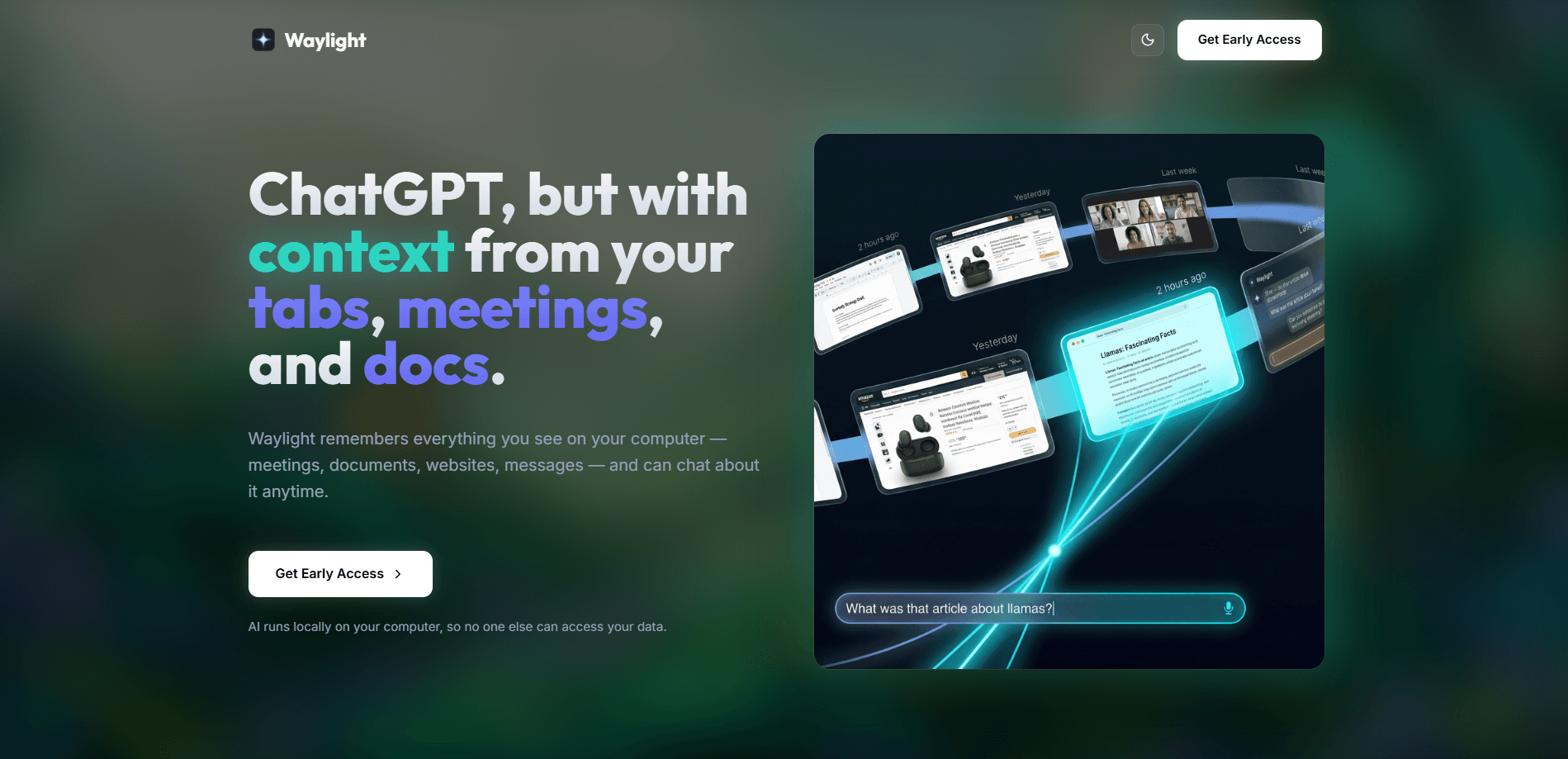
Waylight is an AI assistant for your computer that quietly keeps a private memory of what you see and do. It captures your screen as you work, builds an understanding of your meetings, documents, tabs, and messages, and lets you ask questions about any of it later. The models run on your own machine. Nothing gets uploaded to a server. Think of it as a ChatGPT alternative with context from your day, except the whole thing lives on your Mac.
About Waylight
What Is Waylight
Waylight is a desktop app that turns your computer's activity into a searchable memory you can chat with. Instead of taking notes during a call or bookmarking a page to read later, you let Waylight run in the background. This desktop AI assistant watches your screen change, figures out what you were working on, and stores that understanding on your device. Ask it "what did we decide in the meeting last week" or "find the article I read yesterday," and it answers from its own record of your day.
The selling point is privacy. Waylight processes everything on-device with small models tuned for your hardware, so your screenshots, chats, and context logs never leave your machine unless you choose a cloud feature. You can exclude specific apps and incognito windows from capture, set memory rules, and wipe history with one click. That control is the reason someone picks this local AI chat tool over a cloud assistant that sees everything you type.
It's also a young product, and that shows. Right now the app ships for Macs with Apple Silicon, so if you're on Windows, an older Intel Mac, or a phone, you're on a waitlist. It leans toward knowledge workers who live in a browser and take a lot of meetings, not casual users looking for a chatbot. If you want a polished on-device AI assistant that works everywhere today, this isn't it yet. If you're on a recent Mac and care about keeping your work local, it's one of the more interesting tools to try.
Getting Started
- Go to waylight.ai and download the Mac build for Apple Silicon (any Mac or MacBook made after 2020).
- Install the app, open it, and grant the screen recording and accessibility permissions it asks for. These are what let it see what you're working on.
- Leave it running in the background for a while. Waylight captures screen changes passively, so it needs some time to build up context.
- Ask a question in the chat box, like "summarize the doc I had open earlier," and check the answer against what you remember.
- Open Memory controls to set rules, exclude apps you don't want captured, and clear history whenever you like.
Product Information
A quick look at Waylight's pricing, supported platforms, and performance.
Best for
The users, tasks, and scenarios where this tool fits best.
Users
- Remote and hybrid knowledge workers
- Privacy-conscious professionals
- Researchers and writers
Tasks
- Recalling meeting decisions
- Finding a document or page again
- Building a to-do list
- Catching up on your day
Scenarios
- Back-to-back meetings
- Late-night research sessions
- Switching between many projects
- Working on sensitive material
Key features
On-Device Memory of Your Screen
Waylight passively captures what happens on your screen and builds a picture of your workflow over time. It processes screen changes locally. The record it keeps never leaves your machine. That means you get a personal memory of your computer without handing your activity to a cloud provider.
Chat With Your Own Context
So how does the chat actually work? You ask questions in plain language and Waylight answers from what it has seen. Prompts like "find the article I read yesterday" or "summarize the doc I had open earlier" pull from your meetings, documents, tabs, and messages. No copying and pasting. No digging through tabs to rebuild context you already had.
Daily Journal
The app writes a short journal of each day, summarizing what you worked on and which apps and documents you touched. It's a quick way to see what actually got done. No guessing. You also get an activity timeline with summaries you can review later.
To-Do List From Your Activity
Waylight turns your recent activity into a focused to-do list, so you act on what matters instead of reconstructing it from memory. You can refresh to pull in the latest context, and edit, add, or delete tasks as your priorities change. It's less a project manager, more a nudge. That's the point.
Privacy Controls and Local Processing
Memory controls let you exclude certain apps and incognito windows from capture, set rules for what gets remembered, and clear history with one click. The default setup keeps processing on-device. You can also run local-only models to avoid cloud features entirely. Nothing is sold to third parties, and your chats and screenshots aren't shared without your say-so.
Optional Cloud Model
The Free plan gives unlimited access to the on-device models plus a small monthly allowance of messages to a smarter cloud model. Plus unlocks unlimited cloud access through AWS Bedrock, which processes each request in real time and discards it. Even when you use the cloud model, the company says your content isn't stored or used for training.
Follows Your Platform
Waylight ships for Macs with Apple Silicon first. Other platforms are rolling out based on demand. The app is tuned to the machine it runs on, with small models picked for your hardware so responses stay fast. A waitlist lets you flag the platform you actually use.
Pros and cons
Pros
- Runs on-device, so your screenshots and chats stay on your Mac
- Answers questions about meetings, docs, and tabs you forgot you had open
- Daily journal and to-do list turn scattered activity into a clear plan
- Fine-grained controls to exclude apps and clear memory on your terms
- Free plan covers unlimited on-device use
Cons
- Currently limited to Apple Silicon Macs, with Windows and Intel Macs on a waitlist
- Needs to run in the background over time before its memory is useful, so there's no instant payoff
- Free cloud messages are capped, and the smarter cloud model sits behind the Plus plan
- Screen capture can be a hard sell if you work with sensitive material and can't vet every exclusion
Frequently asked questions
It runs in the background, builds a private memory of what you see and work on across meetings, documents, tabs, and messages, and lets you ask questions about that activity later. Everything is processed on your Mac, not on a server.
Related content
Explore related tools, skills, and articles for Waylight.
Waylight Alternatives

Swms
Swms AI · Writing · Productivity · BusinessSwms is an AI safety compliance tool that turns a plain description of a job into ready-to-use safety documents. Describe your project, trade, and known hazards, and it writes a safe work method statement, job hazard analysis, safe work procedure, RAMS, or safety data sheet in seconds. It also ships with Oscar, a chat assistant that answers workplace safety questions in any language. Teams in construction, mining, transport, and warehousing use it to cut the paperwork that usually eats into a workday.

Wordly AI Translation
Wordly · Voice & Language · ProductivityWordly AI Translation is a real-time AI translation and captioning platform built for meetings, conferences, and events. It delivers live translation, captions, transcripts, and summaries in more than 60 languages, and attendees join by scanning a QR code or opening a link instead of using dedicated headsets. The platform works with Zoom, Microsoft Teams, Google Meet, and Webex, and it's designed for organizations that want multilingual access without hiring human interpreters for every session. Simple as that.

Rows
Rows (Superhuman) · Productivity · BusinessRows is an AI spreadsheet and data analysis tool that imports live data from more than 50 sources, then lets you work with it using plain language instead of SQL queries or nested formulas. You can pull numbers out of PDFs, connect ad platforms, databases, and bank accounts, and ask the AI to build reports, merge datasets, or set up models that recalculate themselves. It runs in the browser, works like a spreadsheet, and now sits under the Superhuman umbrella.