

Web
Nuance · Coding
Web is a free, open-source AI browser for macOS that runs local models on your Mac, reads pages, and keeps your browsing data on device.
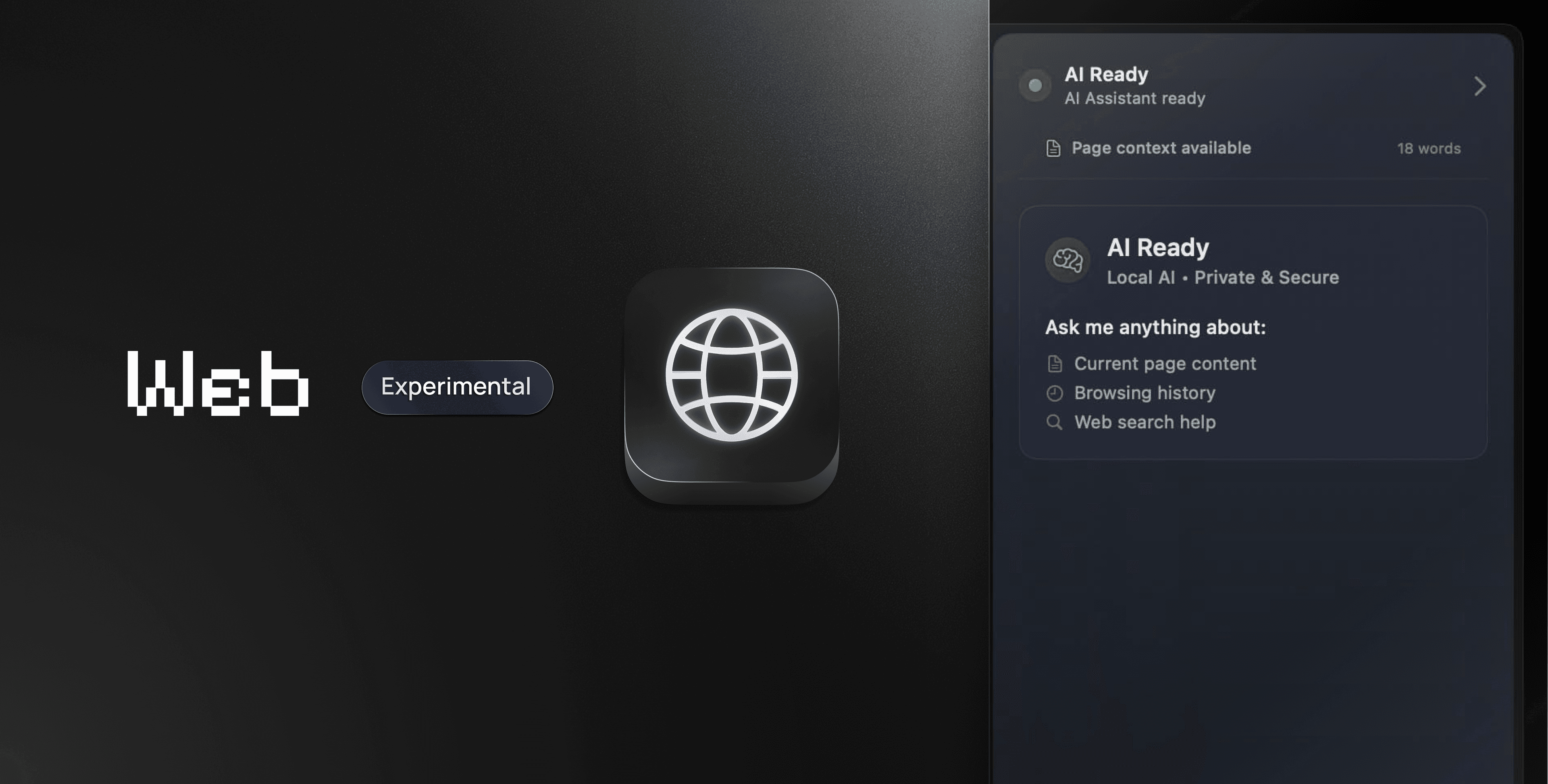
About Web
What Is Web
Web is an experimental browser built for Macs with Apple Silicon. It uses SwiftUI and WebKit, so it looks and behaves like a native macOS app rather than a wrapped website. The team behind it goes by Nuance, and the whole project is open source under the MIT license.
The browser's whole pitch is local AI. You can point the assistant at a model running on your own machine through MLX, or connect a cloud provider with your own API key. The assistant reads the page you're on and answers questions about it. Page sharing is off until you turn it on, and private tabs stay out of the assistant entirely.
It's early software. Version 0.1.3 is a development preview, so some parts are rougher than others. Cloud completions and broad site compatibility still need testing, and features like profiles, extensions, and password autofill haven't shipped yet. If you want a finished everyday browser, look elsewhere for now. If you want to try local AI browsing, this is a clean starting point.
Getting Started
- Download the latest build from the project's GitHub releases page, or clone the repository and open
Web.xcodeprojin Xcode. - Drag the app into Applications. Direct downloads are signed and notarized, and local builds use ad-hoc signing without a developer account.
- Open Settings to pick an AI provider. Keep the default local MLX model, add a cloud key, or connect your own OpenAI-compatible server.
- Press the Glance shortcut, then start browsing. Use the assistant panel to ask about the page you're reading.
Product Information
A quick look at Web's pricing, supported platforms, and performance.
Best for
The users, tasks, and scenarios where this tool fits best.
Users
- Mac owners on Apple Silicon who want AI in the browser without sending page text to a cloud service by default.
- Privacy-minded people who like that page sharing stays off until they enable it and private tabs are excluded.
- Developers and tinkerers who want to read the source, build it themselves, or point the assistant at their own model server.
- Students and researchers who read long articles and want quick summaries while they work.
Tasks
- Getting a plain-language page summary in a browser built for reading, without opening a separate app.
- Looking up a quick fact in a small corner window while you keep working in another app.
- Asking follow-up questions about a page without copying text into a separate chat tool.
- Running AI questions entirely on your own Mac when you'd rather not use a cloud account.
Scenarios
- Reading a research paper or news piece and wanting the key points without leaving the page.
- Staying focused on a single page and hiding tabs, sidebars, and the address bar for a clean read.
- Checking something mid-task in another app with a glance in the screen corner, then pinning it if you need it.
Key features
Local AI that runs on your Mac
Web connects to models through MLX, Apple's framework for running language models on Apple Silicon. The default is a small Gemma 3 model that downloads once and answers on device. Nothing about that path leaves your machine, which makes it the pick if you'd rather not involve a cloud provider at all.
Glance for quick lookups
Glance opens a page in a small window in the corner of your screen, so a fast lookup doesn't need to become a permanent tab. Hit the shortcut, get your answer, and close it. You can pin a Glance result or promote it into a full tab when it turns out to matter.
A page-reading assistant
The assistant reads the page you're on and answers questions about it. It can summarize, pull out details, or explain something you didn't follow. Page text is extracted in an isolated context, capped at 24,000 characters, and sent as quoted data, which lowers the odds that a malicious page can hijack your instructions.
Bring your own provider
Pick from OpenAI, Anthropic, or Google, or point Web at any OpenAI-compatible server you run yourself. Keys live in the macOS Keychain, and each key stays tied to its own endpoint. The app never silently swaps in a different model or a surprise paid request when something fails.
Tabs that stay out of the way
Keep tabs on the side, on top, or hidden. Search tabs and run commands with a single shortcut, pin the ones you use, and turn on session restore to pick up where you left off. Focus Mode strips the interface down to just the page when you want to read without clutter.
Private tabs and on-device defaults
Private tabs use a separate, temporary session, and they're excluded from shared AI extraction and caches. Page sharing starts off for every provider, including ones you've already set up. The defaults lean toward keeping your browsing yours.
Pros and cons
Pros
- Free and open source under the MIT license, so you can inspect or build it yourself.
- Local MLX inference keeps AI questions on your Mac with no cloud account needed.
- Page sharing is opt-in and private tabs stay out of the assistant, which is a sensible privacy default.
- Glance and Focus Mode make quick lookups and distraction-free reading feel effortless.
- Keys are stored in the macOS Keychain, and model selection never silently changes.
Cons
- Requires macOS 26.5 or later and an Apple Silicon Mac, so Intel Macs are left out.
- It's a 0.1.3 development preview, so cloud completions and site compatibility are still being tested.
- Profiles, extensions, and password autofill aren't available yet, which limits it as a daily-driver browser.
- You need your own API key for cloud models, and a chat subscription won't work as a key.
Frequently asked questions
Web is a free, open-source web browser made for Macs with Apple Silicon. It focuses on local AI: an assistant that reads pages and runs on your own machine, plus optional cloud providers if you add a key.
Related content
Explore related tools, skills, and articles for Web.
Web Alternatives
Forefront
Forefront · CodingForefront is a web platform for building with open-source AI. It lets you fine-tune leading open-source language models on your own data, evaluate how they perform, and run them through an API or export them to host yourself. Developers who want the convenience of a closed-source platform but insist on owning their models and data are the target audience here.

Startkit
StartKit.AI · CodingStartkit is a boilerplate for building AI SaaS and AI wrapper products. Think of it as an AI startup boilerplate with the boring parts already wired up: authentication, Stripe and Lemon Squeezy payments, usage limits, transactional email, and an AI API starter that talks to OpenAI, Anthropic, Groq, or Llama. You clone the repo, set your price, and start on the part of your product that people actually pay for. It's Next.js under React and Tailwind, so most of the boilerplate code already feels familiar.
Testim
Tricentis · CodingTestim is an AI-powered test automation platform for building and running end-to-end tests across web, mobile, and Salesforce applications. It leans on machine learning to keep tests stable when an interface changes, so teams spend less time fixing broken selectors. Not bad for an automated testing tool you can start using today. You create tests by recording actions in a browser, then optionally add JavaScript when you need more control. It's a solid pick for busy QA teams.