

WebMCP
mcp2everything · Coding
WebMCP (Web Model Context Protocol) is a proposed web standard for AI agent web integration. It lets websites expose structured tools directly to in-browser AI agents. Instead of having an agent take screenshots and guess where buttons sit, a site registers JavaScript functions with names, descriptions, and parameter schemas, and an agent calls them straight away. It's a lightweight, open-source library plus a browser-level API, and it targets frontend developers who want their pages to work cleanly with AI assistants.
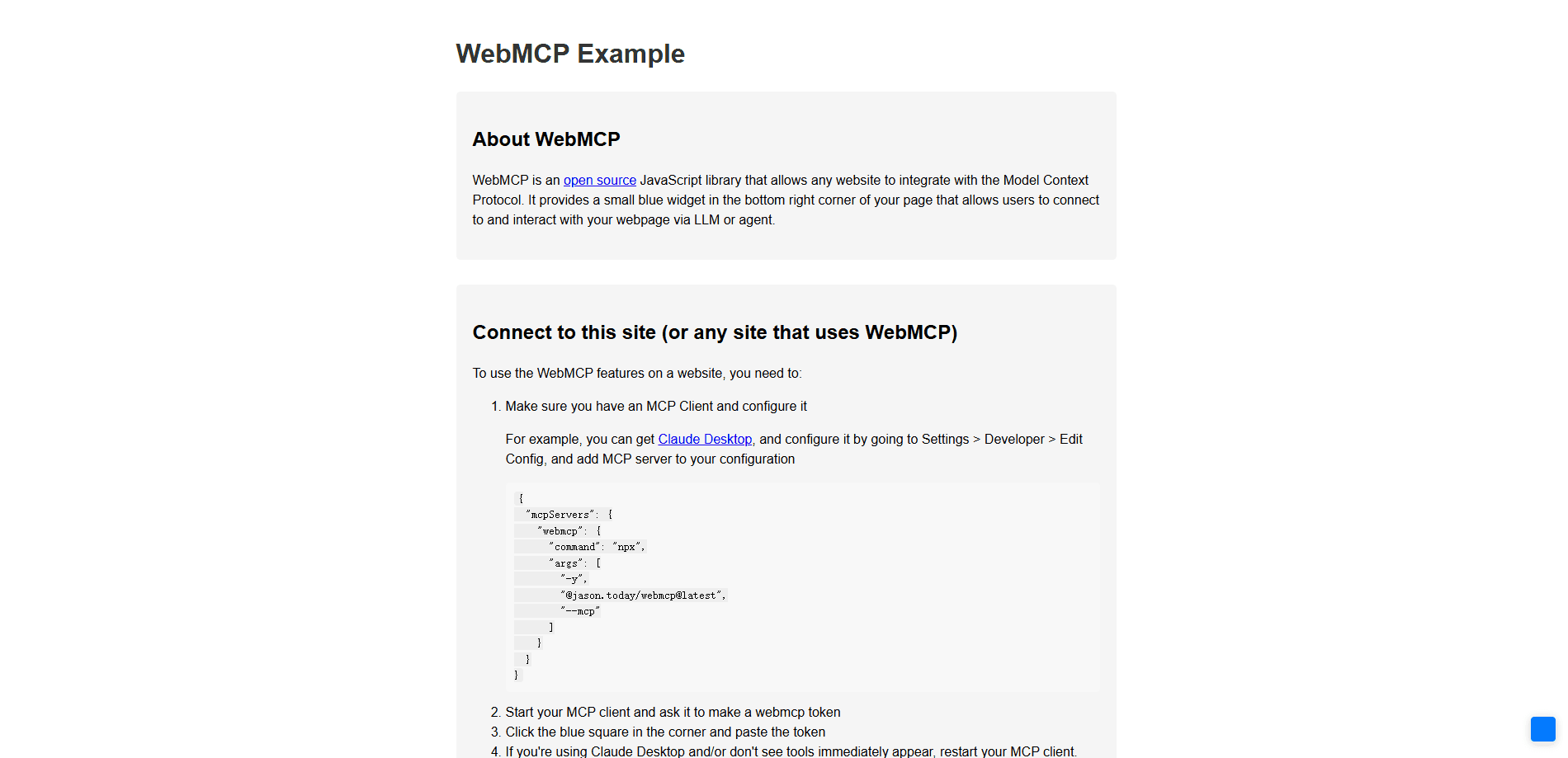
About WebMCP
What Is WebMCP
WebMCP is an open web standard for AI agents. It flips the usual browser automation model on its head: rather than an agent parsing the DOM or reading screenshots to figure out what a page can do, the page declares its own capabilities as structured tools. The browser then hands those tools to any connected AI agent, which invokes them like local functions.
The core idea rests on one global object, navigator.modelContext. A developer calls registerTool with a name, a plain-language description, a JSON Schema for the arguments, and a handler function. Agents discover the tool automatically and call it with real parameters. Because the tool runs inside the live page, it already has the user's session, cookies, and current app state, so no extra authentication plumbing is needed.
There's a real limit worth knowing early. WebMCP lives and dies with the browser tab. Close the tab and the tools disappear. It only covers tools, not the resources and prompts that a full MCP server can carry. And it assumes a human is present to authorize actions, which is a safety feature but rules out fully headless background work.
Getting Started
- Open your site's frontend codebase and add the WebMCP script tag (or run
npm install webmcp) so the library loads on your pages. - Create a
WebMCPinstance. You can pass UI options like button color, position, and size for the floating helper widget. - Register your first tool with
mcp.registerTool(name, description, schema, handler). Point the handler at logic your app already runs. - Register all tools right after the script loads. MCP clients often need a restart to pick up newly available tools.
- Test in a supported browser with an MCP client connected, then ship it. Once live, agents can call your tools.
That's it. No backend, no auth server, no rewrite.
Product Information
A quick look at WebMCP's pricing, supported platforms, and performance.
Best for
The users, tasks, and scenarios where this tool fits best.
Users
- Frontend developers
- Indie site owners and small teams
- Product teams planning for AI traffic
Tasks
- Exposing a search tool so an agent can query your content by keyword and return structured results rather than screen-reading a list.
- Registering form-filling and submission actions so an assistant can complete an order or a booking on the user's behalf with the session already in hand.
- Wrapping existing JavaScript business logic as agent-callable functions. This avoids a parallel API layer built only for AI.
Scenarios
- A shopping flow where the agent calls an add-to-cart tool instead of clicking through a changing layout.
- A documentation site that lets an assistant pull page content directly when a user asks about it.
- A dashboard where the assistant reads live widgets through registered resources rather than re-parsing the DOM.
Key features
Tool registration with JSON Schema
registerTool is the heart of this web standard for AI agents. You pass a name, a natural-language description, an argument schema, and a handler, and the tool becomes discoverable to any connected agent. The schema tells the model exactly what inputs it can send, which cuts down on malformed calls and guesswork.
Shared session and page context
Tools run inside the page, so they inherit the logged-in state, cookies, and in-memory data the user already has. An agent doesn't have to rebuild authentication or worry about cross-origin barriers. That's a big simplification over standing up a separate backend proxy for every AI action.
Prompts and resources alongside tools
Beyond actions, WebMCP lets you register prompt templates and readable resources identified by URIs. A prompt can shape a common query and accept arguments that change per call. A resource can expose page content as context. Together they give an agent more than just buttons to press.
No framework or backend dependency
The library is a small vanilla JavaScript drop-in that works across Chrome, Firefox, Safari, and Edge and plays nicely with React, Vue, and Angular. You don't need a new server, a new database, or a rewrite of your architecture. If you can edit a page's frontend, you can add WebMCP.
Resilience to UI changes
Because agents call semantic tools rather than locate screen elements, a CSS class rename or a layout shuffle won't break the integration. Screenshot-based and DOM-scraping agents go stale the moment a designer touches the page. WebMCP sidesteps that whole class of breakage.
Pros and cons
Pros
- Zero backend changes and a simple script-tag setup, so the integration cost stays low for small teams.
- MIT-licensed and free, with no vendor account or per-request fee to route AI traffic through.
- Reuses existing frontend logic, so the same code that serves human users also serves agents.
- Inherits the user's session automatically, which removes most authentication wiring from the AI path.
- Runs on all major browsers and frontend frameworks, so you're not locked into one stack.
Cons
- Tools vanish when the tab closes, so it can't power persistent or headless background automation.
- No bundled support for resources and prompts as a full MCP server offers, which limits what some agents can do.
- Requires user authorization by design, which is safer but adds a step before agents can act.
- Tooling around it's still early, so you might hit rough edges and a thin set of working examples.
Frequently asked questions
It lets a website hand structured tools to an in-browser AI agent. The agent calls those tools directly, so it can search, fill forms, or trigger actions without scraping the page or guessing where to click.
Related content
Explore related tools, skills, and articles for WebMCP.
WebMCP Alternatives
Forefront
Forefront · CodingForefront is a web platform for building with open-source AI. It lets you fine-tune leading open-source language models on your own data, evaluate how they perform, and run them through an API or export them to host yourself. Developers who want the convenience of a closed-source platform but insist on owning their models and data are the target audience here.

Startkit
StartKit.AI · CodingStartkit is a boilerplate for building AI SaaS and AI wrapper products. Think of it as an AI startup boilerplate with the boring parts already wired up: authentication, Stripe and Lemon Squeezy payments, usage limits, transactional email, and an AI API starter that talks to OpenAI, Anthropic, Groq, or Llama. You clone the repo, set your price, and start on the part of your product that people actually pay for. It's Next.js under React and Tailwind, so most of the boilerplate code already feels familiar.
Testim
Tricentis · CodingTestim is an AI-powered test automation platform for building and running end-to-end tests across web, mobile, and Salesforce applications. It leans on machine learning to keep tests stable when an interface changes, so teams spend less time fixing broken selectors. Not bad for an automated testing tool you can start using today. You create tests by recording actions in a browser, then optionally add JavaScript when you need more control. It's a solid pick for busy QA teams.