

DEEP SWAP
DeepSwap · Image
DEEP SWAP is an online AI face swap tool that replaces faces in video, photo, and GIF files in a few clicks, using its own trained models and a credit-based pricing plan.
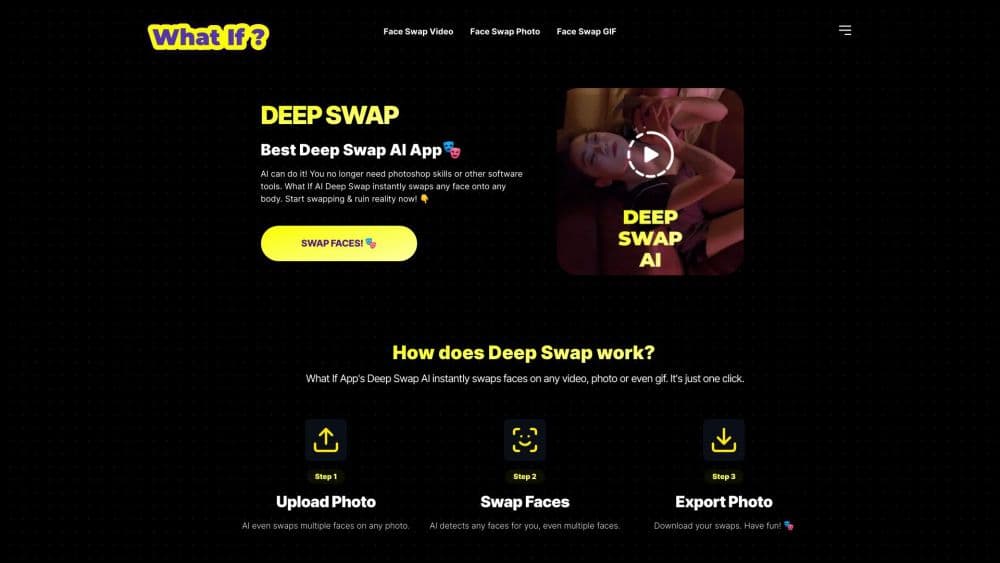
About DEEP SWAP
What Is DEEP SWAP
DEEP SWAP is a web-based face swap tool from the team behind DeepSwap, a service that launched in December 2021. This face swap app swaps one face onto another inside a video, a photo, or a GIF, then returns the finished file for download without asking you to install anything or train a model yourself. The company says its own models reach over 90% face similarity, which it claims runs about 20% higher than open-source alternatives.
The problem it solves is cost and effort. Making a believable face swap used to mean deep learning expertise, GPU hardware, and hours of setup. DEEP SWAP pushes all of that to its servers, so a creator uploads a clip, picks a face, and gets a result back. It also bundles a small set of supporting AI tools, including image enhancement, background erasing, and cartoon effects, so a single edit usually does not need a second app.
The limits are worth knowing up front. There is no permanent free plan for face swapping: photos get a narrow free trial, but video and GIF swaps cost credits, and those credits are bought in packages. Face swap also carries legal risk, and using someone's likeness without permission is illegal in many places. Frontal, well-lit faces return the best results, so a blurry or side-angle clip will look rough.
Getting Started
- Create an account on the DEEP SWAP site with an email address and log in.
- Upload the video, photo, or GIF you want to edit. Video files can run up to 45 minutes at 1.5 GB, and photos and GIFs up to 20 MB.
- Add the face you want to swap in, then let the site detect every face in the clip. The same person can register as more than one face at different angles.
- Pick a model, such as HD Face or the standard option, and hit Create to start the render.
- Preview the result when it finishes, then download it. Buy a credit package first if your free trial has run out.
Product Information
A quick look at DEEP SWAP's pricing, supported platforms, and performance.
Best for
The users, tasks, and scenarios where this tool fits best.
Users
- Social media creators
- Cosplay and role-play fans
- Marketers and small studios
Tasks
- Swapping a face in a video
- Editing a single photo
- Animating a GIF
- Cleaning up or restyling an image
Scenarios
- A creator mocking up a movie scene
- A team building a campaign visual
- A group making a meme for a chat
Key features
Video Face Swap
DEEP SWAP replaces a face across every frame of a video, and the company says its own models hold over 90% similarity, about 20% above the open-source baseline. Clips can run up to 45 minutes and 1.5 GB, and the site refaces up to six faces at once. The key draw for creators is that the face stays steady across frames instead of flickering.
Photo and GIF Face Swap
Single-image swaps are the cheapest way to use the tool, and they cover headshots, memes, and group photos. The GIF option keeps the original loop's motion while replacing the face, which is handy for chat reactions. Both formats take files up to 20 MB.
HD and 4K Face Swap
The HD face swap model targets sharper output than the standard render, and the site advertises 4K video face swap. That matters when the result has to survive a large screen or a slow zoom, where a soft or blocky face would give the edit away.
Bundled AI Tools
Beyond swapping, the platform packs in image enhancement, background erasing, and cartoon effects. A creator who only needs one clean edit can finish it in the same place instead of moving the file into a separate app.
API Access
DEEP SWAP offers an AI face swap API for developers and businesses that want face swap inside their own product. It supports batch processing, so a team can run many files without touching the web editor by hand.
Privacy Handling
The company states that it does not collect the content you upload or create, and it markets the tool on that privacy stance. For a face swap service, that promise matters because the files usually contain real people's faces.
Pros and cons
Pros
- Own trained models: The company reports over 90% face similarity, a figure it puts about 20% ahead of open-source models, which shows up as more convincing swaps.
- Fast rendering: The site runs on GPU acceleration and claims a one-minute video renders in about 10 seconds, so short clips turn around quickly.
- Multi-face face swap: You can reface up to six faces in a single video, which cuts the number of passes for clips with several people.
- Extra tools in one place: Image enhancement, background erasing, and cartoon effects mean fewer trips to other apps.
- Developer API: Teams that want face swap inside their own product can wire it in through the API.
Cons
- Credit system: Video and GIF swaps burn credits fast, and you have to buy a package to keep going, so heavy use gets expensive.
- No open free tier for video: The free trial is narrow and favors photos, which blocks people who want to test a video swap before paying.
- Legal risk: Swapping a real person's face without consent is illegal in many places, and the tool cannot shield you from that.
- Uneven results on hard footage: Blurry, side-angle, or poorly lit faces render much worse, so not every upload comes back clean.
Frequently asked questions
DEEP SWAP swaps one face onto another in a video, photo, or GIF. People use it to make memes, mock up movie scenes, build campaign visuals, and restyle portraits, all from a browser.
Related content
Explore related tools, skills, and articles for DEEP SWAP.
DEEP SWAP Alternatives

X Ray Interpreter
X-ray Interpreter · ImageX Ray Interpreter is a web-based AI radiology tool that turns X-rays, CT scans, MRI, ultrasound, and PET images into plain-language reports. You upload a scan, get a preliminary X-ray interpretation in moments, then ask follow-up questions if something needs explaining. It works as a second opinion and a learning aid, not as a medical diagnosis.

Aieasypic
AIEasyPic · ImageAIEasyPic is an AI image generator that turns plain text prompts into finished artwork in seconds. You can also train custom models on your own photos, swap faces in existing images, and create short video clips from text, all from a browser. It suits casual creators who want quick visuals and hobbyists who want to build a personal model without touching any code.

Chargen
Chargen · ImageChargen is an AI character generator and worldbuilding toolkit built for Dungeons & Dragons and other tabletop RPGs. It turns a one-line idea into a painted character portrait, spins up NPCs, monsters, maps and encounters from the same session, and keeps every creature's details close at hand. The tabletop RPG art side runs on a credit system called Gold, while the text generators stay free for everyone.