

Woise
Woise · Video · Productivity
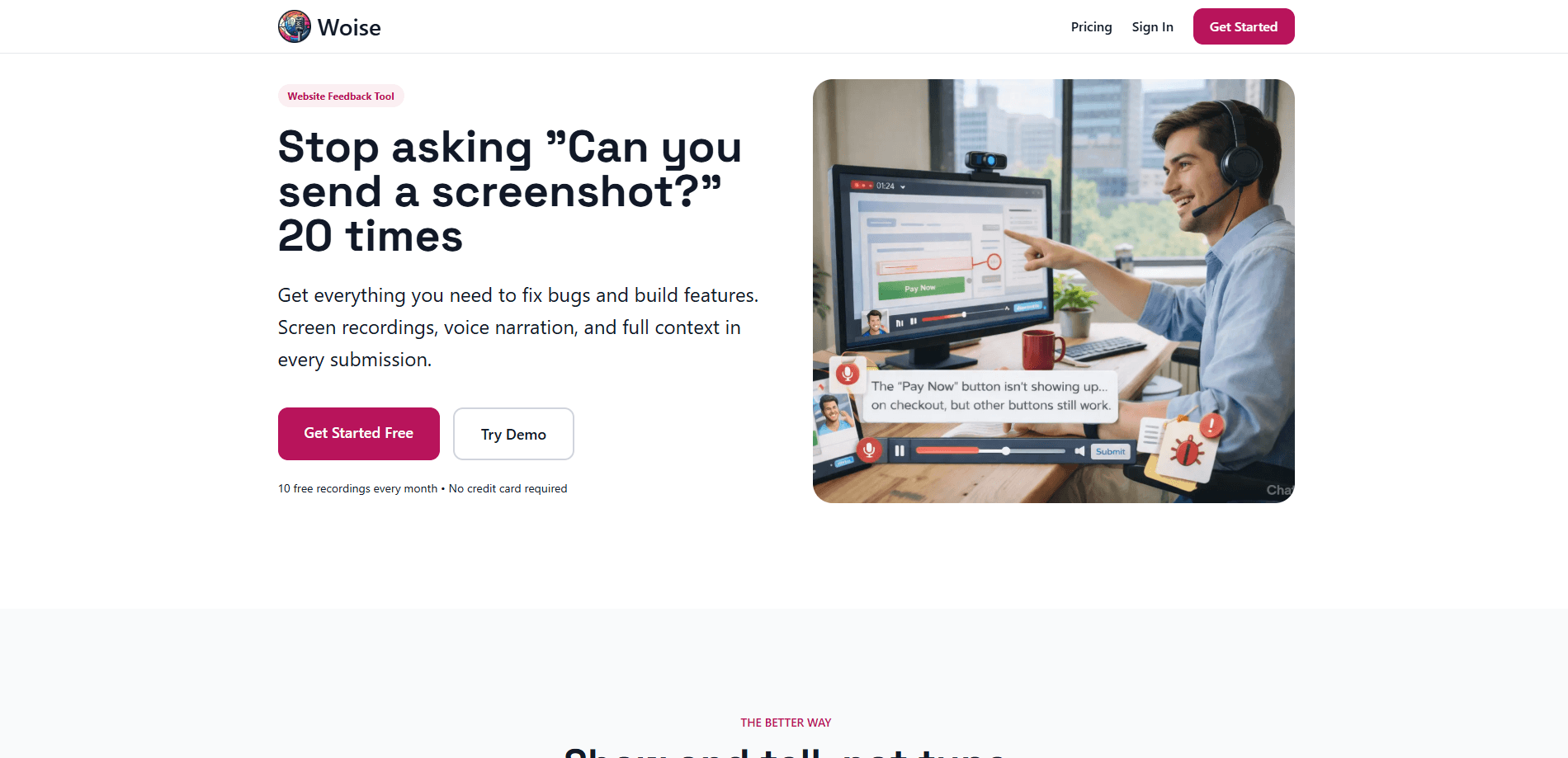
Woise is a website feedback tool that lets visitors record their screen, talk through what they're seeing, and send it in seconds. Instead of chasing written descriptions and screenshots, you get a screen recording with voice narration, an AI transcript, and automatic browser and device details attached to every submission. It splits feedback into two tracks, bug reports and feature requests, so you know what you're looking at before you open it.
About Woise
What Is Woise
Woise is a feedback collection widget for websites. A visitor clicks a button, chooses how to explain the problem, and submits. That's the whole loop. The point is to remove the typing that makes people abandon feedback forms halfway through.
Text alone rarely shows what actually broke. Someone says "the checkout button doesn't work" and you still need five follow-up emails to learn which browser, which page, and what they clicked first. Woise captures the screen, the voice, and the environment in one go, so the first message usually has enough context to reproduce the issue. That's the whole point. No interviews, no guessing.
The catch is that recording isn't universal. Some browsers and older mobile devices can't capture a screen, and Woise falls back to a screenshot plus text for those cases. It's also built around websites, so native mobile apps aren't the target here. So who's it for? Mainly small teams that ship a web product and want sharper feedback.
Getting Started
- Sign up with an email address and pick the free Micro plan, which needs no credit card.
- Add your site and drop the Woise widget snippet into your pages.
- Set which feedback types you want to show, bug reports, feature requests, or both.
- Share the widget with your audience and let them record their screen, narrate, or attach screenshots.
- Review submissions in the dashboard, where the voice is transcribed and browser details are filled in.
Product Information
A quick look at Woise's pricing, supported platforms, and performance.
Best for
The users, tasks, and scenarios where this tool fits best.
Users
- Web developers building sites with an active user base
- Small product teams without a dedicated support tool
- Solo founders and indie hackers on the free plan
Tasks
- Reproducing bugs
- Collecting feature requests
- Triaging incoming feedback
Scenarios
- Launch day when reports spike and you can't reply to everyone
- A user on an unfamiliar device describing a layout problem
- Mobile visitors reporting an issue on the go
Key features
Screen Recording with Voice
The core mode records the visitor's screen while they narrate what's happening. Screen recording feedback like this beats any written form. You hear the problem in their own words and watch it unfold on screen at the same time, which is usually enough to reproduce a bug without a single follow-up question.
AI Transcription
Every voice recording is transcribed into searchable text. That matters when you're scanning a backlog of submissions, since you can read the gist instead of playing each clip, and the text sits alongside the recording for reference.
Three Capture Modes
Visitors pick how to report. Screen recording with voice is the full experience, voice with up to five screenshots suits longer explanations, and screenshot plus text is the mobile-friendly fallback for browsers that can't record.
Automatic Browser and Device Detection
Each submission arrives with the browser and device details attached. You don't have to ask which version of Chrome or which phone, which cuts the back-and-forth that makes bug triage slow.
Ideas vs Bug Reports
Feedback is split into feature requests and bug reports, chosen by the visitor. It works as a plain feature request tool as much as a bug tracker. Right away you know if it's something broken or something someone wants. That changes how you route it.
Widget Integration
Woise runs as a widget you add to your own site. Setup is a snippet, not a platform migration, so it drops into an existing site without rebuilding anything.
Pros and cons
Pros
- Screen recording with narration captures far more context than a text form ever will.
- AI transcription makes a backlog of voice feedback scannable and searchable.
- The free Micro plan gives 10 submissions a month with no credit card, enough to test the fit.
- Automatic browser and device detection removes the most common follow-up question.
- Three capture modes cover desktop, mobile, and browsers that can't record.
Cons
- Plans cap submissions at 10, 50, and 150 a month, so a busy site can burn through its quota quickly.
- Every tier is limited to one website, which rules it out for agencies managing multiple client sites.
- Screen recording depends on browser support, so some visitors only ever get the screenshot fallback.
- No public API is documented, which limits sending feedback into your own tools automatically.
Frequently asked questions
It's a website feedback tool that lets visitors record their screen and voice to report a bug or suggest a feature. You get a recording, a transcript, and the visitor's browser details in one submission instead of a vague written note.
Related content
Explore related tools, skills, and articles for Woise.
Woise Alternatives

ngram 2.0
ngram · Video · Marketingngram 2.0 is an AI video generator for teams. It turns a prompt, a screen recording, or a product URL into a narrated explainer, product demo, or AI avatar video, and every scene stays editable.

OpenScreen 2
OpenScreen (open-source project) · Video · ProductivityOpenScreen 2 is a free, open-source screen recorder and demo video editor for Windows, macOS, and Linux, with automatic zooms, styled frames, local captions, and agent edits.

Skreno
Skreno · Video · ProductivitySkreno is a browser screen recorder that captures a tab, a window or your whole display, then attaches AI transcripts, summaries and console logs to one share link.