

Wonder
Wonder (Aquila Lab) · Image · Coding
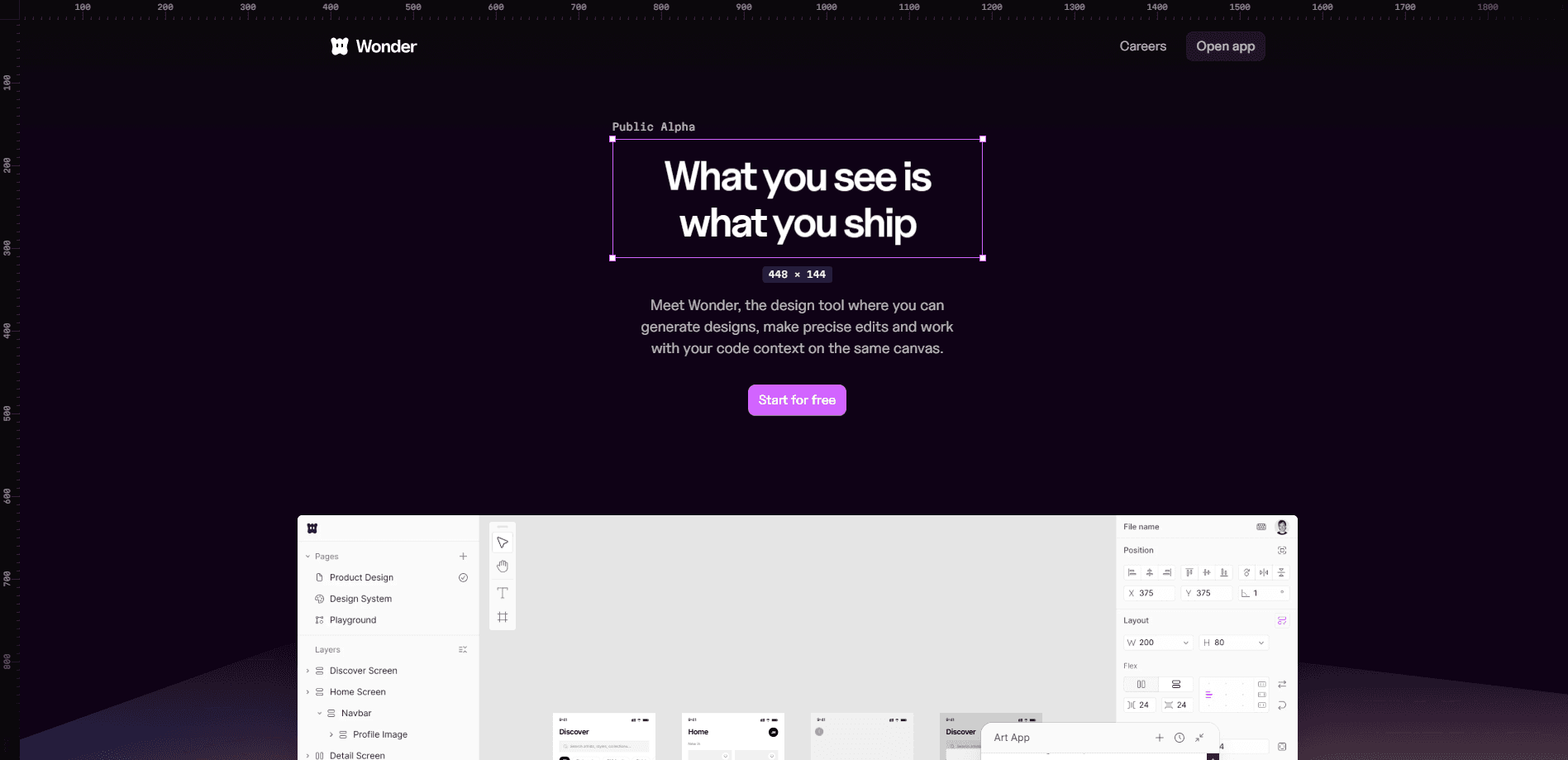
Wonder is an AI design tool where the canvas and the codebase are the same thing. Instead of drawing a mockup and handing it off to an engineer, you move from AI design to code in one place and export production-ready React and Tailwind (or plain CSS). It's a design tool for product teams that want to generate UI with AI, edit it by hand on a familiar canvas, and ship the result without a translation step. Wonder also ships an MCP server that plugs into coding agents like Claude and Cursor. Design edits and code edits stay in sync.
About Wonder
What Is Wonder
Wonder is a design tool built around a single idea: what you see on the canvas is what you ship. Its design format maps one-to-one to code, so a component you arrange visually becomes the actual React component in your project. That removes the usual markup pass where someone rebuilds a screen by eye. No translation step, no guessing.
The product targets product teams rather than solo hobbyists. It combines the tools designers already know (canvas, layers, components) with AI generation and a built-in chat, and it connects to a GitHub repo so the AI can read your existing code and rebuild real UI on the canvas. You can also reach the same canvas through coding agents over MCP, which means the people writing the rest of the app can drive Wonder without leaving their editor.
The main limits are scope and pricing. Wonder outputs React and Tailwind (or plain CSS), so teams on other front-end stacks get less value from the export. Free accounts are capped too. Limited AI chat tokens, three private files, and 25 MB image uploads. That runs out fast.
Getting Started
- Create an account at app.wonder.so and open a new file. Public files are unlimited; private files are capped at three on the free plan.
- Describe the screen or component you want in the AI chat, or start from an existing layout and let the AI generate alongside you.
- Edit the result the way you would in any design tool. The canvas has layers, components, design variables, grids, and a library of shaders and icons.
- Connect your workspace for the handoff. Link a GitHub repo to pull real UI into the canvas, or add the Wonder MCP server to Claude, Cursor, or Codex to move changes in both directions.
- Export or sync the production React and Tailwind code back to your project.
Product Information
A quick look at Wonder's pricing, supported platforms, and performance.
Best for
The users, tasks, and scenarios where this tool fits best.
Users
- Product designers
- Design engineers and front-end devs
- Small product teams
- Founders building a first UI
Tasks
- Generating UI from a text prompt
- Rebuilding existing product UI
- Exporting design to React and Tailwind
- Keeping design and code in sync
- Prototyping interactive layouts
Scenarios
- Kicking off a new feature screen
- Handing off to engineering
- Working inside a coding agent
- Redesigning an existing page
- Team review sessions
Key features
Canvas That Maps to Code
Wonder's core claim is that its design format matches code one-to-one. A component on the canvas is the same thing as the component in your project. You arrange elements visually and the output is a real React component rather than a picture of one. For teams tired of rebuilding screens by hand, that's the whole point of the tool.
AI Generation and Built-in Chat
The editor has an AI chat that generates and edits UI on the canvas. You can describe what you want, then keep talking to it as you refine the layout. Pro accounts get $20 in monthly AI tokens per invited user. The free tier keeps tokens limited.
React and Tailwind Export
Finished work exports as production-ready React and Tailwind, with plain CSS as an alternative. The code is meant to go straight into a real project. Not a handoff folder. If your stack isn't React-based, this is where Wonder's fit drops off.
Wonder MCP Server
The MCP server at mcp.wonder.so connects Wonder to coding agents like Claude, Cursor, and Codex. Your agent gets read and write access to the canvas, so it can pull designs into code or push code back into designs. Setup uses a standard OAuth sign-in. No API keys to manage. It's free on every plan, including the free tier.
GitHub and Desktop App
You can connect a GitHub repository so the AI reads your existing code and rebuilds real product UI on the canvas. Wonder also runs as a desktop app on Mac and Windows for people who'd rather not work in a browser tab. Prefer the browser? That works too.
Collaboration and Design Variables
Files can be public or private, shared with viewer-only invites or full editor access, with presence controls for live sessions. A Variables panel holds design tokens, and every file gets its own icon library. Grid, block, and inline layouts let you test structural changes without rebuilding from scratch.
Pros and cons
Pros
- Design and code share one format, so there's no manual rebuild between canvas and product.
- Real React and Tailwind export drops into an existing codebase instead of needing cleanup.
- MCP support works with Claude, Cursor, Codex, and other agents, and it's free on every plan.
- Flat $16/user/month billed yearly keeps pricing predictable as a team grows.
- Desktop apps for Mac and Windows, plus real-time collaboration with roles and permissions.
Cons
- Export is tied to React and Tailwind, so teams on other front-end stacks lose most of the benefit.
- Free plan caps AI chat tokens, three private files, and 25 MB image uploads, which limits real projects. Three private files isn't much.
- No monthly token allowance is listed for the free tier, so heavy AI use pushes you to Pro quickly.
- The tool is still young; it launched in April 2026, so expect steady changes and the occasional rough edge while the team keeps shipping new features and fixes every few weeks.
Frequently asked questions
Wonder is an AI design tool that turns canvas work into production code. You design UI on a familiar canvas, generate and edit it with AI, then export real React and Tailwind instead of a static mockup.
Related content
Explore related tools, skills, and articles for Wonder.
Wonder Alternatives

X Ray Interpreter
X-ray Interpreter · ImageX Ray Interpreter is a web-based AI radiology tool that turns X-rays, CT scans, MRI, ultrasound, and PET images into plain-language reports. You upload a scan, get a preliminary X-ray interpretation in moments, then ask follow-up questions if something needs explaining. It works as a second opinion and a learning aid, not as a medical diagnosis.

Aieasypic
AIEasyPic · ImageAIEasyPic is an AI image generator that turns plain text prompts into finished artwork in seconds. You can also train custom models on your own photos, swap faces in existing images, and create short video clips from text, all from a browser. It suits casual creators who want quick visuals and hobbyists who want to build a personal model without touching any code.

Chargen
Chargen · ImageChargen is an AI character generator and worldbuilding toolkit built for Dungeons & Dragons and other tabletop RPGs. It turns a one-line idea into a painted character portrait, spins up NPCs, monsters, maps and encounters from the same session, and keeps every creature's details close at hand. The tabletop RPG art side runs on a credit system called Gold, while the text generators stay free for everyone.