
Wondershare Filmora
Wondershare Technology · Video
Wondershare Filmora is an AI video editor for Windows, macOS, iOS, and Android that helps creators turn raw footage into finished clips with AI tools, templates, and one-click export.
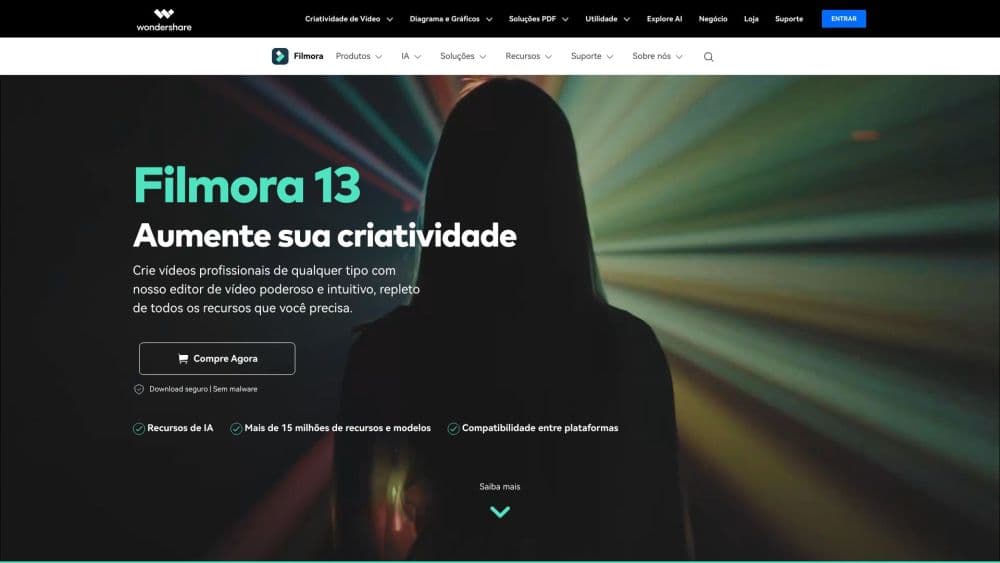
About Wondershare Filmora
What Is Wondershare Filmora
Wondershare Filmora is video editing software built for people who want a faster route from an idea or a pile of footage to a polished clip. It runs on Windows and macOS for desktop work, and it also ships iOS, iPadOS, and Android apps for editing on the move. Filmora 16, the current major release, bundles timeline editing, AI video analysis, color grading, captions, audio tools, screen recording, AI generation, and thousands of creative assets into one workflow.
The product targets a middle ground that a lot of editors miss. Beginners get templates, drag-and-drop controls, and AI help that handles the fiddly parts. Anyone who outgrows that setup still has keyframes, curves, camera tracking, dual timelines, and motion paths waiting in the same workspace. That range is why Filmora keeps showing up in classrooms, small marketing teams, and solo creator setups rather than only in one of those camps.
The main limits are practical. The free version exports with a Filmora watermark, and cloud storage plus the full asset library sit behind a paid plan. AI features rely on credits that refill on a 30-day cycle, so heavy AI users need to watch how quickly they spend them.
Getting Started
- Download Filmora for Windows or macOS from the official site, or install the iOS, iPadOS, or Android app from your device store.
- Open the app and sign in with a Wondershare ID to activate the software, including online or offline activation for desktop licenses.
- Import your footage, or use the screen recorder to capture your screen, camera, microphone, and system audio at once.
- Drop clips on the timeline, trim the rough cut, then add color, captions, audio cleanup, and motion as you go.
- Export to a local file, or publish straight to YouTube with the built-in upload mode.
Product Information
A quick look at Wondershare Filmora's pricing, supported platforms, and performance.
Best for
The users, tasks, and scenarios where this tool fits best.
Users
- Beginners and hobbyists
- Solo creators and YouTubers
- Teachers, trainers, and small marketing teams
- Mobile-first editors
Tasks
- Turning long recordings into tight clips
- Adding captions and subtitles
- Cleaning up rough footage
- Repurposing one edit for several platforms
- Generating or extending shots
Scenarios
- Publishing a weekly YouTube video on a tight schedule
- Building a course or training module
- Making short social clips from a longer shoot
- Editing a travel or event video on your phone
- Localizing a video for another audience
Key features
AI Media Analysis
Filmora scans imported footage and identifies people, scenes, actions, speech, and key moments, then generates tags, summaries, and edit suggestions. Instead of reviewing every clip by hand, you search the analysis results and jump to the shot you need. It speeds up the first pass on long recordings where the usable moments are scattered across hours of material.
Text-Based Editing
You can edit video by working with its transcript rather than the timeline. Filmora turns speech into text, and trimming or deleting words removes the matching footage, which makes interview and talking-head editing much faster. The transcript also exposes pause removal, so dead air disappears in a few clicks.
AI Captions and Subtitle Tools
Speech-to-text transcription supports a long list of languages and produces captions you can review and correct. Captions live on dedicated subtitle tracks, so you can style, reorder, and time them without touching the main video. Dynamic caption styles cover the animated looks that short-form viewers expect.
Color Correction and Grading
The editor starts you with quick correction, then opens up color masks, HSL adjustments, curves, and color wheels for precise work. You can target a face, a sky, or a background and grade it separately from the rest of the frame. The tools live in the same workspace as the edit, so you are not bouncing files to a separate app.
Picture Cleanup and Enhancement
Stabilization smooths shaky handheld shots, noise reduction cleans up low-light footage, and lighting adjustments brighten dark scenes. You also get tools to remove unwanted distractions from a frame. For footage shot on a phone or in imperfect conditions, this saves a reshoot.
Screen Recorder
The recorder captures your screen, camera, microphone, and system audio at the same time, and it keeps each source available for independent editing. That matters for tutorials, walkthroughs, and reaction content, where you want to adjust the voice track without disturbing the screen capture.
Motion and Compositing
Keyframes, curves, masking, layering, and animation give you control over how elements move and combine. You can track a subject with camera tracking, work across dual timelines, or draw a custom motion path with the pen tool. These are the features that keep more advanced editors from switching tools.
Generative Video and AI Extend
Text-to-video and image-to-video generation create footage from a prompt, and AI Extend lengthens an existing clip while keeping the look consistent. Generated shots and extended scenes slot into the timeline as ordinary clips, so the workflow stays the same.
Pros and cons
Pros
- Works as a video editor for Windows and a video editor for Mac from the same interface, and the mobile apps carry projects further.
- Filmora pricing is straightforward, with a free tier, a cross-platform annual plan, and a device-specific perpetual license.
- The free plan covers the core editing tools, which makes it easy to test before you pay.
- AI tools for analysis, captions, cleanup, and generation cut down the manual work on long projects.
- A large library of templates, effects, music, and stock media speeds up production.
- Direct YouTube export and scheduled posting fit a regular publishing routine.
Cons
- Videos exported on the free plan carry a Filmora watermark, which limits use for client or commercial work until you upgrade.
- Cloud storage and the full creative asset library require a paid plan, so the free tier is thinner than the name suggests.
- AI features run on credits that refill every 30 days, which means heavy AI use can hit a ceiling mid-project.
- The perpetual license is tied to one operating system, so a Windows buyer cannot activate the same license on a Mac.
Frequently asked questions
Filmora is a video editing app for cutting and trimming footage, color grading, cleaning up audio, adding captions and effects, recording your screen, and exporting finished videos. It also includes AI tools for analysis, caption generation, and video creation inside the same workflow.
Related content
Explore related tools, skills, and articles for Wondershare Filmora.
Wondershare Filmora Alternatives

Vadu AI
Vadu AI · Image · VideoVadu AI is a web-based AI video generator that turns written prompts or still images into short clips, and it can also generate images on its own. You type what you want, pick a model and style, and the platform renders the result in minutes. A free plan covers light testing, while paid tiers run from $9 to $77.40 per month based on how many credits you burn.

Mykaraoke Video
MyKaraoke Video · VideoMykaraoke Video is an online karaoke video maker and lyric video maker that turns any song into a finished, lyrics-synced video right in your browser. It handles the slow part for you. The AI pulls vocals out of the mix and locks the lyrics to the beat, then lets you customize background, fonts, and colors before exporting in 1080p MP4. If you make lyric videos for social media, party nights, or music promotion, it skips the software installs and manual timing work entirely. Want a karaoke video generator that doesn't eat your whole evening? That's the pitch here.

Finalframe
Finalframe · VideoFinalframe is a set of free, browser-based tools for grabbing exact frames out of a video clip. Its best-known feature, the Final Frame Extractor, lets you extract the last frame of any video so you can use it as the starting image for AI video tools like Luma Dream Machine, Runway, or Kling. Want to keep a clip going? That last frame is your starting point. The tool runs locally in your browser, needs no sign-up, and costs nothing. A separate paid AI video-generation app from the same team is currently offline while it's rebuilt.