

Workik
Workik · Coding
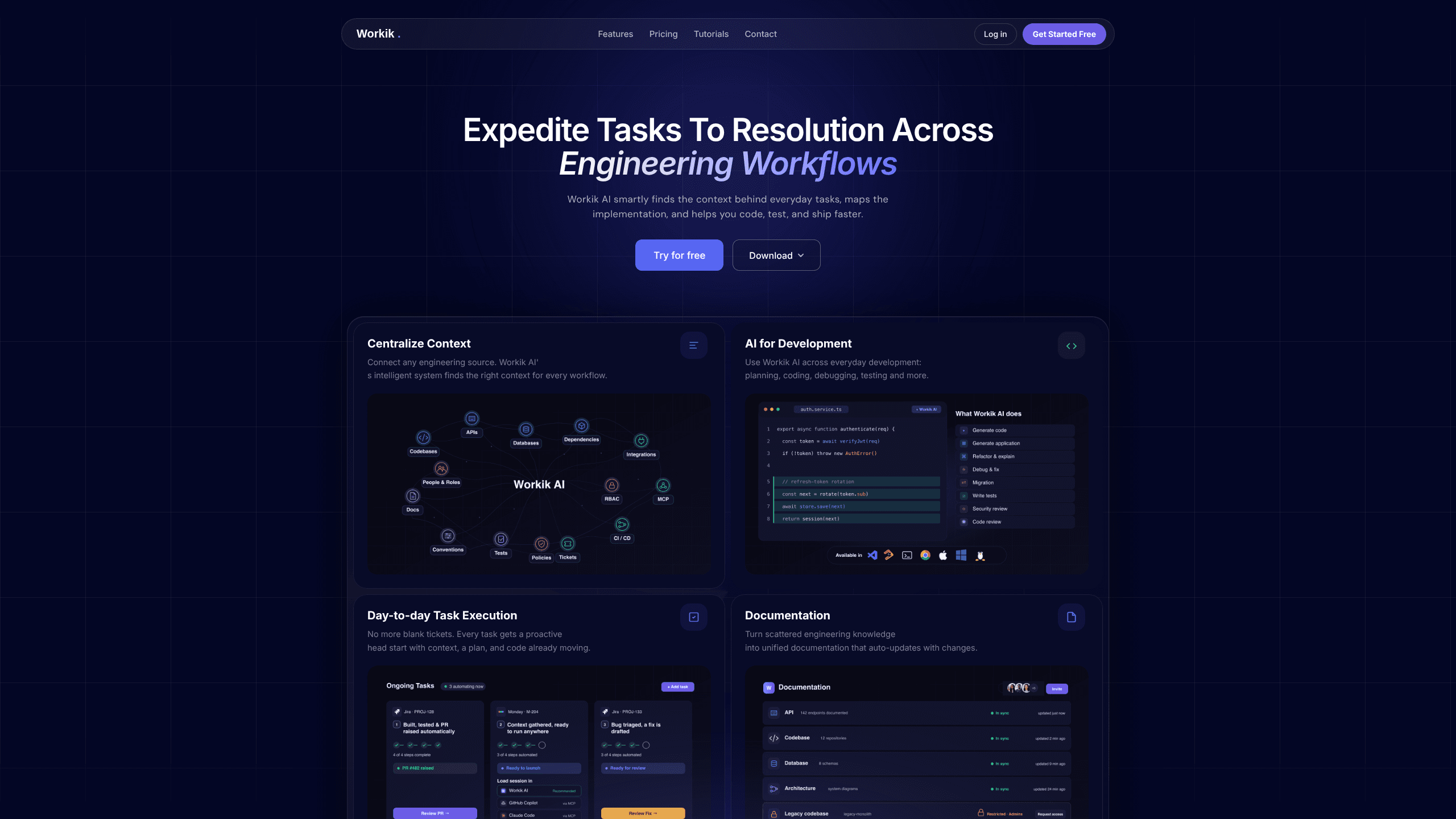
Workik is an AI coding assistant that connects to your existing engineering sources and uses that context to help you plan, write, debug, and test code without starting from a blank ticket. Built for developers across frontend, backend, database, API, and infrastructure work, it turns scattered project knowledge into tasks, code suggestions, and documentation that stay in sync with your repo. It runs in the browser and as a desktop app, with a free tier for anyone who wants to try context-driven code generation first.
About Workik
What Is Workik
Workik is a development platform that puts project context at the center of AI assistance. Instead of pasting a snippet into a chatbot and hoping the answer fits your codebase, you connect your engineering sources and let Workik find the relevant files, patterns, and history behind each task. The AI then proposes a plan, drafts the code, adds tests, and prepares a PR or a code session you can pick up in Workik, Claude Code, or GitHub Copilot through MCP.
The problem it targets is a familiar one for teams: blank tickets, scattered knowledge, and AI tools that answer in a vacuum. Workik's pitch is that every task gets a running head start, because the assistant already knows how your project is wired. AI for developers usually means guessing. Here, the context does the heavy lifting. That context comes from a vector database that pulls the most relevant material for the job at hand.
The main limits are practical. Real value depends on how much of your engineering stack you connect. A thin setup means thinner answers. Advanced model access, such as AI 4-level reasoning, requires your own OpenAI API key on some tiers, and usage is metered in AI tokens rather than flat requests.
Getting Started
- Create a Workik account and sign in to the web app or install the desktop client for Windows, macOS, or Linux.
- Connect your engineering sources, such as repositories and issue trackers, so Workik can index your project context.
- Pick a task or a ticket and let Workik generate a plan with the relevant files and subtasks mapped out.
- Review the drafted code and tests, then open a code session in Workik or start one in Claude Code or GitHub Copilot via MCP.
- Approve the change and open the pull request once the checks pass.
Product Information
A quick look at Workik's pricing, supported platforms, and performance.
Best for
The users, tasks, and scenarios where this tool fits best.
Users
- Software developers
- Tech leads and reviewers
- Small product teams
Tasks
- Planning implementation work
- Writing and refactoring code
- Debugging production bugs
- Generating documentation
Scenarios
- Picking up a stalled ticket
- Onboarding onto a large codebase
- Keeping docs current during active development
Key features
Context-Aware Code Generation
Workik's core idea is that the AI should know your project before it writes a line. You connect engineering sources, and the platform builds a context layer that maps how tasks relate to files, patterns, and prior changes. A code generator working from that context can propose changes that fit your conventions instead of generic snippets. The payoff shows up when you'd normally spend the first chunk of a task just figuring out where the change belongs.
Automated Task Planning
Drop in a ticket or a task, and Workik breaks it into subtasks, gathers the relevant context, and prepares a code session you can start on your terms. Complex work gets split into focused pieces, each with its own scope, so you can ship them one at a time. No blank page. It's the difference between an empty issue and one that already has a plan attached.
Debugging and Fix Preparation
When something breaks in production, Workik can reproduce the error, trace it across files, and prepare a fix with a regression test attached. The fix waits for your approval before a pull request opens. That keeps a human in the loop. For teams that feel the sting of a 500 error on a Friday, a candidate fix ready with a test is a real time saver.
Multi-Tool Code Sessions
Workik doesn't force you into its own editor. It prepares a code session you can run in Workik itself, or hand off to Claude Code or GitHub Copilot through MCP. That flexibility matters if your team already has a preferred coding environment and doesn't want to abandon it. The context travels with the session, so the assist stays useful wherever you code.
Auto-Updating Documentation
Scattered engineering knowledge tends to rot the moment it's written down. Workik turns that material into unified documentation that refreshes as the underlying code changes. Anyone who has chased a stale wiki page knows the value here. It keeps answers about how the system works closer to the truth, without a manual cleanup pass.
Role-Ready Task Execution
The platform is built for the range of roles behind a product, from individual developers to reviewers and leads. Tasks arrive with context, a plan, and code already moving, so each role picks up where the last one left off. Less handoff friction. That shared starting point cuts the back-and-forth that usually happens at handoff.
Pros and cons
Pros
- Grounds suggestions in your actual project context instead of generic answers, which cuts rework on code that has to fit existing patterns.
- Handles the full loop of planning, coding, debugging, and testing, so you rely less on stitching several tools together.
- Works with your editor of choice through MCP, including Claude Code and GitHub Copilot.
- Offers a free tier, which makes it easy to test the approach before committing budget.
- Fewer tools to juggle. One assistant covers the daily loop from ticket to test.
Cons
- The quality of output scales with how much you connect, so a partial setup produces thinner, less tailored suggestions.
- Advanced AI 4-level reasoning requires your own OpenAI API key on some tiers, which adds outside cost and setup.
- Usage is metered in AI tokens rather than flat requests, so heavy teams need to watch consumption or move to a higher plan.
- Verified platform details are limited online, so pricing beyond the free and custom tiers is best confirmed directly with Workik.
Frequently asked questions
Workik is an AI assistant for software development. It reads your project context and helps you plan tasks, write and refactor code, debug errors, and generate documentation, all within a workflow that fits your existing tools.
Related content
Explore related tools, skills, and articles for Workik.
Workik Alternatives
Forefront
Forefront · CodingForefront is a web platform for building with open-source AI. It lets you fine-tune leading open-source language models on your own data, evaluate how they perform, and run them through an API or export them to host yourself. Developers who want the convenience of a closed-source platform but insist on owning their models and data are the target audience here.

Startkit
StartKit.AI · CodingStartkit is a boilerplate for building AI SaaS and AI wrapper products. Think of it as an AI startup boilerplate with the boring parts already wired up: authentication, Stripe and Lemon Squeezy payments, usage limits, transactional email, and an AI API starter that talks to OpenAI, Anthropic, Groq, or Llama. You clone the repo, set your price, and start on the part of your product that people actually pay for. It's Next.js under React and Tailwind, so most of the boilerplate code already feels familiar.
Testim
Tricentis · CodingTestim is an AI-powered test automation platform for building and running end-to-end tests across web, mobile, and Salesforce applications. It leans on machine learning to keep tests stable when an interface changes, so teams spend less time fixing broken selectors. Not bad for an automated testing tool you can start using today. You create tests by recording actions in a browser, then optionally add JavaScript when you need more control. It's a solid pick for busy QA teams.