

Workshopy.io
Workshopy.io · Productivity · Leaning
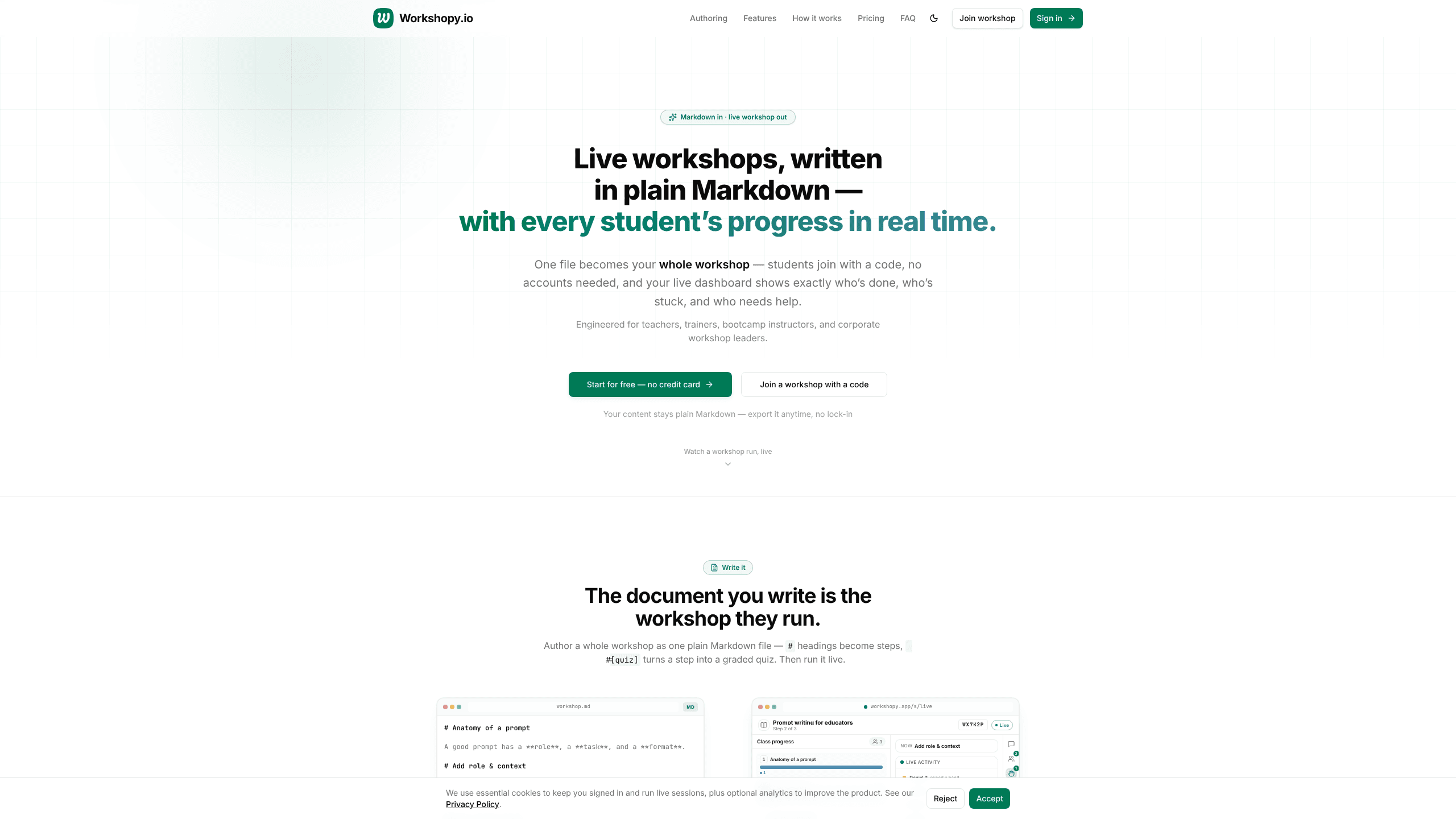
Workshopy.io is a live workshop platform that turns a single Markdown file into a trackable, instructor-led session. Teachers, bootcamp instructors, and corporate trainers write their steps in Markdown, share a 6-character code, and watch a real-time dashboard show who's done, who's stuck, and who needs help. It doubles as a lightweight workshop tracking tool, not a full course system. Your content stays plain Markdown the whole time, so you can export it whenever you want. Nothing gets locked in.
About Workshopy.io
What Is Workshopy.io
Workshopy.io is a browser-based tool for running live, step-by-step workshops. The idea is simple: the document you write is the session your group runs. Headings in the Markdown become steps, and a #[quiz] tag turns any step into a graded quiz. There's no separate editor to learn and no app to install for the people in the room. That's the whole pitch.
It's built for the awkward middle of any live session, that stretch where half the group is racing ahead and the other half quietly fell off two steps ago, and where a single shouted check-in tells you almost nothing useful about who actually needs help. Instead of asking "everyone with me?", you glance at a dashboard. Each participant tags a step as in progress, done, or stuck, so the room's state updates as it happens. No guesswork. Think of it as interactive training software for rooms that move at different speeds.
The biggest limit is scope. This isn't a course platform or a video tool, and it doesn't try to be. It's for instructor-led sessions where a group works through steps together. If you need self-paced courses or recorded lessons, look elsewhere. So who gets the most out of it? Instructors who teach live.
Getting Started
- Create an account on workshopy.io. You need one to build and host; participants don't.
- Write your workshop in Markdown, use
#headings for steps and#[quiz]for a graded question. You can also paste in a file from ChatGPT or import an existing.md. - Start the live session and share the 6-character join code with your group. That's it.
- Run the room, watch the progress dashboard, and push announcements or polls as needed.
- Export the session report as Markdown when you're done.
Product Information
A quick look at Workshopy.io's pricing, supported platforms, and performance.
Best for
The users, tasks, and scenarios where this tool fits best.
Users
- Teachers
- Bootcamp instructors
- Corporate trainers
- Workshop facilitators
Tasks
- Running a live coding lab
- Onboarding new hires
- Checking understanding mid-session
- Collecting quiet questions
Scenarios
- A 45-minute classroom activity where you need everyone synced by the end.
- A weekend bootcamp where 40 learners work through the same lab at once.
- A remote corporate training where you can't see faces and need another way to read the room.
- A recurring template you reuse each cohort, edited in Markdown and exported when you're done.
Key features
Markdown as the workshop format
You author the whole session in plain Markdown, the same syntax you already use in GitHub or your notes. A # heading starts a step, and #[quiz] turns a step into a graded question. Because it's just text, you can paste a draft from ChatGPT or import an existing .md file in one click. What you preview is exactly what participants see. No surprises.
Join by code, no accounts
Participants join in seconds with a 6-character code from any device. No installs. No sign-up. No friction at the start of class. Only the host needs an account, which removes the single biggest drop-off point for a live session, the moment when half the room is still creating passwords while the first exercise is already underway and the instructor has no way of knowing who has actually made it in yet.
Per-step status signals
Everyone marks each step as in progress, done, or stuck. That turns a vague sense of how it's going into a clear picture. At a glance you know who's finished and who's quietly falling behind, without interrupting anyone to ask. No guesswork.
Real-time progress dashboard
The dashboard updates live as participants move through steps, showing you who's on which step and who has stalled so you can decide in the moment whether to wait, jump in and help someone directly, or push the whole room forward. For large groups this is the feature that changes how you teach. It's the part most instructors remember. Worth the upgrade on its own.
Broadcasts, check-ins and polls
Push an announcement, run a quick poll, or check the room's energy with a one-tap response. It's a lightweight way to reset attention or confirm a tricky point landed before you move on to the next step. Answers come back to you without anyone breaking their flow. Handy.
Raise hand and inline comments
Quiet participants get a voice through a raise-hand signal and inline comments. Questions surface at the right step instead of being buried in a chat stream that scrolls away while you're talking. That keeps the room moving while still catching the people who'd otherwise stay silent.
Pros and cons
Pros
- The whole workshop is one Markdown file, so there's no proprietary format and no lock-in.
- Participants join with a code from any device, which removes sign-up friction.
- The live dashboard shows per-step progress, so you spot stuck learners in real time.
- The free plan includes the full live experience, not a stripped-down demo.
- Session reports and templates export as Markdown whenever you want.
Cons
- The free plan caps sessions at 45 minutes and 30 participants, which is tight for bigger or longer events.
- It's built for instructor-led sessions only, so self-paced courses and recorded video aren't supported.
- No public API is documented, which limits custom integrations for now.
- Workshopy.io is new, so the long-term roadmap and the third-party app library are still thin.
Frequently asked questions
No. Participants join a live workshop with a 6-character code from any device, with no account and no install. Only the host needs an account to create and run sessions.
Related content
Explore related tools, skills, and articles for Workshopy.io.
Workshopy.io Alternatives

Swms
Swms AI · Writing · Productivity · BusinessSwms is an AI safety compliance tool that turns a plain description of a job into ready-to-use safety documents. Describe your project, trade, and known hazards, and it writes a safe work method statement, job hazard analysis, safe work procedure, RAMS, or safety data sheet in seconds. It also ships with Oscar, a chat assistant that answers workplace safety questions in any language. Teams in construction, mining, transport, and warehousing use it to cut the paperwork that usually eats into a workday.

Wordly AI Translation
Wordly · Voice & Language · ProductivityWordly AI Translation is a real-time AI translation and captioning platform built for meetings, conferences, and events. It delivers live translation, captions, transcripts, and summaries in more than 60 languages, and attendees join by scanning a QR code or opening a link instead of using dedicated headsets. The platform works with Zoom, Microsoft Teams, Google Meet, and Webex, and it's designed for organizations that want multilingual access without hiring human interpreters for every session. Simple as that.

Rows
Rows (Superhuman) · Productivity · BusinessRows is an AI spreadsheet and data analysis tool that imports live data from more than 50 sources, then lets you work with it using plain language instead of SQL queries or nested formulas. You can pull numbers out of PDFs, connect ad platforms, databases, and bank accounts, and ask the AI to build reports, merge datasets, or set up models that recalculate themselves. It runs in the browser, works like a spreadsheet, and now sits under the Superhuman umbrella.