

WOZCODE
With Woz, Inc. · Coding
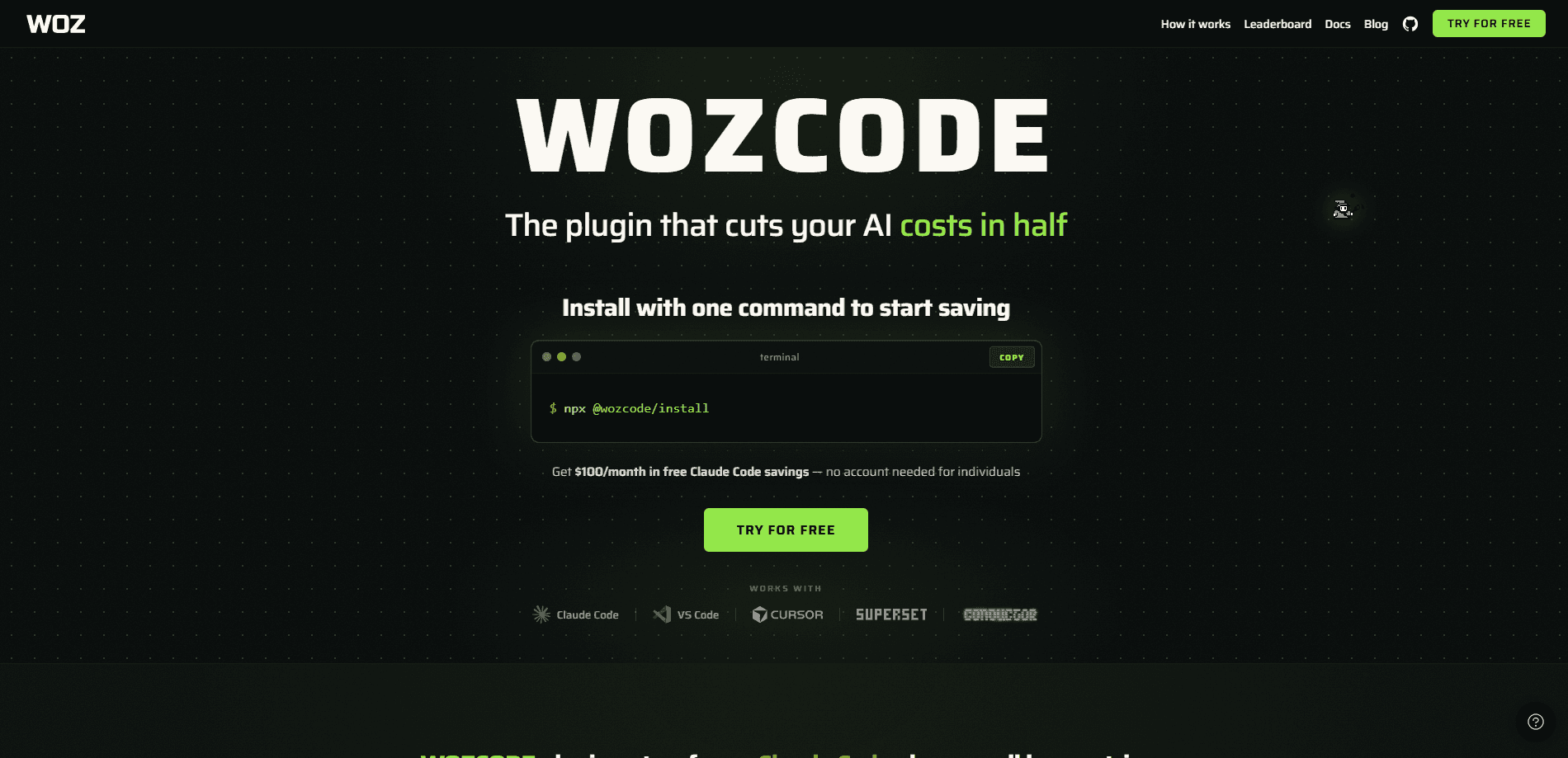
WOZCODE is a locally installed plugin for Claude Code, Anthropic's terminal-based coding agent. Think of it as an AI coding assistant that trims the fat from your existing one. It layers custom tools and a tuned execution loop on top of your setup, which the maker says cuts token use by 25-55% and speeds up routine tasks by 30-40%. You keep your current Claude subscription or API key. Nothing changes in how you prompt.
About WOZCODE
What Is WOZCODE
WOZCODE is a plugin that runs inside Claude Code rather than a standalone AI coding app. You install it, and your everyday Claude Code session gets a different working method underneath: fewer back-and-forth roundtrips, tighter context handling, and custom tools for jobs like database work. The pitch is simple. Same models, same prompts, less spend and less waiting.
The tool targets developers who already pay for Claude Code and feel the session limits bite. According to the vendor, users get roughly 5-10x faster results on database tasks and see TerminalBench 2.0 scores climb from 69% to 80%. Treat those numbers as vendor claims until you run your own tests. Who is this really for? Anyone burning through a Max plan faster than they'd like.
The biggest limit is scope. WOZCODE only works with Claude Code. If you code with Cursor, Codex, or Gemini CLI, it does nothing for you. It's also a young product, and the free tier caps your savings at $100/month.
Getting Started
- Open a terminal and install the plugin with the two commands listed on wozcode.com under "How It Works." No account or credit card is needed.
- Launch Claude Code as usual and confirm the plugin appears in your active plugin list.
- Keep your existing Claude API key or subscription. WOZCODE reads it from your current Claude Code config, so there's no separate login.
- Optionally sign in for a savings dashboard, which tracks your token savings and unlocks $100/month in free savings ($200/month with a corporate email).
- Run your normal prompts on a real task and compare roundtrips or cost against a session without the plugin.
Product Information
A quick look at WOZCODE's pricing, supported platforms, and performance.
Best for
The users, tasks, and scenarios where this tool fits best.
Users
- Claude Code power users
- Solo developers and founders
- Engineering teams
Tasks
- Database analysis
- Refactoring and feature work
- Debugging long sessions
Scenarios
- Running 6-8 terminals at once
- Long build plans that span hours
- Budget-limited side projects
Key features
Lower Token and Dollar Costs
The plugin reroutes how Claude Code handles a task so it consumes less of your context window and fewer tokens per prompt. The vendor measures 25-55% lower cost and token use compared with stock Claude Code. That's Claude Code cost savings you can watch on your own bill. For anyone on a metered API key, the difference shows up directly. For subscription users, it means more work before you hit the ceiling.
Faster Task Completion
WOZCODE reports 30-40% faster results on most tasks, with database jobs running up to 10x faster because it needs fewer roundtrips to reach an answer. Fewer roundtrips means less waiting on the model to read files and re-read context. Big difference on long sessions. The gains are largest on structured, repetitive work rather than open-ended creative coding.
Higher Benchmark Scores
According to the vendor, WOZCODE scores 80% on TerminalBench 2.0 against 69% for Claude Code alone. That's a vendor-reported figure from the company's own testing, so weigh it as a directional signal rather than an independent result. Higher scores here usually mean the agent completes multi-step terminal tasks with fewer failed attempts. Good news if you run scripted work.
Works With Your Existing Setup
You don't migrate anything. WOZCODE sits on top of your Claude Code install and accepts your current API key or subscription with no extra configuration. Your prompts, project files, and workflows stay unchanged. No setup pain. It also carries into the VS Code Claude Code extension.
Local-First Data Handling
The plugin runs entirely on your machine, and the maker says it doesn't proxy, intercept, or store your code, prompts, or model responses. There's no server-side component that receives your source. It does collect usage telemetry through PostHog, limited to operational counts like token use and tool calls, which the vendor says feeds product support and improvement.
Savings Dashboard
Connecting an optional account unlocks a running tally of dollars and hours saved, updated as you work. The dashboard also tracks the free monthly savings allowance. The vendor reports $1.7M saved across 136,000+ coding sessions. That's a company-published total. You can't verify it yourself.
Pros and cons
Pros
- Cuts Claude Code spend by a meaningful margin, which the vendor puts at 25-55%, and the savings dashboard lets you confirm it on your own usage.
- Installs in seconds with two commands and needs no account, so trying it costs nothing but a little setup time.
- Keeps your existing Claude subscription or API key, so there's no migration or new billing relationship to manage.
- Runs fully local with no server component touching your code, per the vendor's data policy.
Cons
- Only works with Claude Code, so it's useless if you prefer Cursor, Codex, or another coding agent.
- The free tier caps savings at $100/month, which heavier users will hit quickly and then need Pro at $20/week.
- Benchmark and savings numbers come from the vendor, and there's no independent testing yet to check them.
- As a new plugin from a small company, long-term support and roadmap stability are uncertain.
Frequently asked questions
It's a plugin that upgrades Claude Code so the same prompts use fewer tokens and finish faster. You keep your current Claude Code setup. The plugin swaps in custom tools and a leaner execution path underneath.
Related content
Explore related tools, skills, and articles for WOZCODE.
WOZCODE Alternatives
Forefront
Forefront · CodingForefront is a web platform for building with open-source AI. It lets you fine-tune leading open-source language models on your own data, evaluate how they perform, and run them through an API or export them to host yourself. Developers who want the convenience of a closed-source platform but insist on owning their models and data are the target audience here.

Startkit
StartKit.AI · CodingStartkit is a boilerplate for building AI SaaS and AI wrapper products. Think of it as an AI startup boilerplate with the boring parts already wired up: authentication, Stripe and Lemon Squeezy payments, usage limits, transactional email, and an AI API starter that talks to OpenAI, Anthropic, Groq, or Llama. You clone the repo, set your price, and start on the part of your product that people actually pay for. It's Next.js under React and Tailwind, so most of the boilerplate code already feels familiar.
Testim
Tricentis · CodingTestim is an AI-powered test automation platform for building and running end-to-end tests across web, mobile, and Salesforce applications. It leans on machine learning to keep tests stable when an interface changes, so teams spend less time fixing broken selectors. Not bad for an automated testing tool you can start using today. You create tests by recording actions in a browser, then optionally add JavaScript when you need more control. It's a solid pick for busy QA teams.