

Xole AI Image Generator
Xole AI · Image · Video
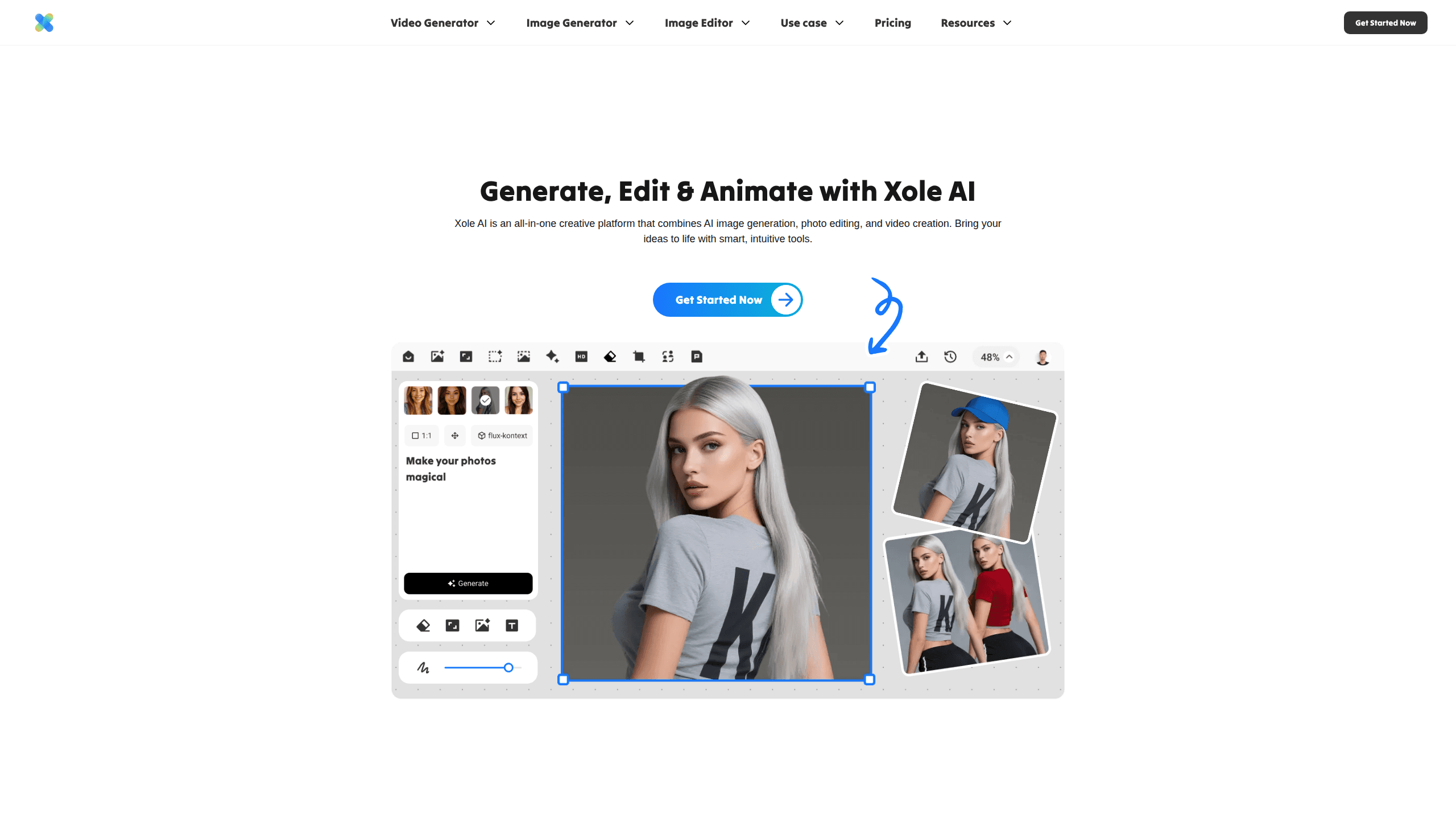
Xole AI Image Generator is a web-based AI image and video platform that bundles generation, editing, and upscaling into a single subscription. You type a prompt or upload a photo, pick from leading models like Flux, GPT-Image-1, Seedream, and Veo 3, and get finished visuals in seconds. One tool, many jobs. It targets social media creators, marketers, and small teams who'd rather not pay for five separate AI apps.
About Xole AI Image Generator
What Is Xole AI Image Generator
Xole AI Image Generator is a browser tool for creating and editing images and short videos with AI. It runs on a credit system, so a single account unlocks text-to-image generation, photo editing, face swap, background removal, and video generation across dozens of models. The name stands for explore, originality, limitless creativity, and ease of use, which the company says is the idea behind the platform.
The main draw is convenience. Instead of subscribing to Midjourney for art, a separate editor for retouching, and another service for video, you handle all of it in one place with one credit balance. That matters if you post content daily and don't want to juggle logins or learn five different interfaces.
The catch is credits. Every generation burns a set amount depending on the model and settings you choose, and priority credits don't roll over. Heavy users on cheaper plans can run out before the billing cycle ends. So it pays to know roughly what each action costs before you commit.
Getting Started
- Sign up for a free Xole AI account with an email address or Google login.
- Open the generator, describe what you want in the prompt box, or upload a photo to edit.
- Choose an AI model and rendering settings; the interface shows the credit cost for each option.
- Generate your image or video, then refine it with editing tools like inpaint, extender, or background changer.
- Export the result in quality resolution, or upgrade your plan if you need more credits.
Product Information
A quick look at Xole AI Image Generator's pricing, supported platforms, and performance.
Best for
The users, tasks, and scenarios where this tool fits best.
Users
- Social media creators
- Small marketing teams
- Game and comic hobbyists
Tasks
- Text to image
- Photo retouching
- Short video generation
- Face swap and character design
Scenarios
- Filling a content calendar when you need a batch of on-brand visuals fast.
- Turning a product photo into lifestyle imagery for an online store or ad campaign.
- Prototyping characters and scenes during early creative brainstorming.
- Making quick fun edits for personal posts without installing desktop software.
Key features
Multi-Model Image Generation
Xole AI gives you access to a range of leading image engines in one dashboard, including Flux Kontext Pro, GPT-Image-1, Gemini 2.5 Flash Image, ideogram v3, and Seedream 4.0. You pick the model that fits the look you want rather than settling for whatever a single engine produces. For creators chasing a specific style, having several options in one credit pool saves both money and time.
AI Video Generation
The platform generates short videos with models like Veo 3, Sora-2, Kling 2.5 Turbo Pro, Wan 2.5, and Seedance 1.0 Pro. Video is the most credit-hungry part of the tool, with clips costing anywhere from 100 to 1,500 credits depending on the model and length. If you mainly want stills, you can skip video entirely and stretch your credits much further.
Photo Editing Suite
Beyond generation, Xole AI packs a set of editing tools: AI Eraser for removing unwanted objects, BG Remover and BG Changer for backgrounds, AI Inpaint for targeted fixes, and IMG Extender for expanding a frame. Each edit blends with the original so the result looks natural. It turns the tool into an all-in-one AI photo editor, not just a generator.
AI Character Generator
The character tool works image-to-image, turning a photo or an idea into a finished character across styles like fantasy, cyberpunk, and cartoon. It's aimed at gamers, comic creators, and anyone who wants a custom avatar without art skills. Results come in one click, which speeds up the messy early stage of character design.
Image Upscaler
The upscaler boosts resolution so you can take a small or soft image up to a usable size for print or high-res displays. It runs on a fixed 10 credits per image, one of the cheapest actions on the platform. Cheap fix, real gain. For anyone repurposing older assets, it's an easy quality win.
Credit-Based Pricing
One subscription covers all tools through a shared credit pool. The free plan gives limited credits and watermarked exports, while paid tiers from $7 to $48 per month add thousands of priority credits and higher-resolution output. Note that unused priority credits expire at the end of each billing cycle, so plan size should match your monthly output.
Pros and cons
Pros
- Everything lives in one subscription, so you avoid stacking separate bills for an AI image generator, photo editor, and video tool.
- Dozens of image and video models are available, letting you match the engine to the task.
- The free plan and watermarked exports let you test the workflow before paying.
- Editing tools like eraser, inpaint, and extender cover most quick fixes without third-party software.
- Pricing scales from casual use to heavy production, with a clear credit cost shown per action.
Cons
- Credits don't roll over, so unused priority credits vanish at the end of each billing cycle; light months still cost the same.
- Video generation drains credits fast, so you can burn a whole plan on a handful of clips.
- The free tier is limited and puts a watermark on exports, so serious work needs a paid plan.
Frequently asked questions
It's used to create and edit images and short videos with AI. You can generate art from text prompts, retouch photos, design characters, and produce video clips, all from one browser account with a single credit balance.
Related content
Explore related tools, skills, and articles for Xole AI Image Generator.
Xole AI Image Generator Alternatives

X Ray Interpreter
X-ray Interpreter · ImageX Ray Interpreter is a web-based AI radiology tool that turns X-rays, CT scans, MRI, ultrasound, and PET images into plain-language reports. You upload a scan, get a preliminary X-ray interpretation in moments, then ask follow-up questions if something needs explaining. It works as a second opinion and a learning aid, not as a medical diagnosis.

Aieasypic
AIEasyPic · ImageAIEasyPic is an AI image generator that turns plain text prompts into finished artwork in seconds. You can also train custom models on your own photos, swap faces in existing images, and create short video clips from text, all from a browser. It suits casual creators who want quick visuals and hobbyists who want to build a personal model without touching any code.

Chargen
Chargen · ImageChargen is an AI character generator and worldbuilding toolkit built for Dungeons & Dragons and other tabletop RPGs. It turns a one-line idea into a painted character portrait, spins up NPCs, monsters, maps and encounters from the same session, and keeps every creature's details close at hand. The tabletop RPG art side runs on a credit system called Gold, while the text generators stay free for everyone.