
xPage - AI Ecommerce Landing Page Generator
xPage · Coding · Business
xPage is an AI ecommerce landing page generator that turns a product link or photo into a sellable page in minutes, with COD checkout, multi-currency pricing and built-in upsells.
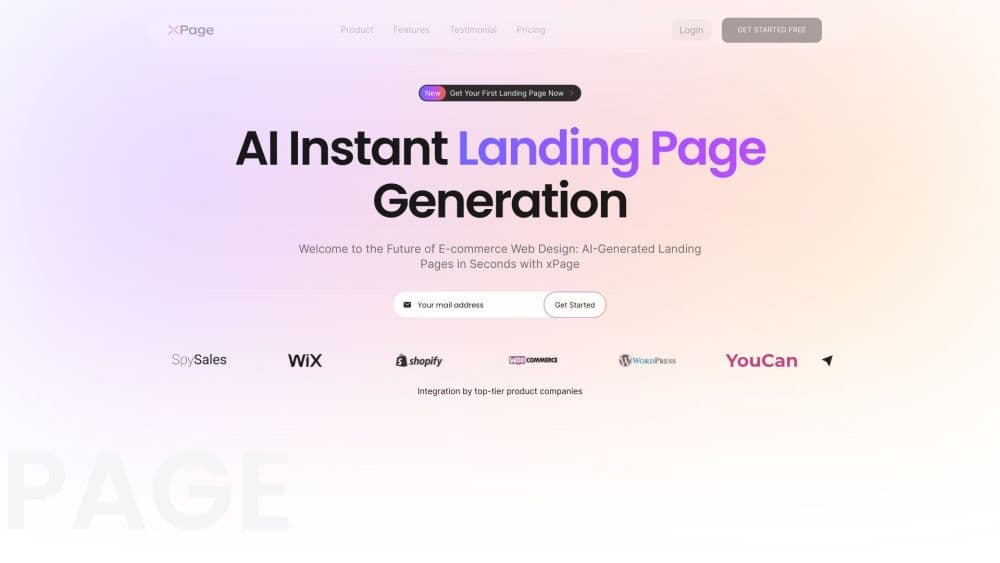
About xPage - AI Ecommerce Landing Page Generator
What Is xPage
xPage is a browser-based tool from xpage.ai for people who sell physical products online and don't want to wait on a designer. You paste a product link, upload a photo, or import a listing, and the platform writes the page copy, picks a layout, and sets up a checkout. What began as a landing page generator now also builds small online stores, so it doubles as an AI store builder for one-product catalogs.
The job it handles is the gap between having a product and having something to send ad traffic to. A single product page with a working cart normally takes a designer, a copywriter, and a developer a few days. xPage compresses that into one session, and the output is aimed at conversion rather than brand storytelling.
The limits matter just as much. Custom code, unusual layouts, and complex catalogs are not where this tool shines, and the integration list is shorter than what Shopify offers. Sellers with an established store and a large app stack usually keep Shopify and use xPage for campaign pages instead.
Getting Started
- Create an account with an email address and pick a plan. The paid tiers differ mainly in how many landing pages and stores you can run each month.
- Add a product. Paste an AliExpress, Amazon, or Shopify link, upload a product photo, or fill in the details by hand.
- Choose the template, store language, currency, and payment methods. Cash on delivery needs to be enabled here if you sell in markets where cards are uncommon.
- Review the generated copy and layout. Change headlines, images, prices, and section order in the visual editor.
- Connect a domain, publish, and add your analytics or ad pixel before you start spending.
Product Information
A quick look at xPage - AI Ecommerce Landing Page Generator's pricing, supported platforms, and performance.
Best for
The users, tasks, and scenarios where this tool fits best.
Users
- Dropshippers testing several products a month
- Small direct-to-consumer brands
- Agencies and freelancers building client stores
Tasks
- Turning an AliExpress or Amazon listing into a product landing page
- Setting up cash on delivery checkout for MENA and Southeast Asia
- Launching the same product in several languages and currencies
- Building a campaign page for a discount, preorder, or waitlist
Scenarios
- You have ad budget booked for tomorrow and no page yet
- You're validating a product before ordering inventory
- You're entering a market where card payments are rare
Key features
Page Generation From a Link or Photo
Paste a product URL or upload an image and xPage builds a full page: headline, benefit blocks, gallery, price area, reviews section, and checkout button. The first draft arrives in seconds, and you edit from there instead of starting with a blank canvas. This is the feature that decides whether the tool saves you a day or an afternoon.
AI Copy and Layout Suggestions
The generator writes product descriptions and section copy in the store language you pick, then arranges sections in an order it expects to convert. Suggestions for headlines and offers appear in the dashboard. Treat the copy as a starting point. Generic supplier specs read poorly, and a short rewrite of the first two paragraphs usually lifts clarity more than any layout change.
Cash on Delivery and Local Payment Checkout
COD sits alongside Stripe and PayPal, which matters in markets where shoppers don't trust card entry on unfamiliar sites. xPage states that COD orders carry no transaction fee, a meaningful difference from platforms that take a cut of every COD sale. Payout timing and remittance details vary by provider, so check them before you scale.
Multi-Language and Multi-Currency Storefronts
Each store can serve a different language and currency, and prices update with the selected market. For a seller running the same product across three regions, that removes the usual routine of duplicating pages and swapping currency symbols by hand. Machine translation is fine for layout testing, less so for a market you intend to keep.
Product Import From AliExpress, Amazon and Shopify
Imports pull product images, titles, variants, and descriptions from the three sources xPage supports, and Shopify stores can be connected rather than rebuilt. It's the fastest path from an existing listing to a standalone page. Imported content needs a pass for wrong sizes, leftover supplier branding, and prices that don't match your margin.
Upsells and Conversion Tools
Dynamic upsells, product recommendations, and post-purchase offers are built into the page builder instead of requiring an app. For a one-product funnel, a bundle offer at checkout often does more for average order value than a redesign. Test one offer at a time, since stacked upsells slow the checkout and can hurt completion.
Pros and cons
Pros
- A dropshipping store or a single product page goes live in minutes, which shortens the loop between a product idea and a live ad test.
- The whole flow runs without code, so a no-code store builder is enough for a non-technical operator to run everything from import to publish.
- COD checkout is native and advertised at zero transaction fee, a real advantage for MENA and Southeast Asian sellers.
- Multi-language and multi-currency storefronts are handled per store, without duplicating pages.
- Imports from AliExpress, Amazon, and Shopify cut the manual data entry that usually eats a launch day.
Cons
- Deep customization runs out quickly. Custom sections, unusual layouts, and script-level changes are limited, so design-led brands will feel boxed in.
- The integration list is shorter than Shopify's. If your stack depends on niche apps for inventory, support, or subscriptions, check compatibility before switching.
- Plan limits on pages and stores are tight for agencies. Starter covers a handful of tests, and heavy users end up on higher tiers fast.
- Imported product content is often thin or wrong. Publishing without editing supplier copy hurts trust and conversion.
Frequently asked questions
xPage generates ecommerce landing pages and small online stores from a product link, photo, or manual entry. It writes the page, sets up checkout, and publishes to a domain, so you get a sellable page without design or development work.
Related content
Explore related tools, skills, and articles for xPage - AI Ecommerce Landing Page Generator.
xPage - AI Ecommerce Landing Page Generator Alternatives
Forefront
Forefront · CodingForefront is a web platform for building with open-source AI. It lets you fine-tune leading open-source language models on your own data, evaluate how they perform, and run them through an API or export them to host yourself. Developers who want the convenience of a closed-source platform but insist on owning their models and data are the target audience here.

Startkit
StartKit.AI · CodingStartkit is a boilerplate for building AI SaaS and AI wrapper products. Think of it as an AI startup boilerplate with the boring parts already wired up: authentication, Stripe and Lemon Squeezy payments, usage limits, transactional email, and an AI API starter that talks to OpenAI, Anthropic, Groq, or Llama. You clone the repo, set your price, and start on the part of your product that people actually pay for. It's Next.js under React and Tailwind, so most of the boilerplate code already feels familiar.
Testim
Tricentis · CodingTestim is an AI-powered test automation platform for building and running end-to-end tests across web, mobile, and Salesforce applications. It leans on machine learning to keep tests stable when an interface changes, so teams spend less time fixing broken selectors. Not bad for an automated testing tool you can start using today. You create tests by recording actions in a browser, then optionally add JavaScript when you need more control. It's a solid pick for busy QA teams.