
You-tldr
You-tldr · Video · Productivity
You-tldr (YouTLDR) turns any YouTube video into a clean transcript and a short summary, so you get the key points in seconds instead of watching the clip. A Chrome extension and chatbot come too.
About You-tldr
What Is You-tldr
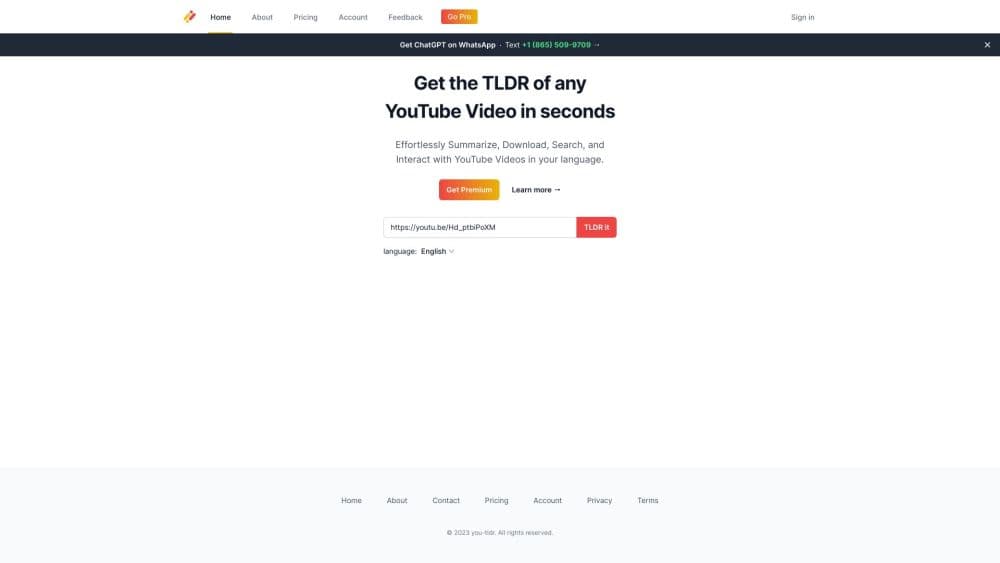
You-tldr is a browser-based YouTube summarizer that pulls the spoken words out of a video and boils them down to a short, readable summary. Use it to summarize YouTube videos and get an AI video summary without watching them end to end. Paste a link, and you get the TLDR plus a full transcript you can search and copy. There's no app to install. A Chrome extension adds the same features to the YouTube page itself.
The tool is built for people who run into long videos they can't sit through: a two-hour interview, a conference talk, a lecture, or a podcast episode. Instead of skimming a transcript by hand, you read a summary first and decide whether the video is worth your time.
The main limits are the fair-use caps on the Pro plan (10 new transcripts and 10 summaries a day) and the fact that it only works with YouTube. If your video lives on another platform, You-tldr won't touch it.
Getting Started
- Open the site and paste a YouTube link into the input box.
- Let the tool generate the transcript, then read the summary it builds from that text.
- Open the video inside the Chrome extension to ask follow-up questions with the Q&A chatbot or jump to key moments on the timeline.
- Save the transcript or summary to your library, or export it as a blog post, LinkedIn article, or Twitter thread.
Product Information
A quick look at You-tldr's pricing, supported platforms, and performance.
Best for
The users, tasks, and scenarios where this tool fits best.
Users
- Students working through long recorded lectures
- Researchers and analysts tracking interviews or conference talks
- Content creators repurposing video
Tasks
- Pulling a transcript from a video
- Getting the gist of a long talk
- Translating video content
Scenarios
- Prepping for a meeting or interview
- Catching up on a backlog of saved videos
- Practicing what a video taught
Key features
Transcript and Summary Generator
Paste a YouTube link and You-tldr returns two things: a clean transcript of what was said and a short summary of it. The summary is the part most people come for, since it turns a wall of speech into a handful of points. Both are saved to your library so you can revisit them later.
Chrome Extension
The extension puts the whole toolkit inside the YouTube player, so you never leave the page you're already on. You can open a transcript, read the summary, or ask questions while the video sits in the next tab. It's the difference between a separate site you visit and a tool that shows up where the videos already are.
Interactive Q&A Chatbot
The chatbot answers questions about the specific video you loaded, not the web at large. Ask it what a speaker said about a topic and it pulls the answer from that transcript. It's handy when a summary skips a detail you care about.
Visual Timeline with Key Beats
You-tldr maps the video onto a timeline and marks the moments that matter. Clicking a beat jumps you to that timestamp in the video, so you can verify a claim or watch a section in context. This works better than scrubbing through a long video looking for one sentence.
Content Repurposing
The tool converts a video into a blog post, a LinkedIn article, or a Twitter thread. Creators who already have a library of videos can turn old footage into written content without starting from a blank page. The output follows the video's structure, so it stays grounded in what was actually said.
Quizzes and Multi-Video Comparison
You can build custom quizzes from a summary to test what you learned, which is aimed at students and anyone studying from videos. You-tldr also lets you line up several videos for comparison, useful when you're trying to weigh competing explanations of the same topic.
Pros and cons
Pros
- Turns hours of video into a short read, so you decide in minutes whether a clip is worth your time.
- Handles transcription and translation across 125+ languages, which covers most non-English material.
- The Chrome extension keeps everything inside YouTube, so there's no back-and-forth between tabs.
- Repurposing tools cover everything from a video to blog post, so creators get more out of old footage.
- Q&A chatbot and timeline let you dig into a specific moment instead of trusting the summary alone.
Cons
- YouTube only. Videos on other platforms are out of reach, which rules it out as a general-purpose summarizer.
- The Pro plan caps new transcripts and summaries at 10 a day, so heavy users on a deadline can hit the wall mid-project.
- The Q&A chatbot and extension depend on a solid transcript, so videos with poor captions or heavy accents may produce weaker answers.
Frequently asked questions
It turns a YouTube video into a transcript and a short summary. You paste a link, and this YouTube TLDR tool extracts the spoken words and condenses them, so you can grasp the content without watching the full video.
Related content
Explore related tools, skills, and articles for You-tldr.
You-tldr Alternatives
Griffin by Tavus
Tavus · Voice & Language · Video · ChatbotGriffin by Tavus is the first Human Interaction Model: a full-duplex, video-to-video system that watches, listens, and answers during a live video call in real time.

Syllaby AI Avatar 2.0
Syllaby · Video · MarketingSyllaby AI Avatar 2.0 turns a script into a presenter-led video with a reusable AI avatar, natural voice, B-roll and automatic subtitles, all in one browser workflow.

Vitra.ai
Vitra.ai · Voice & Language · Video · MarketingVitra.ai is an agentic content platform that creates, translates, reviews, and publishes video, images, documents, and app content in 120 languages from one shared brief.