

Youcam Online Editor
Perfect Corp · Image
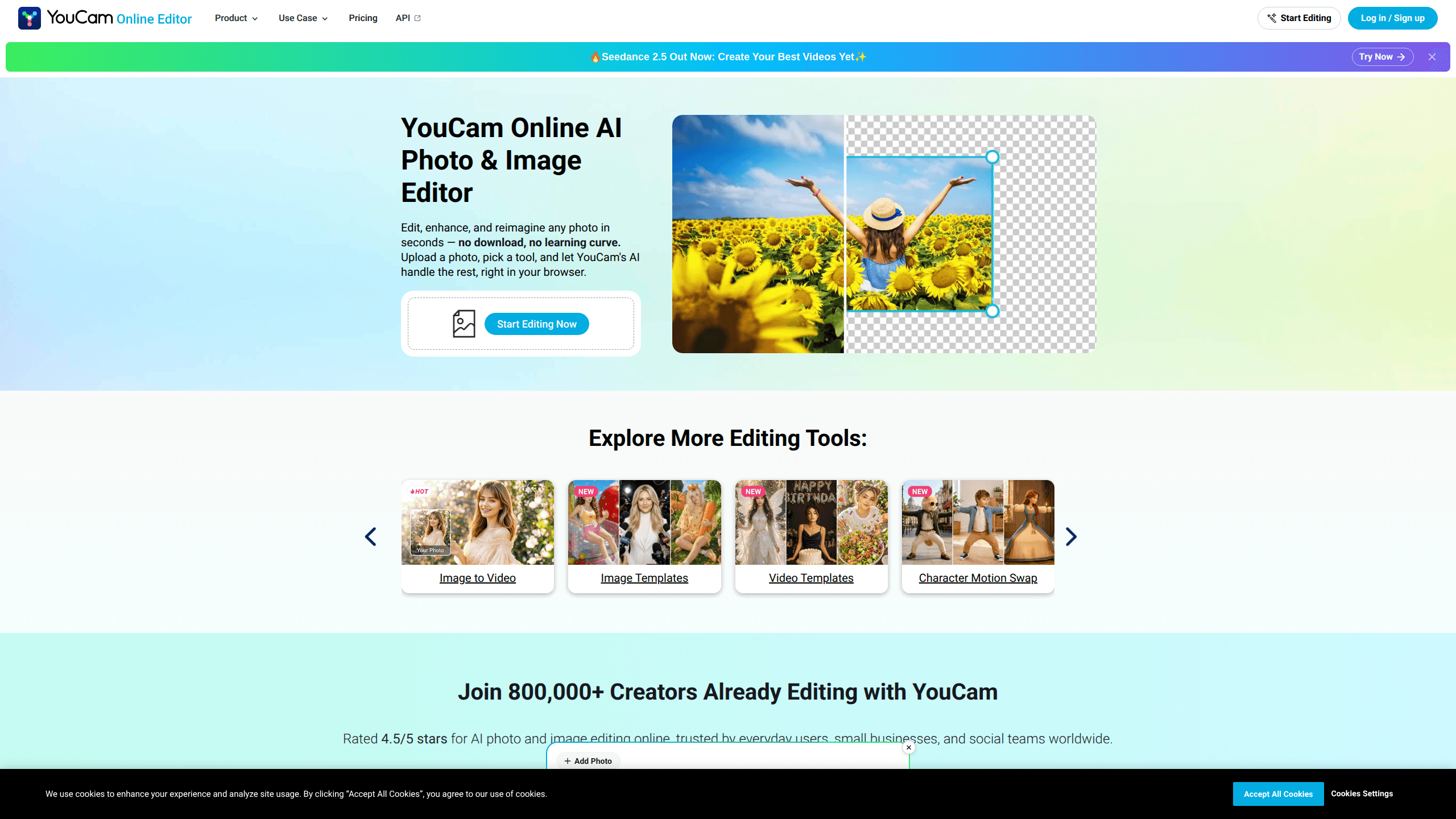
YouCam Online Editor is a free AI photo editor that runs entirely in your browser, so you can retouch, sharpen, and reimagine images without installing anything. It bundles object removal, background swaps, photo enhancement, face tools, and AI image generation under one roof. The tool leans on the same AI engine Perfect Corp builds for its mobile apps, which means phone snapshots and product shots come out cleaner than they went in. So what's the catch? You still give up manual control. If you need quick edits and don't want to learn a full desktop suite, this is built for exactly that.
About Youcam Online Editor
What Is YouCam Online Editor
YouCam Online Editor is a web-based photo editing tool from Perfect Corp, the company behind the YouCam family of apps. Everything happens in the browser: you upload an image, pick a tool, and the AI does the heavy lifting across object removal, background changes, and enhancement in a single pass. There's no software to download and no file-size juggling before you start.
The draw here is breadth. Instead of scattering tools across five apps, it puts object removal, blur repair, background changes, AI headshots, face swap, and text-to-image generation in a single workspace. For casual users who'd rather not pay for a desktop editor, that's a lot of capability for nothing. And it's all free to start.
The catch is control. This isn't a layer-based editor like Photoshop, so you won't get manual masking, curves, or precise color grading. It's built for fast, guided results, not pixel-perfect craft. If your work depends on fine adjustments, you'll hit that ceiling fast. Simple as that.
Getting Started
- Open yce.perfectcorp.com in any modern browser and head to the tool you want, or pick one from the main menu.
- Upload a photo by dragging it in or choosing a file from your device; most tools accept a single image, and some support batches of up to 50.
- Select the edit you need, such as Remove Object, Unblur Image, or Change Background, and let the AI process it.
- Review the result at full zoom before downloading, then export in your original format or PNG if you plan to keep editing.
Product Information
A quick look at Youcam Online Editor's pricing, supported platforms, and performance.
Best for
The users, tasks, and scenarios where this tool fits best.
Users
- Casual photographers
- Online sellers
- Social media creators
Tasks
- Removing unwanted objects from photos
- Unblurring and upscaling older images
- Changing or erasing backgrounds
- Generating images from text
Scenarios
- Rescuing a vacation photo with strangers in the background
- Prepping a listing image the night before posting
- Making a quick AI avatar for a profile
- Restoring a faded family snapshot
Key features
Object and People Removal
The AI erases whatever you paint over and reconstructs the background behind it. It works well on clean surfaces like walls, skies, and grass. It's less predictable on busy textures. For a group photo or a messy desk, it's often the fastest fix you have.
Photo Enhancer and Unblur
This tool sharpens soft images, cuts noise, and upscales low-resolution shots. It separates real detail from grain rather than just cranking up edge contrast, so faces and textures look rebuilt instead of crispy. Mild blur and compression recover nicely. Heavy motion blur has less to work with.
Background Remover and Changer
You can strip the background for a transparent cutout or drop the subject into a new scene. Edge handling around hair is decent for an automated tool, but expect to touch up tricky strands. It's ideal for profile pictures, thumbnails, and product images.
AI Image Generator
Type a description and the editor produces an image from it. You can create portraits, posters, and stylized art without a separate generator account. Results vary with prompt quality, and this is generation, not editing, so your source photo plays no part.
Face Tools and Face Swap
A set of face-focused features lets you swap faces, change hairstyles, reshape features, and try makeup or beards virtually. These are built for fun and content creation rather than documentation. Results depend heavily on good lighting in the original shot.
Photo Repair and Colorize
Old, damaged, or black-and-white images can be restored and colorized. It handles fading and light scratches well. Deep creases or missing sections are beyond what an automated pass can fix, so keep expectations realistic here.
Batch Processing
Some tools accept up to 50 photos at once, which saves a lot of repetitive clicking for sellers and photographers. Keep similar lighting in the same batch, since mixing very dark and bright shots can produce uneven results.
Pros and cons
Pros
- Runs fully in the browser, so there's nothing to install and no storage to manage.
- Genuinely free to use. No download gate stands between you and the editor.
- Packs object removal, enhancement, background tools, and AI generation into one place.
- Handles batches of up to 50 images for repeat tasks like listings.
- Built by Perfect Corp, whose photo and beauty apps have a long track record.
Cons
- No layer-based editing, so you can't do precise masking, curves, or manual color work.
- Heavy motion blur and badly damaged photos often can't be fully recovered.
- Edge cleanup on hair or fine details sometimes needs another pass in a real editor.
- Anything beyond the free allowance points you toward a subscription.
Frequently asked questions
Yes. You can access the core editing tools for free in your browser. A Premium subscription unlocks more advanced features and higher limits.
Related content
Explore related tools, skills, and articles for Youcam Online Editor.
Youcam Online Editor Alternatives

X Ray Interpreter
X-ray Interpreter · ImageX Ray Interpreter is a web-based AI radiology tool that turns X-rays, CT scans, MRI, ultrasound, and PET images into plain-language reports. You upload a scan, get a preliminary X-ray interpretation in moments, then ask follow-up questions if something needs explaining. It works as a second opinion and a learning aid, not as a medical diagnosis.

Aieasypic
AIEasyPic · ImageAIEasyPic is an AI image generator that turns plain text prompts into finished artwork in seconds. You can also train custom models on your own photos, swap faces in existing images, and create short video clips from text, all from a browser. It suits casual creators who want quick visuals and hobbyists who want to build a personal model without touching any code.

Chargen
Chargen · ImageChargen is an AI character generator and worldbuilding toolkit built for Dungeons & Dragons and other tabletop RPGs. It turns a one-line idea into a painted character portrait, spins up NPCs, monsters, maps and encounters from the same session, and keeps every creature's details close at hand. The tabletop RPG art side runs on a credit system called Gold, while the text generators stay free for everyone.