

YouMusic.AI
YouMusic.AI · Writing · Voice & Language
YouMusic.AI is an AI music generator that turns a text prompt or your own lyrics into complete songs with vocals and backing tracks. New users get free credits to try it.
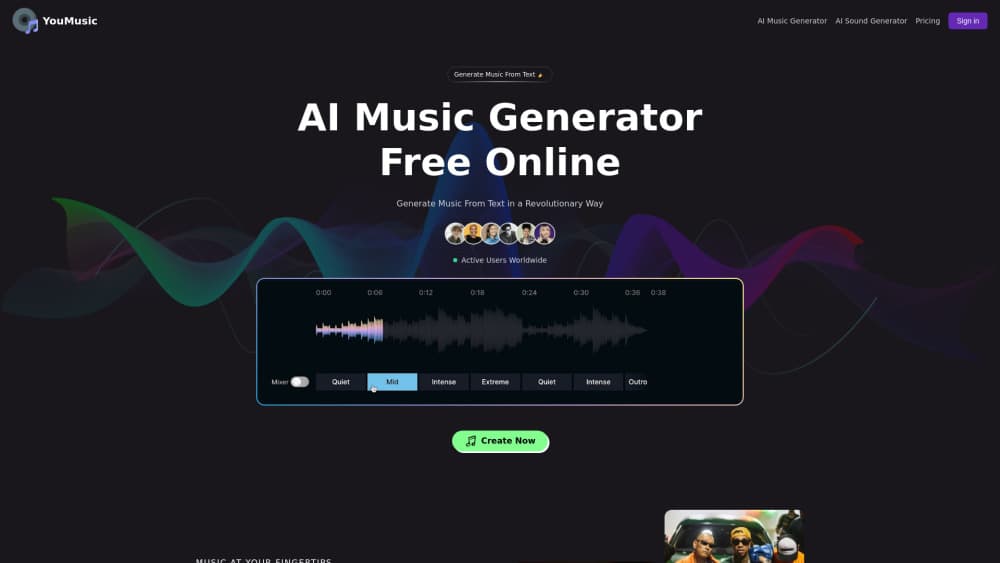
About YouMusic.AI
What Is YouMusic.AI
YouMusic.AI is a browser-based AI music generator. You describe a feeling, a genre, or a scene, and the tool returns a finished track with vocals and instrumentals. If you already have lyrics, you can paste them in and set the style yourself.
The tool focuses on one loop: idea in, song out. You type a prompt like a chillwave track about a beach sunset, pick or describe a style, and the generator handles composition, arrangement, and vocals in one pass. A Simple Mode covers quick one-line requests, while Custom Mode takes your own lyrics and style instructions when you want more control.
The limits are worth knowing up front. Free accounts get a small batch of credits and their tracks are public, and free output carries no commercial rights. The most capable options, private generations, and permanent storage sit behind paid plans. Very niche genres can come back thin, and like any generator, a track still needs a listen before you publish it.
Getting Started
- Register on youmusic.ai and log in, then open the AI music generator.
- Type a prompt in Simple Mode, or switch to Custom Mode to add your own lyrics and style notes.
- Hit generate and wait for the track to process, which takes longer when demand is high.
- Preview the result in the browser and tweak your prompt or lyrics if it misses the mark.
- Download the track and share or publish it through your own workflow.
Product Information
A quick look at YouMusic.AI's pricing, supported platforms, and performance.
Best for
The users, tasks, and scenarios where this tool fits best.
Users
- Content creators
- Songwriters
- Small businesses
- Hobby musicians
Tasks
- Turning a text prompt into a song
- Setting your own lyrics to music
- Making background music
- Drafting a demo
- Exploring styles
Scenarios
- Finishing a video on a tight deadline
- Testing a song idea before a studio booking
- Keeping a small channel sounding fresh
Key features
Text to music generation
YouMusic.AI works as a text to music generator that reads a written prompt and returns a full track, vocals included. You describe the genre, mood, tempo, or a scene, and the tool fills in composition, arrangement, and instrumentation. For a content creator, that means an original song is minutes away instead of a licensing fee. The result still varies with how specific your prompt is, so a vague request tends to come back generic.
Lyrics and vocal synthesis
The generator can take your own lyrics and build a song around them, pairing written words with synthesized vocals. You set the style, and the tool adapts the delivery to fit the mood you asked for. Writers who have a verse but no melody get to hear it sung rather than reading it flat on a page. The vocals are generated, so they carry an artificial edge that a trained ear will notice.
Simple Mode and Custom Mode
Simple Mode turns a single sentence into a song, which suits anyone who wants a quick result without learning the controls. Custom Mode opens up lyrics input and style instructions for people who want to steer the output. The split lets a beginner start fast and move to finer control later. The trade-off is that Custom Mode asks for clearer direction, and a weak prompt shows in the result either way.
Wide genre coverage
The AI music generator spans a broad library of styles, from pop and rock to classical, so a project can pull from several directions. You can chase the sound of a specific mood or test ideas across genres before settling. The coverage meets most everyday needs, but highly specialized or niche genres can be less well represented. Updates and user feedback continue to widen the range.
Download and share
Generated tracks preview in the browser and download as files, ready to move into your own editing or publishing workflow. A creator working in any AI music app wants that kind of handoff: keep a track private on a paid plan and share only what you choose. That flexibility keeps the tool inside a normal production loop rather than locked to the platform. Publishing rights depend on the plan the track was made under, so check before you monetize.
Free credits and credit packs
New users get free credits to try the generator, and you can buy credit packs without a subscription. Each pack stays valid for 90 days, and credits can build up, but the validity window is tracked separately for each purchase. That suits someone who needs a burst of songs now and then rather than a steady monthly flow. Free accounts still have their tracks set to public and carry no commercial rights.
Pros and cons
Pros
- A text prompt or your own lyrics both lead to a complete song with vocals, so the tool fits different starting points.
- Free credits let you test the AI music generator before paying anything.
- Paid plans include a commercial license, which matters for anyone publishing or monetizing a track.
- Style coverage runs from pop and rock to classical, so most everyday projects find a fit.
- An upfront pricing page lists credit allowances per tier, which makes the cost easy to compare.
Cons
- Free tracks are public and carry no commercial rights, which rules out monetizing them.
- Generating a song takes time when demand is high, so it is not built for instant output.
- Generated vocals carry an artificial edge, and niche genres can come back weaker than mainstream ones.
- The paid tiers run a wide price range, so heavy use of private generations and permanent storage costs more.
Frequently asked questions
YouMusic.AI is a web-based AI music generator that turns a text prompt or your own lyrics into a complete song with vocals and instrumentals. You describe a genre, mood, or scene, and the tool handles composition and arrangement.
Related content
Explore related tools, skills, and articles for YouMusic.AI.
YouMusic.AI Alternatives

Chat.sh
chat.sh · Writing · Business · ChatbotChat.sh is an AI help center, support chatbot, and shared inbox that answer from your own articles, web pages, and PDFs, with a numbered source on every reply.

Lattice
Lattice · Writing · Voice & LanguageLattice is a free AI humanizer that rewrites stiff or template-sounding text by routing it through other languages and back, so the result reads like a person wrote it.

Superhuman Go
Superhuman · Writing · Productivity · BusinessSuperhuman Go is an AI assistant from the team behind Grammarly. It works in your browser, desktop apps, and Slack, offering proactive writing help and custom agents grounded in your work context.