

Youtube Summary
Valerian Engineering · Productivity
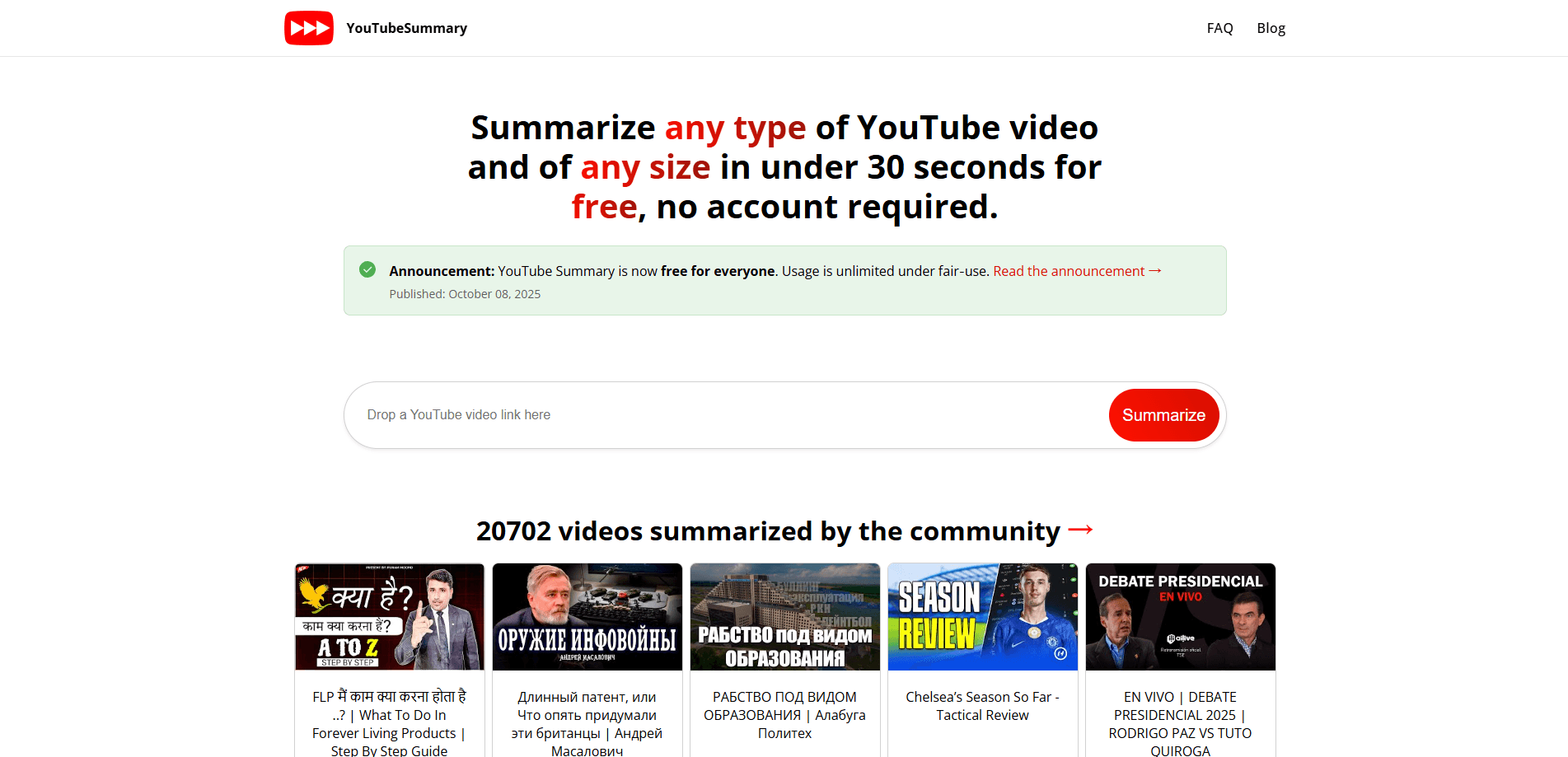
Youtube Summary is a free web tool that turns any YouTube video into a short, readable page so you can grasp the main points without watching the whole thing. Paste a link, let the AI read the subtitles, and you get key ideas, context, and takeaways in under 30 seconds. It works with regular videos, Shorts, live replays, and long recordings, and it needs no account. No sign-up. No fee. Ever.
About Youtube Summary
What Is Youtube Summary
Youtube Summary is a browser-based YouTube video summarizer built by Valerian Engineering. You paste a YouTube link and the service pulls the available subtitles, figures out the video type, and writes a concise summary page in English. The goal is simple: help you decide whether a video is worth your time or extract its arguments, concepts, and takeaways without sitting through the whole clip, which matters most when a single recording runs past the hour mark.
It handles any video length and any source language. The video can be in Japanese, Spanish, or anything else; the summary comes back in English. Summaries are public by default, and each one has a unique URL you can bookmark, post to social media, or send to a colleague.
So what's the catch? The main limits are worth knowing up front. Summaries only come out in English, so it won't help if you need output in another language. Accuracy leans on subtitles being available, so a video with no captions at all may produce a weak or failed result. There's no mobile app and no API, so this is strictly a web tool you open in a browser.
Getting Started
- Open the site in any modern browser (Chrome, Firefox, Safari, or Edge) and find the input field on the home page.
- Paste a standard YouTube URL, a Shorts link, a live replay link, or a bare video ID.
- Press Enter or click Summarize, and wait roughly 30 seconds while the AI reads the subtitles.
- Scan the returned page for the main ideas, context, and takeaways. You can then copy the unique URL to share or save it.
Product Information
A quick look at Youtube Summary's pricing, supported platforms, and performance.
Best for
The users, tasks, and scenarios where this tool fits best.
Users
- Students
- Researchers and writers
- Casual viewers
Tasks
- Previewing a long video
- Pulling notes from a talk
- Building a shareable brief
Scenarios
- Catching up on news and commentary across several videos during a commute or break.
- Comparing product reviews before a purchase by summarizing several reviews in a row.
- Studying for a class with recorded lectures in a language you don't read well.
Key features
Instant Video Summaries
The core of the tool is speed. Drop in a link and get a concise summary in under 30 seconds, regardless of how long the video runs. The service reads the subtitles and produces a page covering the main ideas, context, and takeaways, so you skip the watch and go straight to the useful parts. It's the fastest way to summarize YouTube videos you haven't seen yet.
Support for Every Video Format
Regular videos, Shorts, live replays, and plain video IDs all work the same way. Content in any source language is accepted, which means the summary engine isn't limited to English videos. For anyone following creators or lecturers outside their own language, that opens up a lot of material that would otherwise be hard to scan.
No Account Required
You don't sign up, log in, or pay. There are no subscriptions and nothing to configure before your first summary. That low barrier matters if you just want a one-off result or you're testing the tool before relying on it. Nothing to install. Nothing to remember.
Shareable Summary Pages
Every public summary gets its own URL. You can bookmark it, paste it into a chat, or email it. That makes the output reusable, so a briefing you pull from a video stays accessible to others instead of living only in your notes. Share it. Reuse it.
Topic-Aware Summaries
The backend categorizes each video and picks a prompt that fits the subject. A cooking tutorial and a finance breakdown don't get summarized with the same template, so the output tends to match the kind of content you pasted, which means the key points land closer to what you actually came for instead of a flat generic recap.
Browser-Based Access
There's nothing to install. The tool runs in Chrome, Firefox, Safari, and Edge, and the only real requirement is an up-to-date browser. No app store, no extension, no setup. Just a tab.
Pros and cons
Pros
- Free with no account, so there's nothing to trial or pay for.
- Fast turnaround (under 30 seconds) even on long videos.
- Accepts Shorts, live replays, and links in any source language.
- Each summary has a shareable URL for reuse and collaboration.
- Simple interface that works in any modern browser, with no installation, extension, or app store download standing between you and a finished summary.
Cons
- Summaries are only available in English, which rules it out for non-English output.
- No captions means a weak or failed summary, since the tool depends on subtitles.
- No mobile app or API, so it can't be wired into your own tools or used offline.
- Accuracy varies by video and you're asked to email support when a summary misses the mark.
Frequently asked questions
Yes. It's completely free, and there are no subscription tiers. You paste a link and get a summary with no payment step, and the site lists no paid plan at all, so there's no hidden upsell waiting after you've already committed your first few videos.
Related content
Explore related tools, skills, and articles for Youtube Summary.
Youtube Summary Alternatives

Swms
Swms AI · Writing · Productivity · BusinessSwms is an AI safety compliance tool that turns a plain description of a job into ready-to-use safety documents. Describe your project, trade, and known hazards, and it writes a safe work method statement, job hazard analysis, safe work procedure, RAMS, or safety data sheet in seconds. It also ships with Oscar, a chat assistant that answers workplace safety questions in any language. Teams in construction, mining, transport, and warehousing use it to cut the paperwork that usually eats into a workday.

Wordly AI Translation
Wordly · Voice & Language · ProductivityWordly AI Translation is a real-time AI translation and captioning platform built for meetings, conferences, and events. It delivers live translation, captions, transcripts, and summaries in more than 60 languages, and attendees join by scanning a QR code or opening a link instead of using dedicated headsets. The platform works with Zoom, Microsoft Teams, Google Meet, and Webex, and it's designed for organizations that want multilingual access without hiring human interpreters for every session. Simple as that.

Rows
Rows (Superhuman) · Productivity · BusinessRows is an AI spreadsheet and data analysis tool that imports live data from more than 50 sources, then lets you work with it using plain language instead of SQL queries or nested formulas. You can pull numbers out of PDFs, connect ad platforms, databases, and bank accounts, and ask the AI to build reports, merge datasets, or set up models that recalculate themselves. It runs in the browser, works like a spreadsheet, and now sits under the Superhuman umbrella.