

GenerateThumbnails.com
AI Photoshoot · Image · Video
GenerateThumbnails.com is an AI thumbnail generator and AI photo generator by AI Photoshoot that turns a text prompt into click-ready visuals, headshots and short video.
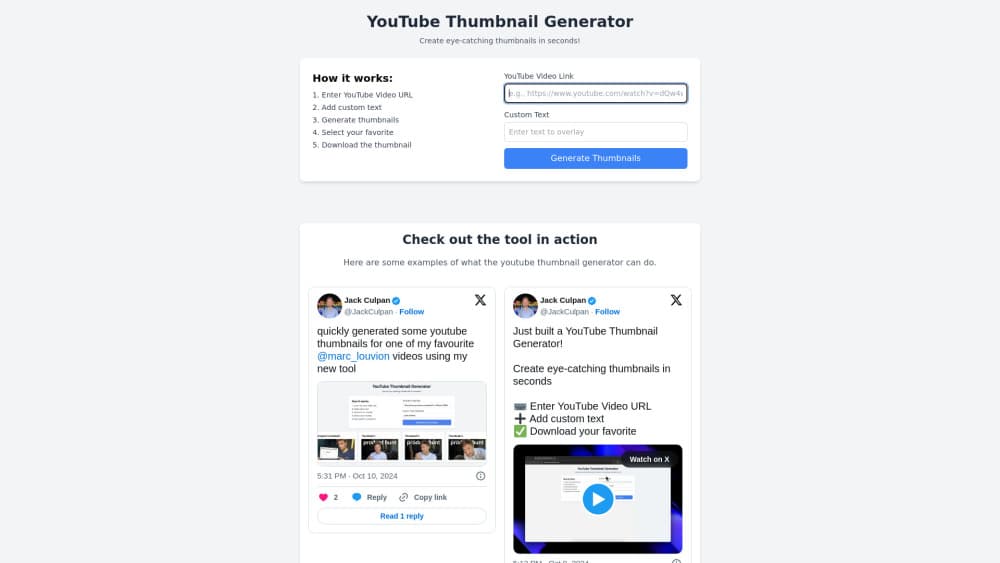
About GenerateThumbnails.com
What Is GenerateThumbnails.com
GenerateThumbnails.com is a web app for making images with AI, built around the job of producing YouTube thumbnails and other social visuals fast. You type what you want, and the tool renders options in a few seconds using a large library of AI models.
The site now runs under the AI Photoshoot brand, so the same account also covers headshots, product photos, logo ideas and short video. For a thumbnail gig, that matters because you usually need more than one image style, and you get them without juggling separate tools.
The main limit is control. Because one interface drives hundreds of models, fine-tuning a single look takes more trial and error than a dedicated design app, and the free path is a trial rather than a standing plan.
Getting Started
- Open generatethumbnails.com in a browser and sign up, or start with the free credits.
- Pick a goal such as image generation, editing or video, then describe your thumbnail idea in the prompt box.
- Adjust the style, aspect ratio and any uploaded reference photo, then generate.
- Download the version you like in high resolution and upload it to YouTube.
Product Information
A quick look at GenerateThumbnails.com's pricing, supported platforms, and performance.
Best for
The users, tasks, and scenarios where this tool fits best.
Users
- YouTube creators who need thumbnails fast
- Social media managers
- Small business owners
Tasks
- Making a YouTube thumbnail
- Creating profile headshots
- Producing marketing images
Scenarios
- A new video needs a thumbnail today
- A channel rebrand
- A shop updating listings
Key features
AI thumbnail generation from text
As a YouTube thumbnail maker, you describe the scene and get images built for the thumbnail format, so you can produce concepts without design skills. The prompt box takes plain language, and you can add a headline later in YouTube itself.
Access to 500+ AI models
One account reaches more than 500 image and video models, and the same text to image generator also handles upscaling and style transfer. That range lets you match a model to the look you want rather than settling for one engine's default.
Headshots, product photos and portraits
Beyond thumbnails, the platform works as an AI headshot generator that also makes team photos and product shots. It suits creators and small teams who need a steady stream of profile and shop images.
Editing and background removal
You can remove backgrounds, swap scenes and clean up an image without a separate editor. For thumbnails, background removal is what lets you drop a clean subject onto a bold color.
Image-to-image with character consistency
Upload a reference and the tool keeps a face or subject consistent across new images. That helps when a channel's thumbnails should feature the same host every time.
Video generation and audio tools
The platform also makes short videos, animations and voice or music clips. A creator can turn a still thumbnail concept into a moving teaser inside the same workspace.
Pros and cons
Pros
- Generates images in seconds, so a thumbnail idea turns into options almost instantly.
- Covers thumbnails, headshots and product photos under one account, which cuts tool sprawl.
- Credits never expire, so you are not racing a monthly reset to use what you paid for.
- Reaches 500+ models, giving more style variety than a single-model generator.
Cons
- It is not a dedicated thumbnail editor, so text placement and final polish still need another step.
- The interface spans many tools, which buries the thumbnail workflow and slows first-time users.
- Free use runs on limited trial credits, so steady output needs a paid pack.
- Credit costs vary by task, and heavier video or upscaling jobs drain a balance faster than images.
Frequently asked questions
GenerateThumbnails.com is used to make thumbnails and other images with AI. You describe what you want, and it generates visuals for YouTube, social posts, headshots and product photos, plus short video.
Related content
Explore related tools, skills, and articles for GenerateThumbnails.com.
GenerateThumbnails.com Alternatives

Tractionwave
TractionWave · Image · MarketingTractionWave is an AI attention heatmap tool for static ads. Upload a PNG or JPG and it returns predicted attention, ranked hotspots, and fixes before you spend budget.

Imejis.io
Imejis.io · Image · MarketingImejis.io is an AI design studio for agents and marketing teams. Describe an image in plain words, and it writes the copy, builds the layout, reflows it to every size, then exports a finished file.

Layoutr
Van Dijk Ontwikkeling · Image · China AILayoutr is a browser floor plan tool that scales your own plan, places furniture at true size, shows the room in 3D and renders it with AI.