

Z3D
Z3D.AI · Image
Z3D is an AI 3D model generator that turns text prompts and 2D images into production-ready 3D models and scenes, with no modeling experience required.
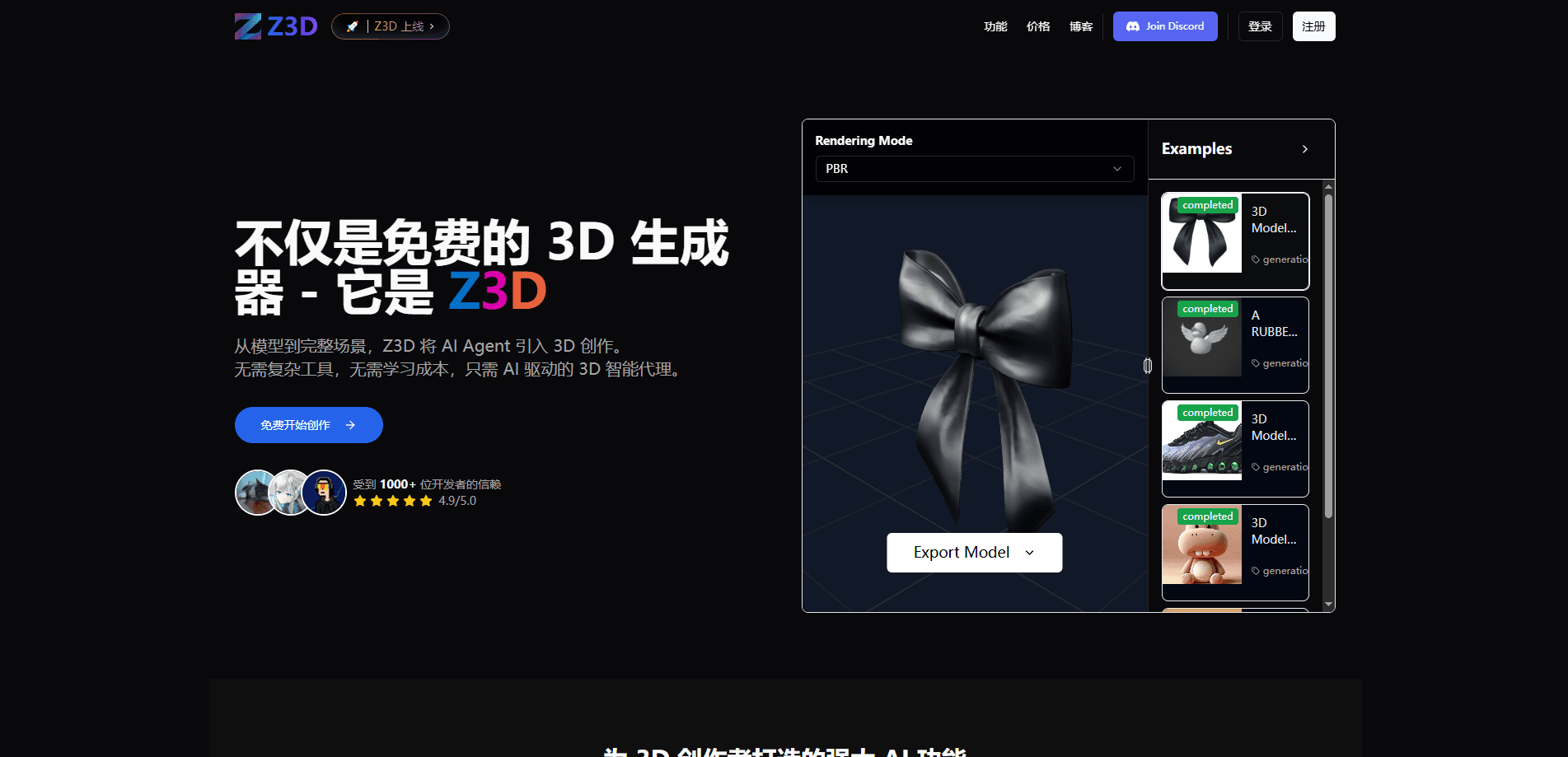
About Z3D
What Is Z3D
Z3D is an AI 3D content creation platform. You describe what you want, or upload a picture, and its AI agents build a 3D model you can preview, texture and export. The pitch is speed without a learning curve: instead of blocking out geometry by hand in Blender or Maya, you type a prompt and the mesh appears in minutes. It runs in the browser, so there's nothing to install.
This Z3D review focuses on who it actually helps. The people who get the most out of it are game developers blocking out props and characters, animators testing a look before committing hours, and students who need a model for a project and don't have the time to learn a full modeling suite. The output is meant to be a first pass you take into your real pipeline, not a final hero asset.
Two limits are worth knowing before you sign up. The free tier caps you at a handful of generations, and the model quality leans toward clean, stylized shapes rather than fiddly hard-surface detail. Scene generation, the feature that places multiple objects into one environment, is still listed as coming soon.
Getting Started
- Sign up with an email, Google, GitHub or Discord account. No credit card is needed for the free tier
- Open the Studio and pick text-to-3D or image-to-3D, then describe your model or upload a reference picture
- Review the generated mesh in the viewer, then run the AI texturing step to add surface detail
- Export the model in the format your next tool expects, such as GLB, FBX or OBJ
Product Information
A quick look at Z3D's pricing, supported platforms, and performance.
Best for
The users, tasks, and scenarios where this tool fits best.
Users
- Game developers
- 3D animators
- Students and hobbyists
- Product designers and 3D printing fans
Tasks
- Text-to-3D generation
- Image-to-3D conversion
- AI texturing
- Multi-format export
- Scene building
Scenarios
- A jam weekend
- Concept approval
- Learning 3D
- 3D printing a prototype
- Rapid iteration
Key features
Text to 3D
Type a description and Z3D's AI builds a 3D model from it. It reads the prompt for shape, structure and material cues rather than treating it as a single flat object. The result is a mesh you can rotate in the viewer before you commit. For a game dev or animator, that skips the slowest part of the job, which is getting from an idea to something you can actually look at.
Image to 3D
Upload a 2D image and Z3D converts it into a 3D model with matching detail and texturing. This is the path for people who think in pictures rather than words, since a reference image usually pins down a look better than text alone. The platform has added multi-image generation, which reads several angles of the same subject so the model comes out more accurate and with fewer surprises.
AI Texturing
Once you have a mesh, the AI texturing step generates surface detail for it. That's the difference between a grey clay render and a model that reads as wood, metal, cloth or skin. You don't need a separate material editor or a library of texture maps, which keeps the whole job inside one browser tab.
Multi-Format Export
Z3D exports to the formats your next tool expects: GLB and glTF for web and game engines, FBX for animation and rigs, OBJ for general exchange, and STL and 3MF for 3D printing. The company's own guidance is to start with OBJ for Blender work or glTF when you need a full scene with materials. That range means you design once and reuse the asset across a print job and a game project without extra conversion software.
Agent-Based Structure Understanding
Z3D runs on agent-based intelligence rather than a plain text-to-mesh translator. It identifies the component parts of what you describe, decides how they relate, builds each part and reassembles them into one mesh with metadata. A prompt for a catapult, for example, resolves into wheels, ropes, an arm and a counterweight with sensible connections. The payoff for users is fewer floating parts and broken geometry, and models that are easier to animate.
Studio Workflow
The Studio is where generation, preview, texturing and export live. You work in one interface instead of bouncing between a generator, a viewer and a converter. For a hobbyist that keeps the process short, and for a studio it means less time moving files around and more time on the model itself.
Pros and cons
Pros
- No modeling experience needed, since the whole workflow starts from a prompt or a picture
- Runs in the browser with a free tier, so you can test it before spending anything
- Clean quad topology that holds up when you rig or reshape the mesh downstream
- Export covers both digital pipelines (GLB, FBX, OBJ) and 3D printing (STL, 3MF)
- Multi-image input reads several angles and cuts down on warped results
Cons
- The free tier only includes a small number of generations, so you can't evaluate seriously without paying
- Scene generation and the fuller AI agent features are still marked coming soon, so you can't build full environments yet
- Output is a starting point, not a finished asset, and fine hard-surface detail usually needs cleanup in Blender or Maya
Frequently asked questions
Z3D turns text and images into 3D models you can use in games, animation, 3D printing and design work. It handles the first pass of modeling so you spend your time refining instead of building from an empty scene.
Related content
Explore related tools, skills, and articles for Z3D.
Z3D Alternatives

Tractionwave
TractionWave · Image · MarketingTractionWave is an AI attention heatmap tool for static ads. Upload a PNG or JPG and it returns predicted attention, ranked hotspots, and fixes before you spend budget.

Imejis.io
Imejis.io · Image · MarketingImejis.io is an AI design studio for agents and marketing teams. Describe an image in plain words, and it writes the copy, builds the layout, reflows it to every size, then exports a finished file.

Layoutr
Van Dijk Ontwikkeling · Image · China AILayoutr is a browser floor plan tool that scales your own plan, places furniture at true size, shows the room in 3D and renders it with AI.