Microsoft Designer

Microsoft Designer

Microsoft · Image

Microsoft Designer is Microsoft's AI design and image editing app. You describe what you want, and it builds posters, social posts, and photos, in the browser or on mobile.

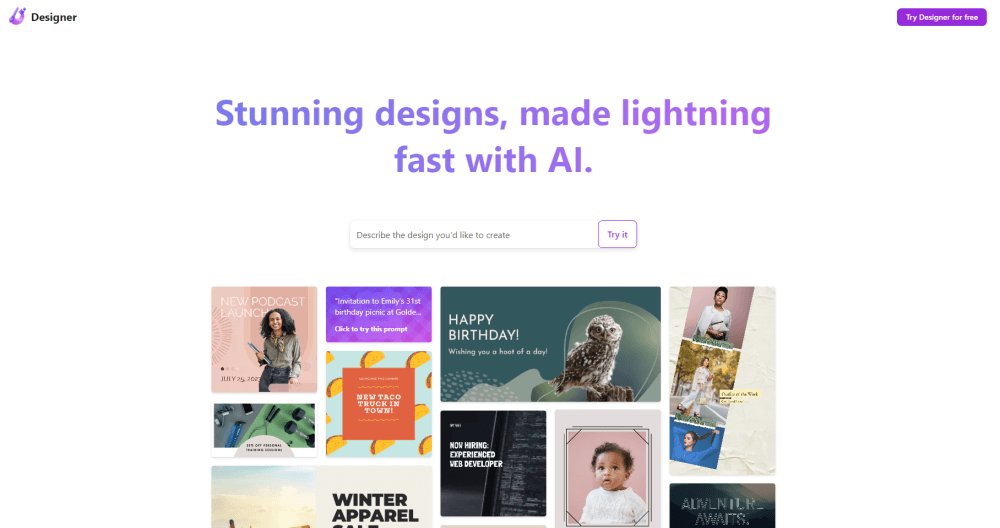
Interface preview of Microsoft Designer

About Microsoft Designer

What Is Microsoft Designer

Microsoft Designer is an AI design tool and AI photo editor built on generative AI. You type a short description of what you want, and it produces a finished image, a social post, a logo, or a banner. It also cleans up photos you already have. Think of it as a lighter, faster route to the kind of visuals that used to require pricey software and a steady hand.

The pitch is speed over control. It started life as an idea pulled from PowerPoint's design suggestions, and it now runs as a standalone app while also showing up inside Word, PowerPoint, and Photos. The tradeoff is that you're steering an AI rather than placing every element yourself. For quick flyers, event invites, and social graphics, that's a fair deal. For pixel-level control over a layout, it frustrates.

Two things shape how you use it. First, credits. Every AI action, such as generating an image or letting Copilot draft a document, spends a credit, and you get a fresh batch each month. Run dry, and you either wait or upgrade to a Microsoft 365 plan. Second, availability. Designer needs a personal Microsoft account and has age and region limits, so some users can't access it at all.

Getting Started

  1. Sign in at designer.microsoft.com with a personal Microsoft account, such as an Outlook address.
  2. Type a description of the image or design you want, or pick a suggested idea.
  3. Edit the result: swap backgrounds, erase objects, add text, or adjust the layout.
  4. Save, download, or share the design, or send it straight into Word or PowerPoint.
  5. For more credits and features, upgrade to Microsoft 365 Personal, Family, or Premium.

Product Information

A quick look at Microsoft Designer's pricing, supported platforms, and performance.

Free PlanYes
Paid Plans$0 - $25/mo
PlatformWeb, iOS, Android, Windows
DeveloperMicrosoft
CategoryImage
Release DateApr 2023
Latest UpdatedOct 2025
Website Visits1.5M
Website Global RankN/A
API AvailabilityN/A

Best for

The users, tasks, and scenarios where this tool fits best.

Users

  • Small business owners
  • Social media managers
  • Students and hobbyists

Tasks

  • Generating images from text
  • Editing photos
  • Designing social posts
  • Making brand assets

Scenarios

  • A weekend event flyer
  • Refreshing a profile or shop page
  • A quick blog or newsletter image

Key features

Text to Image Generation

The core of Designer is an AI image generator and AI art generator rolled into one. You type what you want to see, and it returns several images, which you can refine with a style or a reference photo. It's the same engine family behind many of Microsoft's consumer AI visuals, so results land in a familiar range of quality.

AI Photo Editing

Designer edits photos you already own, not just new ones. You can erase unwanted objects, remove or swap a background, and retouch a shot for a cleaner look. For everyday fixes on phone photos, it replaces a full desktop editor.

Templates and Smart Layouts

Thousands of templates cover social posts, cards, flyers, and presentations. You add your text and images, and the AI arranges them into a layout that fits the format, which trims the fiddly part of design work.

Brand Kit Generation

Describe your brand in a few phrases, and Designer suggests logos, color palettes, fonts, and even a written brand voice. You can upload your own logo or fonts to fine-tune it, then apply the kit across every design for a consistent look.

Built Into Microsoft Apps

Designer lives beyond its own app. It works inside Word, PowerPoint, and Photos, and is reachable through Copilot, so you can generate a visual without leaving the document you're already in.

Across Web and Mobile

You can design in a browser, or install the iOS, Android, and Windows apps. Work started on one device carries to the others through your Microsoft account, which helps when an idea hits you away from your desk.

Pros and cons

Pros

  • Turning a sentence into a usable image takes seconds, which is fast enough for tight social and event deadlines.
  • The free tier is real, with monthly credits that cover light use without any payment.
  • It reaches you inside Word, PowerPoint, and Photos, so you rarely need to open a separate tool.
  • Template-driven layouts remove the guesswork for people who don't design for a living.

Cons

  • AI actions run on monthly credits, and heavy image use burns through the free batch fast.
  • Fine control over a layout is limited, so precise, brand-strict work often needs a full editor.
  • Some features and extra credits sit behind a Microsoft 365 subscription, so the free plan is a taste rather than a workhorse.
  • It needs a personal Microsoft account and has age and region restrictions, which shuts some people out entirely.

Frequently asked questions

Microsoft Designer is for making and editing images with AI. You use it to create social posts, flyers, logos, and banners from a text prompt, and to clean up photos by erasing objects or changing backgrounds.